43
Select camera and then click “Add” button to add preset; or click in the camera list on
the right side of the interface to display the preset information of the dome and then click
to add preset. The operations of the “Add Preset” window are similar to that of the
PTZ control interface; please see 6.1 PTZ Control Interface Introduction
for details.
Edit preset
Select camera and preset. You can enter the new name of the preset and then click to
save the new preset name. Adjust the rotating speed, position, zoom, focus and iris of the preset
and then click “Save Position” to save the preset.
Delete Preset
Select camera and preset and then click “Delete” to delete the preset.
6.3 Cruise Setting
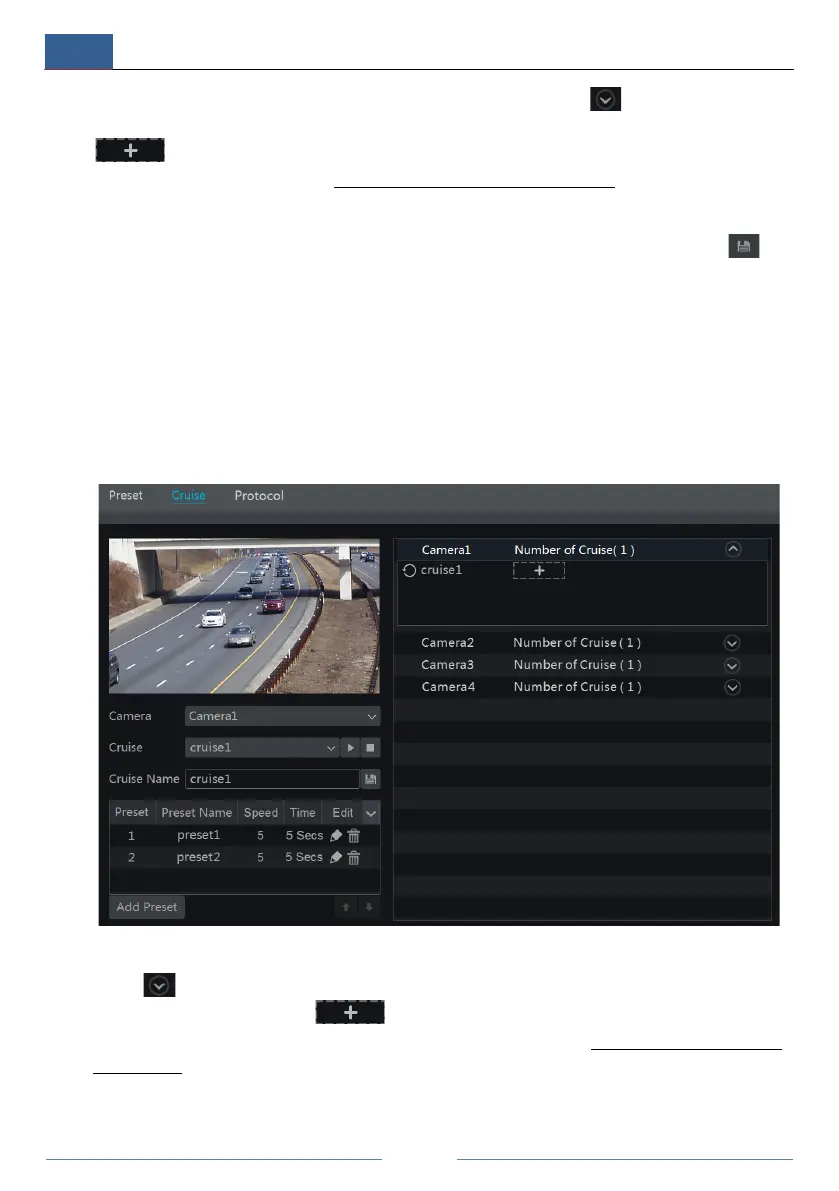
Click StartSettingsCameraPTZCruise to go to the interface as shown below.
Add Cruise
Click in the camera list on the right side of the interface to display the cruise information
of the dome and then click to add cruise. The operations of the “Add Cruise”
window are similar to that of the PTZ control interface; please see 6.1 PTZ Control Interface
Introduction for details.
Edit Cruise



 To Next Page