31
5.3 POS Settings
Some models may not support this function.
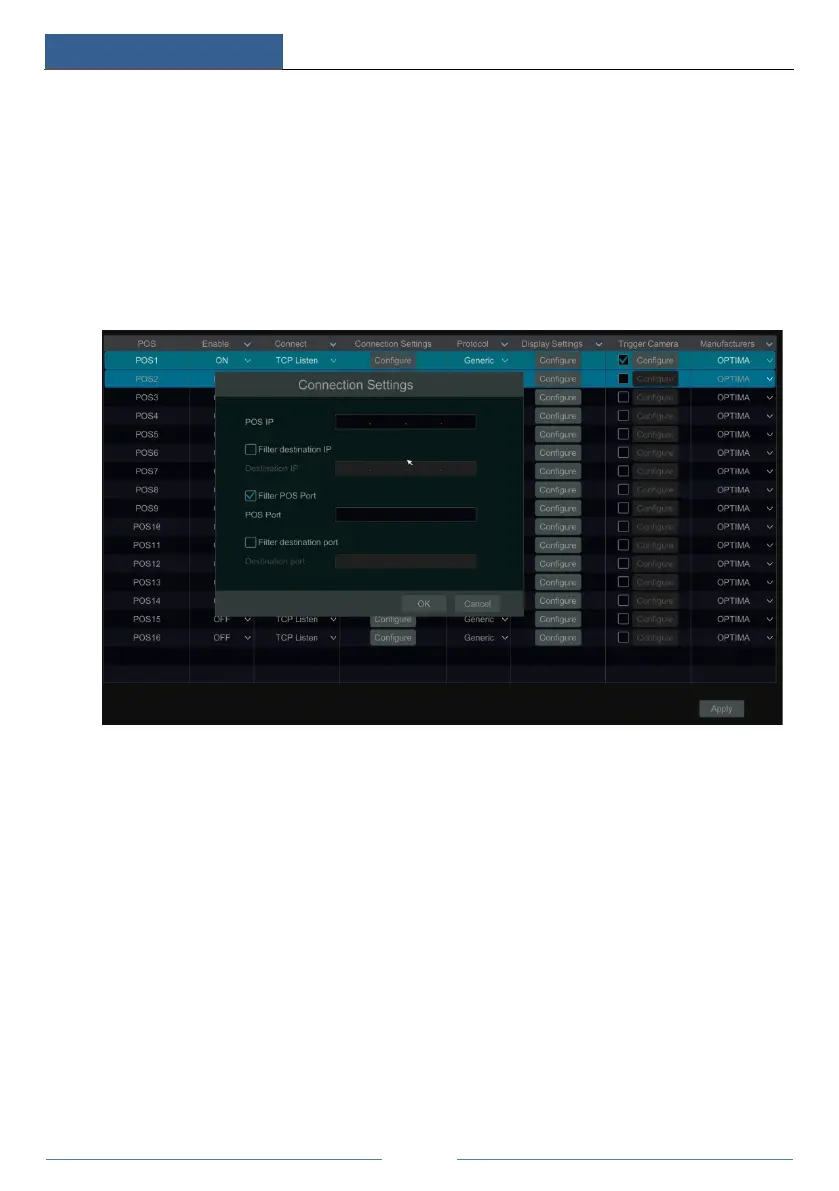
① Click StartSettingsBasicPOS Settings to go to the interface.
② Enable POS and click configure under “Connection Settings” to go to the following
interface.
③ Enter the IP address of the POS you want to add.
④ Check “Filter destination”, “Filter POS port” and “Filter destination Port” (If you do not
check them, please skip this step) and enter the destination IP, POS port and destination port
you want to filter.
⑤ Click “Display Position” under “Display Settings” to set the position of the POS
information (Use the default settings of the general settings).



 To Next Page