42
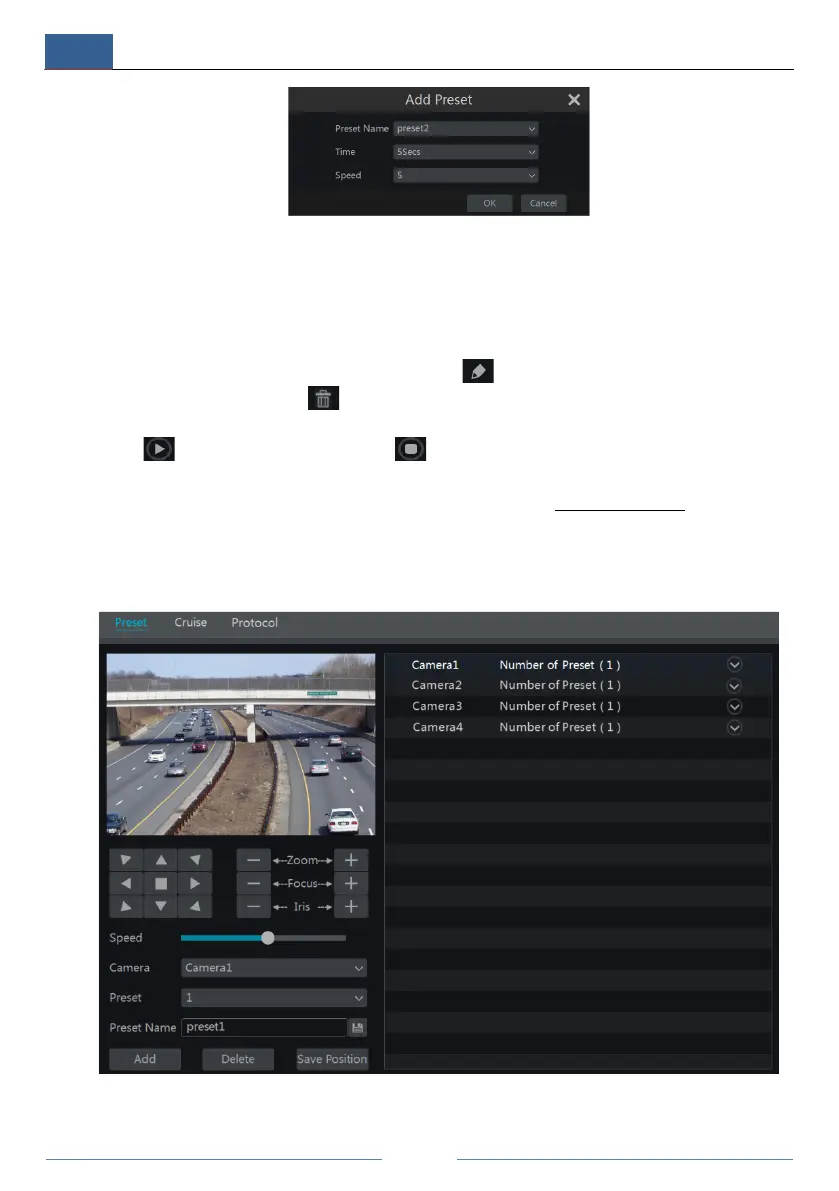
① Enter the cruise name in the “Add Cruise” window and then click “Add preset” to pop up
the “Add Preset” window (Before adding preset to the cruise, please add preset of the dome
first).
② In the “Add Preset” window, select the preset name, preset time and preset speed and then
click “OK” button.
③ In the “Add Cruise” window, you can click to reselect the preset, then change the
preset time and speed. Click to delete the preset. Click “Add” button to save the cruise.
Click to start the cruise and click to stop the cruise in the cruise list of the cruise
operation tab; click “Delete” button to delete the selected cruise.
You can also go to cruise setting interface for cruise setting, see 6.3 Cruise Setting
for details.
6.2 Preset Setting
Click StartSettingsCameraPTZPreset to go to the interface as shown below.
Add preset



 To Next Page