17
or the added IPC is online. Click “Next” to continue.
Tips:Please skip Step ⑦ and ⑧ if the DVR do not support RAID function.
⑦ Disk Mode. Click “Enable RAID” to enable the RAID function. Click “Next” to continue.
⑧ Create an array. Set the array name and select array type which including RAID0, RAID1,
RAID5, RAID6 and RAID10. The global hot spares and array capacity can also be viewed here.
See 7.4 Disk
for details. Click “Next” to continue.
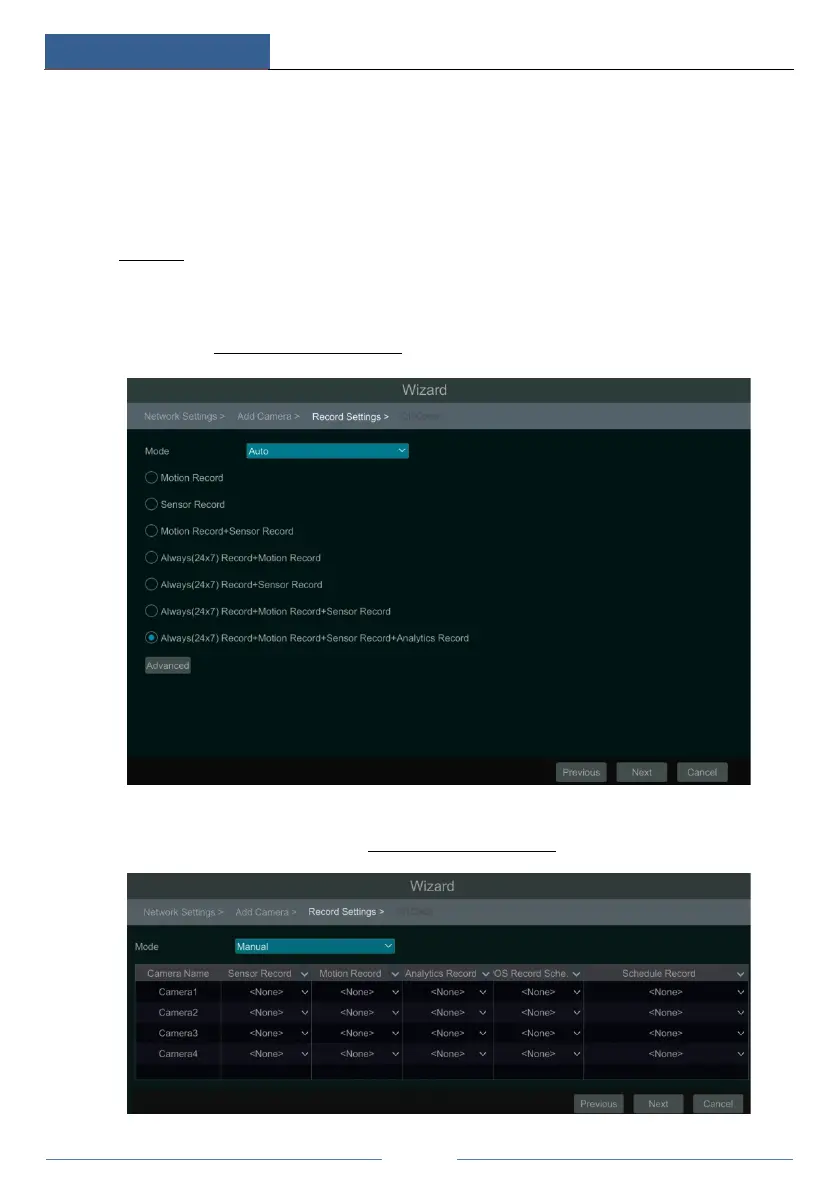
⑨ Record Settings. Two record modes are available: auto and manual.
Auto: Select one auto mode in the interface as shown below and then click “OK” button to save
the settings. See 7.1.1 Mode Configuration
for details.
Manual: Set the “Sensor Record”, “Motion Record” and “Schedule Record” of each camera.
Click “Next” to save the settings. See 7.1.1 Mode Configuration
for details.



 To Next Page