37
White Balance Adjust the color temperature according to the environment automatically.
Image Mirror Turn the current video image horizontally.
Image Flip Turn the current video image vertically.
Lens Control
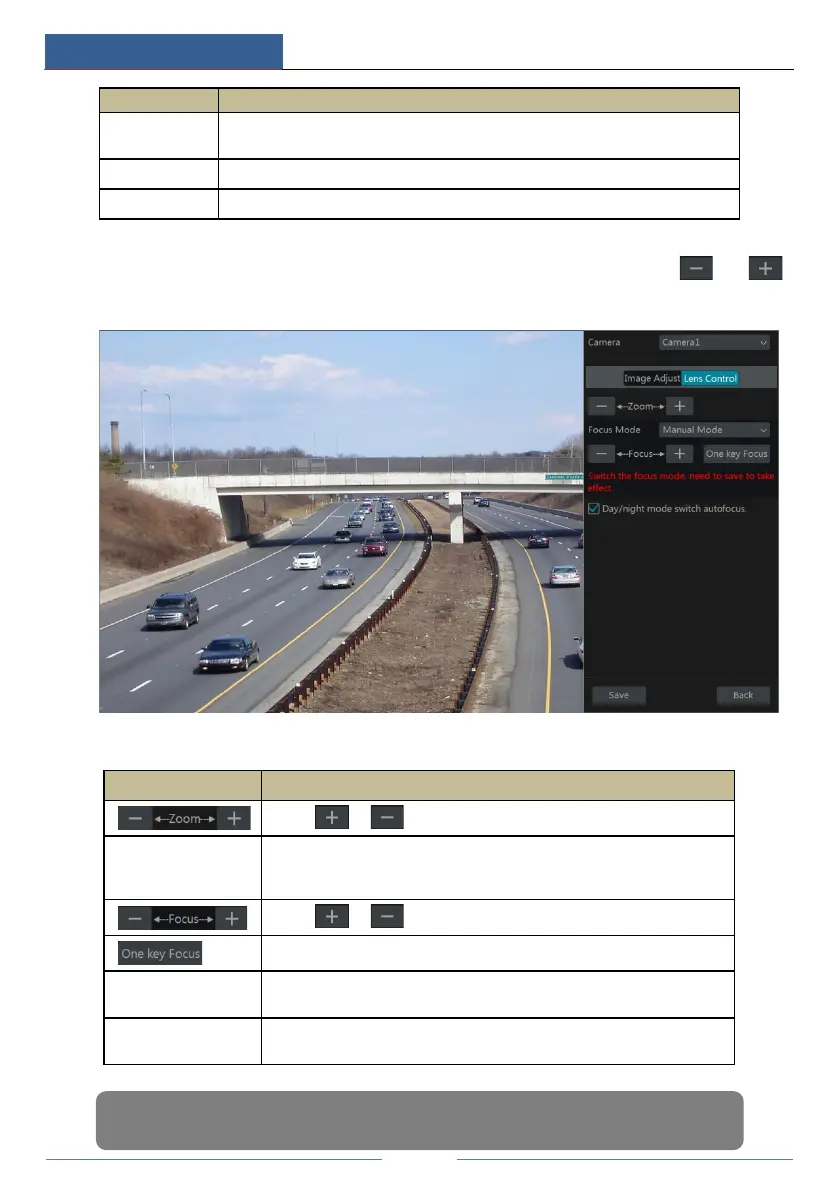
Select the camera and then click “Lens Control” to go to lens control tab. Click or
to adjust the zoom and focus parameters of the camera’s lens. Click “Save” to save the settings.
The introductions of these parameters and buttons are as follows:
Button/Parameter Meaning
Click / to zoom in/out the image.
Focus Mode
If manual mode is selected, focus button & “One Key Focus” &
“Day/night mode switch autofocus” will be available; if auto mode is
selected, the time interval setup will be available.
Click / to increase/decrease the focal length.
Click it to focus instantly.
Day/night mode
switch autofocus
If checked, the lens will focus automatically when the camera is switching
day/night mode.
Time Interval
It is the time interval when camera lens is auto-focusing. The interval can
be set in the drop-down list.
Note: This function is only available for the models with auto varifocal lens, or the settings here
are ineffective.



 To Next Page