54
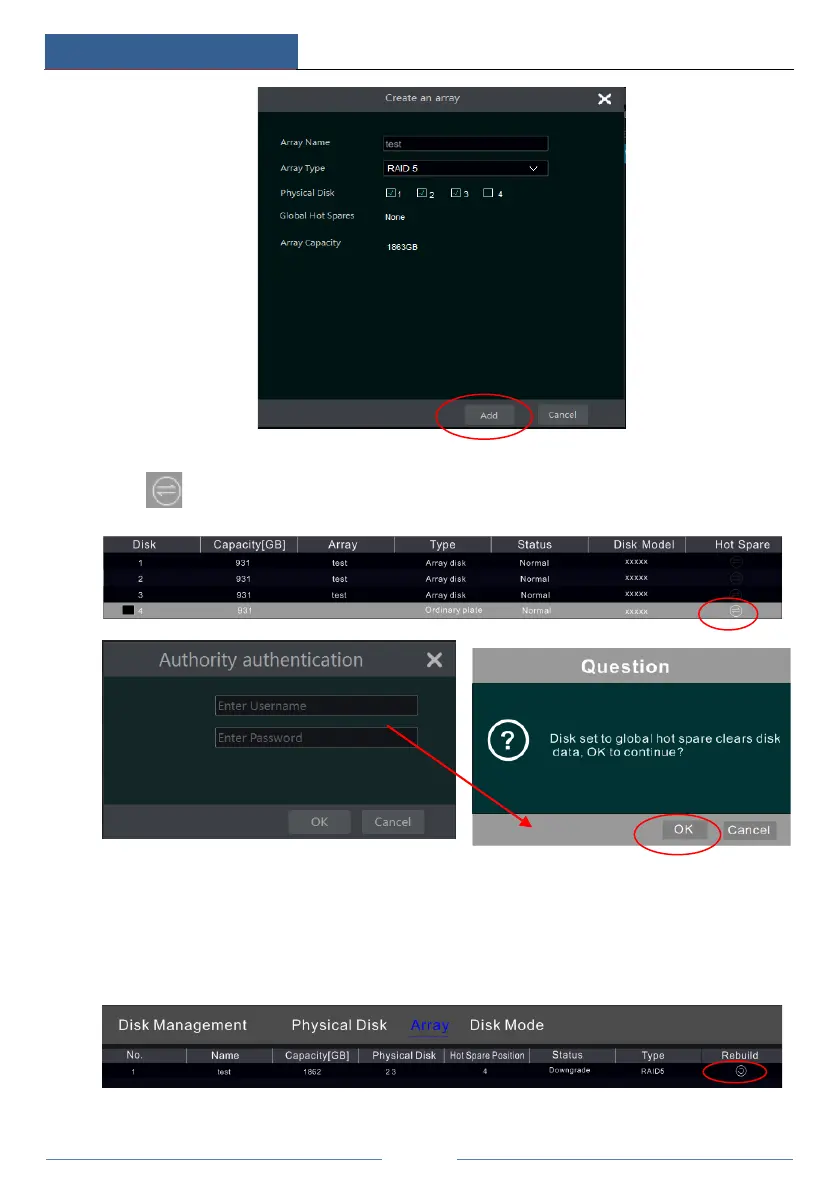
e. Select a hot spare. In the physical disk interface, select the disk that is not in the array and
click as shown in the following pictures.
RAID Rebuilding
If one of your disks is broken, the disk indicator on the front panel will turn red. Of course, a
warning tip will pop up if the relevant HDD exception alarm is set. You need to rebuild the
RAID after you replace the broken disk with a new one.
Click the above circled icon and then select the physical disk to rebuild.



 To Next Page