76
③ Select the alarm area. Up to 4 alarm areas can be set up.
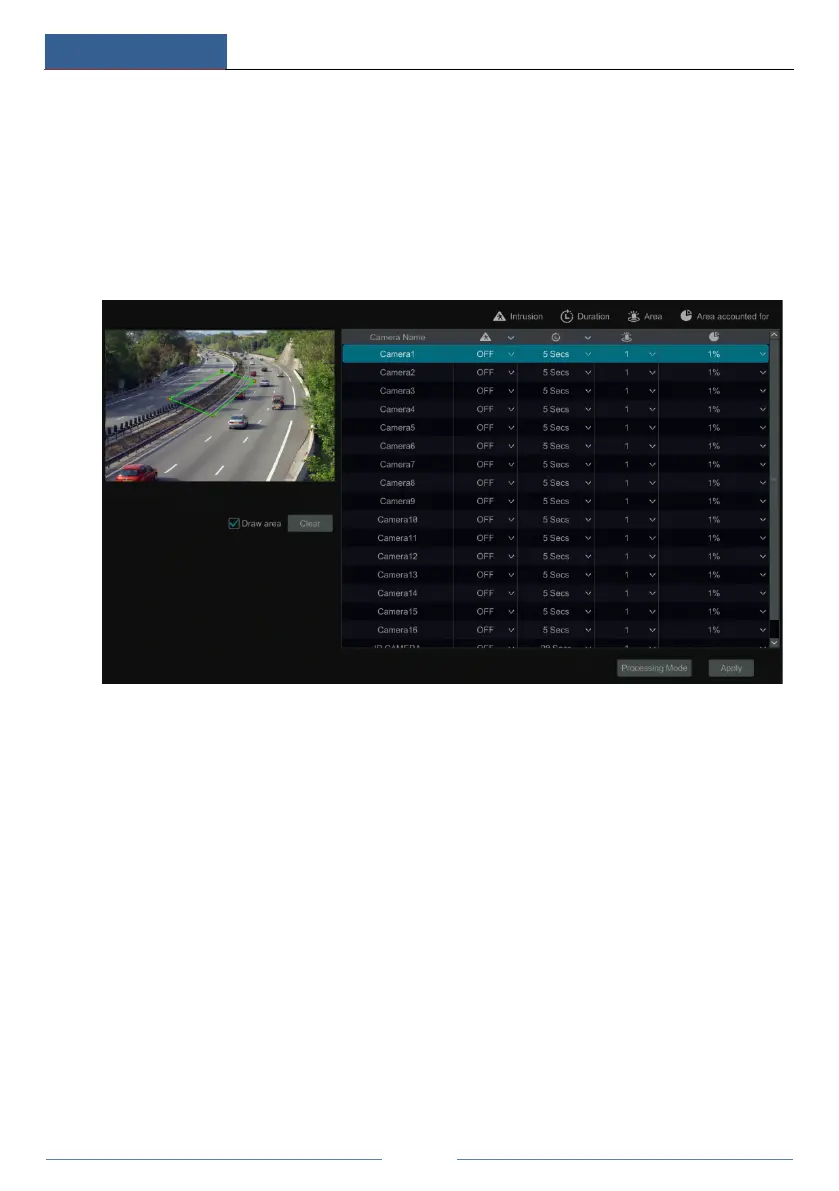
④ Draw the alarm area of the intrusion detection. Refer to the interface as shown below.
Check “Draw Area” and then click around the area where you want to set as the alarm area in
the image (the alarm area should be a closed area). Uncheck the “Draw Area” if you finish the
drawing. Click the “Clear” button to delete the alarm area.
⑤ Click “Apply” to save the settings.
⑥ Click “Processing Mode” to go to the alarm handling configuration interface of intrusion
detection.
Intrusion Detection Alarm Handling Configuration:
① Click StartSettingsAlarmIntelligence AlarmIntrusion Detection to go to the
following interface.



 To Next Page