EasyManua.ls Logo

IPG Photonics Scanner Series - Page 53

IPG Photonics Scanner Series
109 pages
Print Icon
To Next Page IconTo Next Page
To Previous Page IconTo Previous Page
Loading...
47
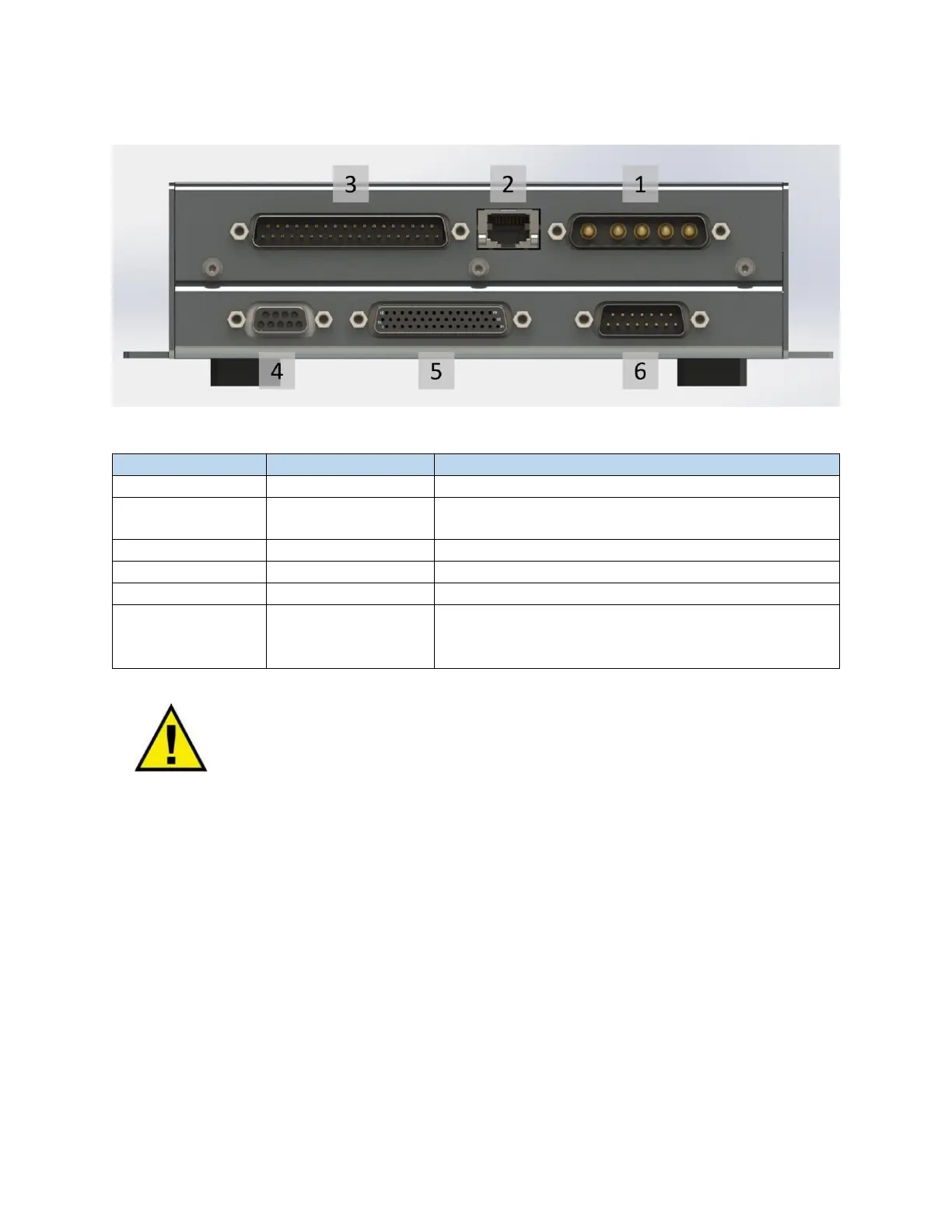
Figure 6-2 IPG Scan Controller Connections
Table 6-1 IPG Scan Controller Connections
Connector Number
Connector Type
Description
1
DB 5W5 - Male
Power supply
2
RJ45
Ethernet communications between the Scan Controller
and PC
3
DB 37 - Male
External control interface connector (User I/O)
4
DB 9 - Female
RS232 Serial connector for controller troubleshooting
5
DB 44 - Female
Digital communication with the scan head
6
DB 15 - Male
Or
DB 25 - Female
Laser control interface. Connector is dependent on the
laser model used with the scanner
WARNING: Always ensure that the Scan Controller power supplies are powered
down when plugging-in or unplugging cables.
Each connection is detailed further in the following sections.

Table of Contents

Related product manuals