71
9.3.1 2D High-Power Scanner Window Replacement Procedure
To replace the protective window in the 2D High-Power Scanner Window Assembly, please refer to the
following procedure:
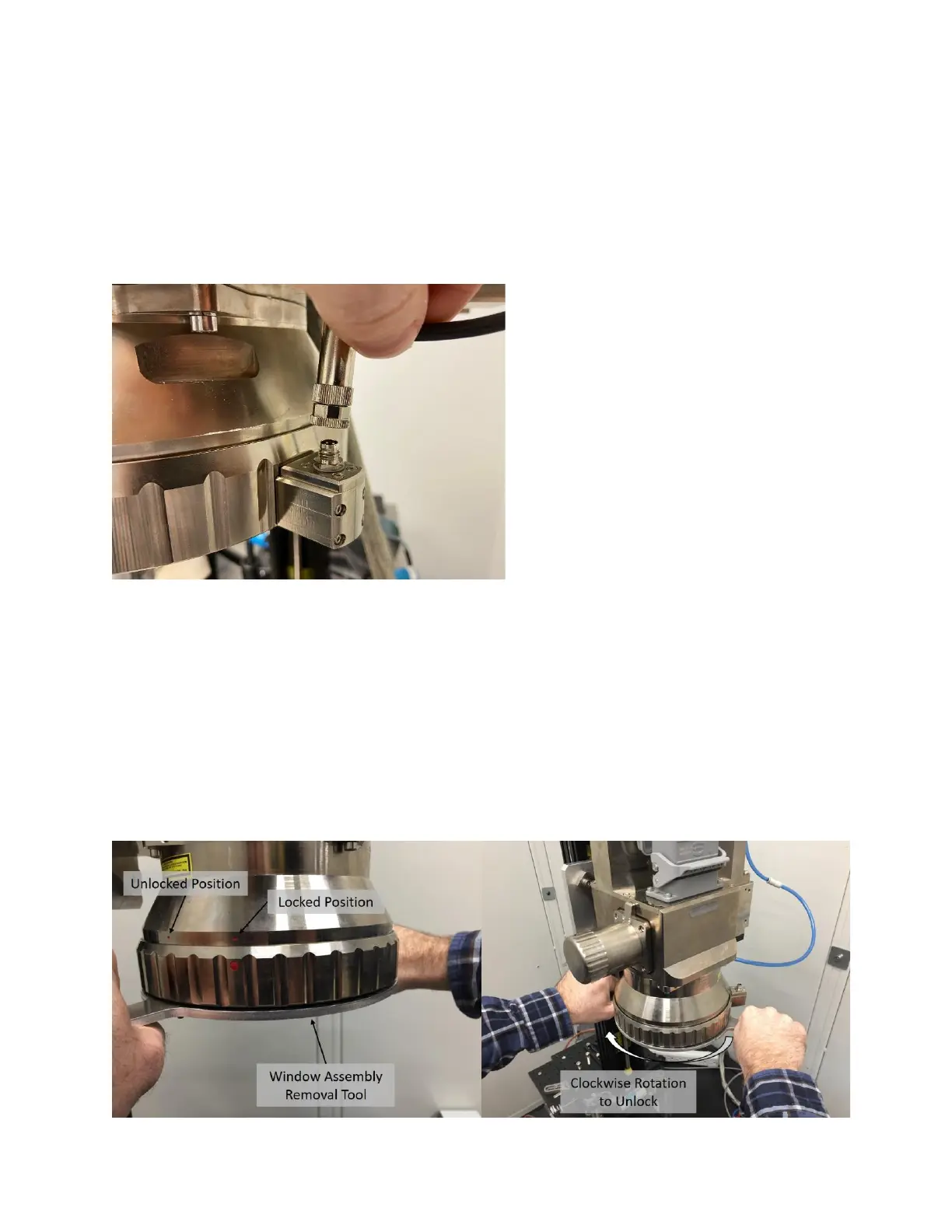
1. If using a scanner that has a Dirty Window Sensor (DWS), unscrew and disconnect the DWS
cable from the Window Assembly. See Figure 9-2.
Figure 9-2 - Unplugging the Dirty Window Sensor
2. Rotate the Window Assembly on the scan head clockwise (if looking at the front of the scanner)
to remove it from the focus lens assembly.
a. Window Assemblies that include the Dirty Window Sensor have dowel slots in which a
Window Assembly Removal tool can be utilized to easily rotate the Window Assembly
(See Figure 9-3).
b. Window Assemblies that do not include the Dirty Window Sensor do not have dowel
slots in which a Window Assembly Removal tool can be used to rotate the Window
Assembly. A strap wrench (McMaster Part Number: 54325A63) can be utilized to more
easily remove the Window Assembly if necessary.
Figure 9-3 Unlocking the Window Assembly



 To Next Page