52
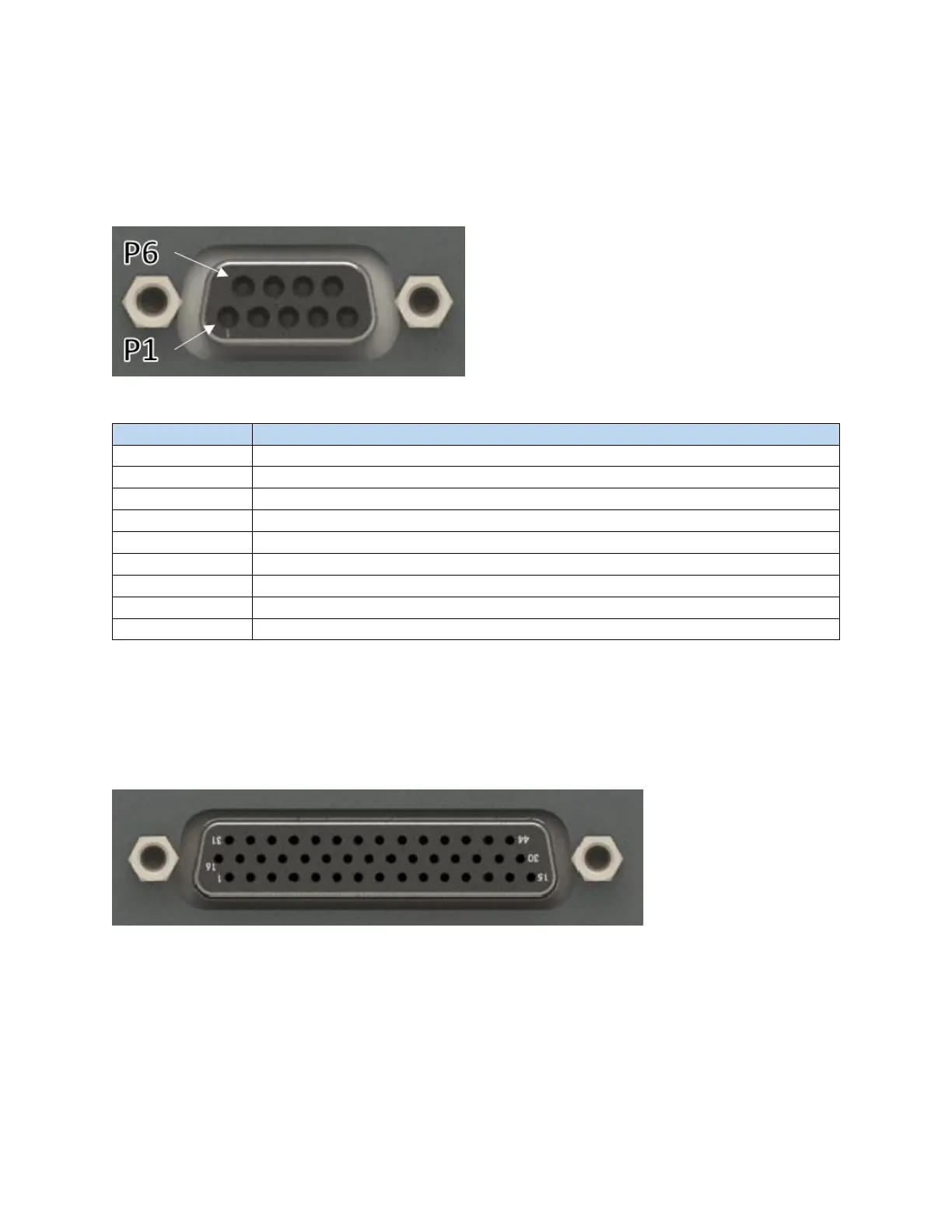
6.1.4 RS232 Serial
The RS232 connector is used as troubleshooting connection to the Scan Controller. This port can be used
to reset the IP address of the Scan Controller if the user ever forgets what the assigned IP address is.
Figure 6-9 Female DB 9 / RS232 Connector
Table 6-6 Serial Pinout
Reserved – Do not connect
Reserved – Do not connect
Data Set Ready – Internally connected to Pin 4
Request to Send – Internally connected to Pin 8
Reserved – Do not connect
Reserved – Do not connect
6.1.5 Scanner Control
This provides the connection between the Scan Controller and Scan Head. IPG provides the cable utilized
here. Users are not allowed to interface with this connector.
Figure 6-10 Female DB 44 Connector



 To Next Page