1
Appendix
A Resetting a Scan Controller IP Address through Serial
The following steps detail how to reset the IP Address of a Scan Controller using the serial port.
1. Connect a computer to the Scan Controllers RS232 port using a USB to RS232 cable
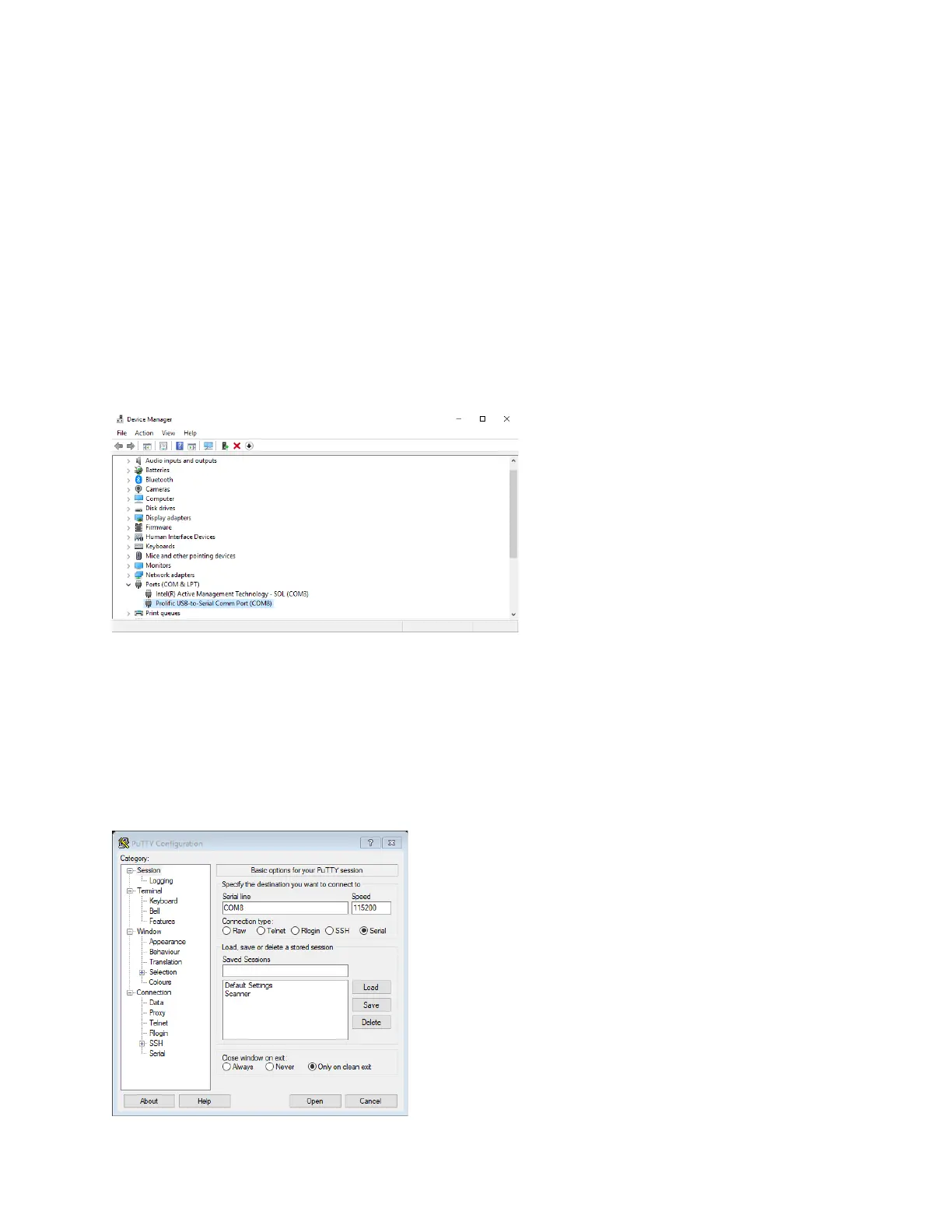
2. Determine which COM Port is the connection to the Scan Controller
a. This can be determined by opening the Device Manager
b. The following example (Figure A-1) shows that COM8 is the connection to the Scan
Controller.
Figure A-1 Finding the COM# in Device Manager
3. Open a Serial Terminal
a. This set of instructions utilizes PuTTY for the terminal.
4. Set the connection type to “Serial”
5. Set “Serial line” to the proper COM Port value
6. Set “Speed” to 115200
a. The following image (Figure A-2) details steps 2-5.
Figure A-2 Serial Setup using PuTTY



 To Next Page