6-8
Capter 6 Adjust Mode
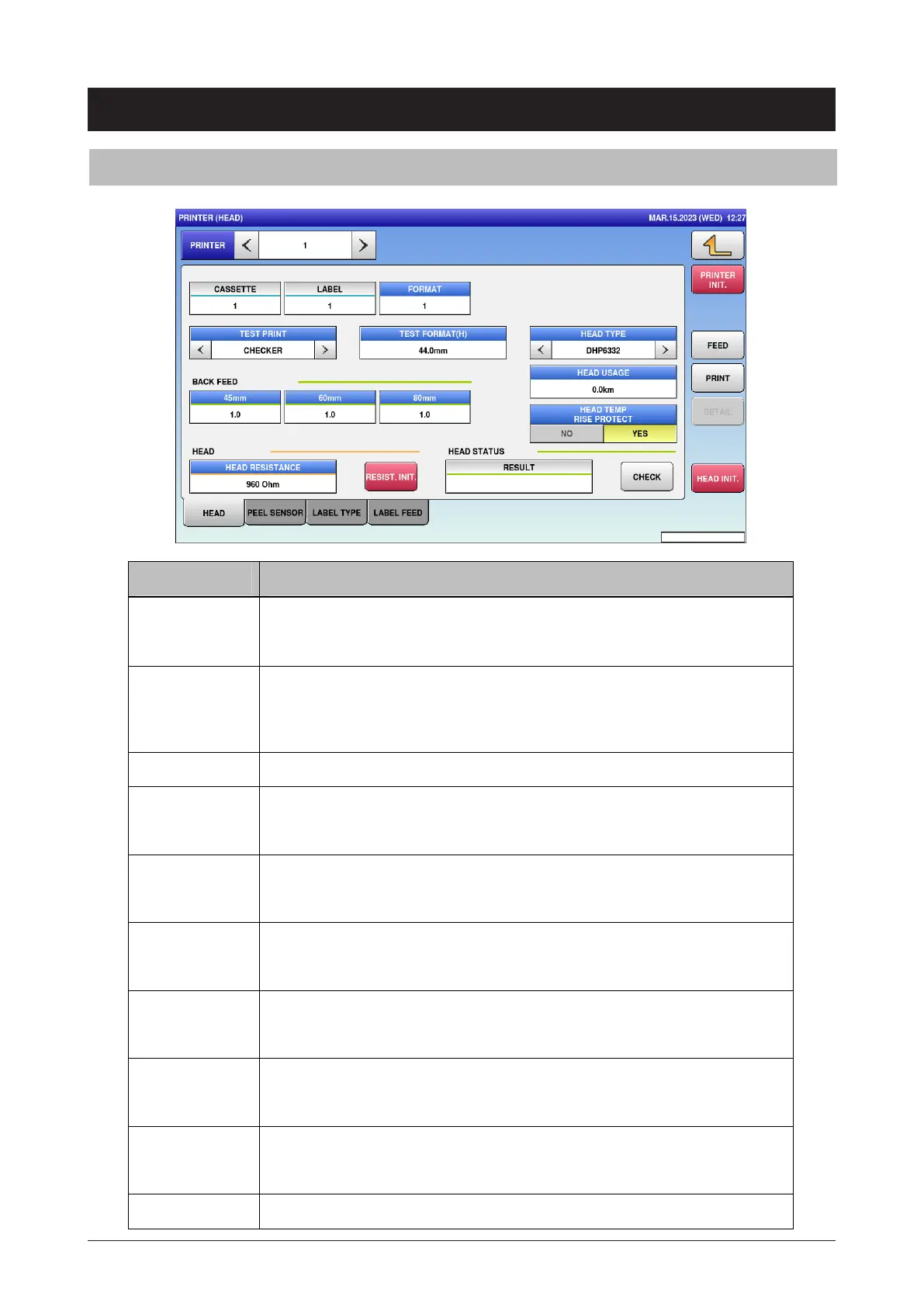
6.6 Printer
6.6.1 Head
Menu name Specification
PRINTER Display only 1.
FORMAT Enter the format number for the test print.
Input range: 0 to 999
If there is no format, nothing is printed.
TEST PRINT Select CHECKER (checkered pattern) or NORMAL (normal pattern).
TEST
FORMAT(H)
Enter the height of format directly.
Input range: 0 to 999
HEAD TYPE Select the head type.
BHE4256 / DHP6332
BACK FEED
ADJUSTMENT
Enter the back feed for each label length.
Input range: 0 to 99
HEAD USAGE Enter the head travel distance.
Input range: 0 to 999
HEAD TEMP
RISE PROTECT
Select whether or not to protect the head in case its temperature rises.
NO / YES
HEAD
RESISTANCE
Enter the head resistance.
Input range: 0 to 9999
RESIST.INIT. Initialize the head resistance.



 To Next Page