4-9
Chapter 4 Electric Components
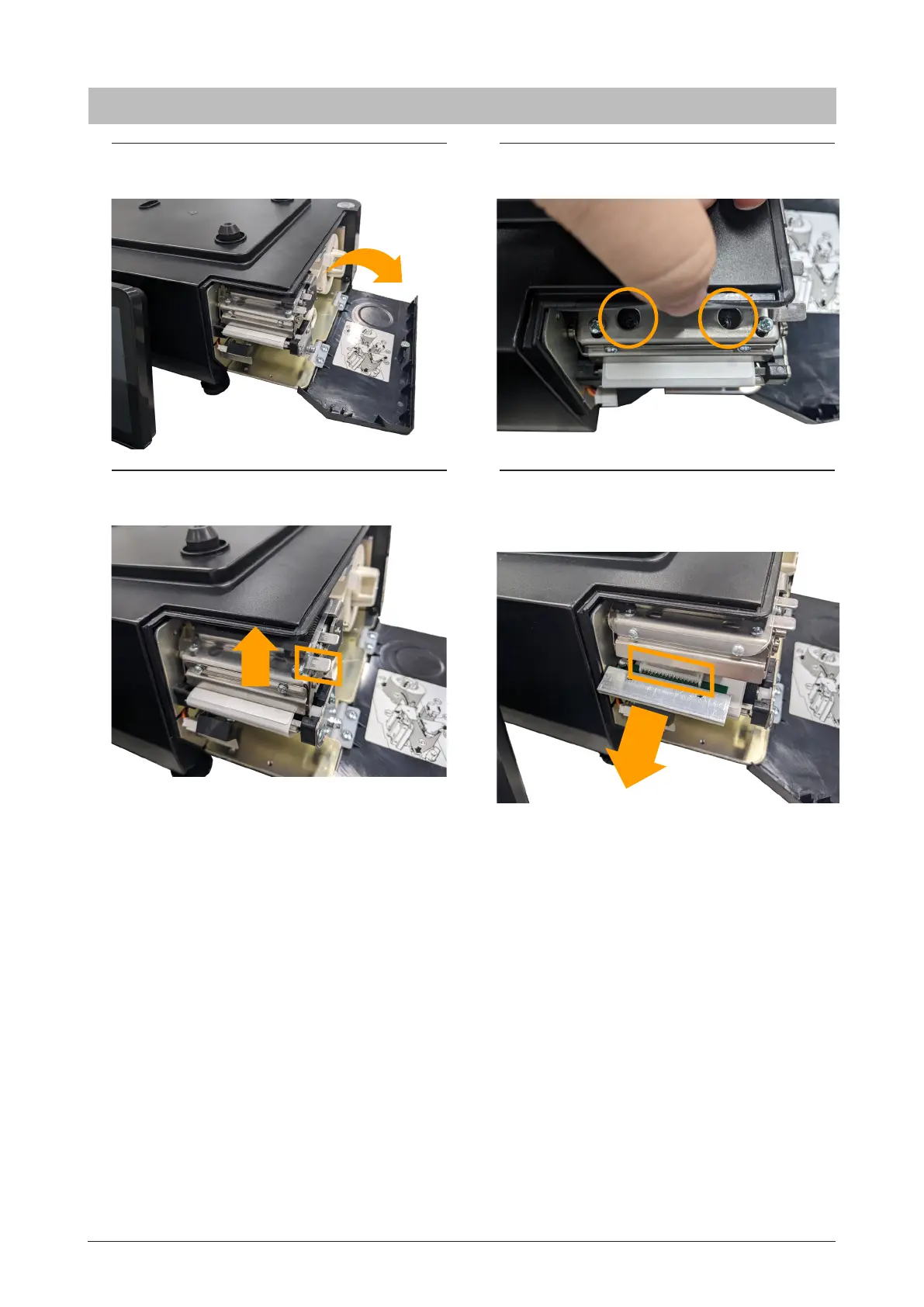
1. Open the side cover and remove
the cassette cover.
3. Push up the plate.
2. While holding the plate, remove the
two screws.
4.
Pull out the thermal head and unplug the
connector. Set the original position for
assembly.
* Reverse this procedure for assembly.
4.1.8 Thermal head



 To Next Page