5-22
Capter 5 Setup Mode
Menu name Specification
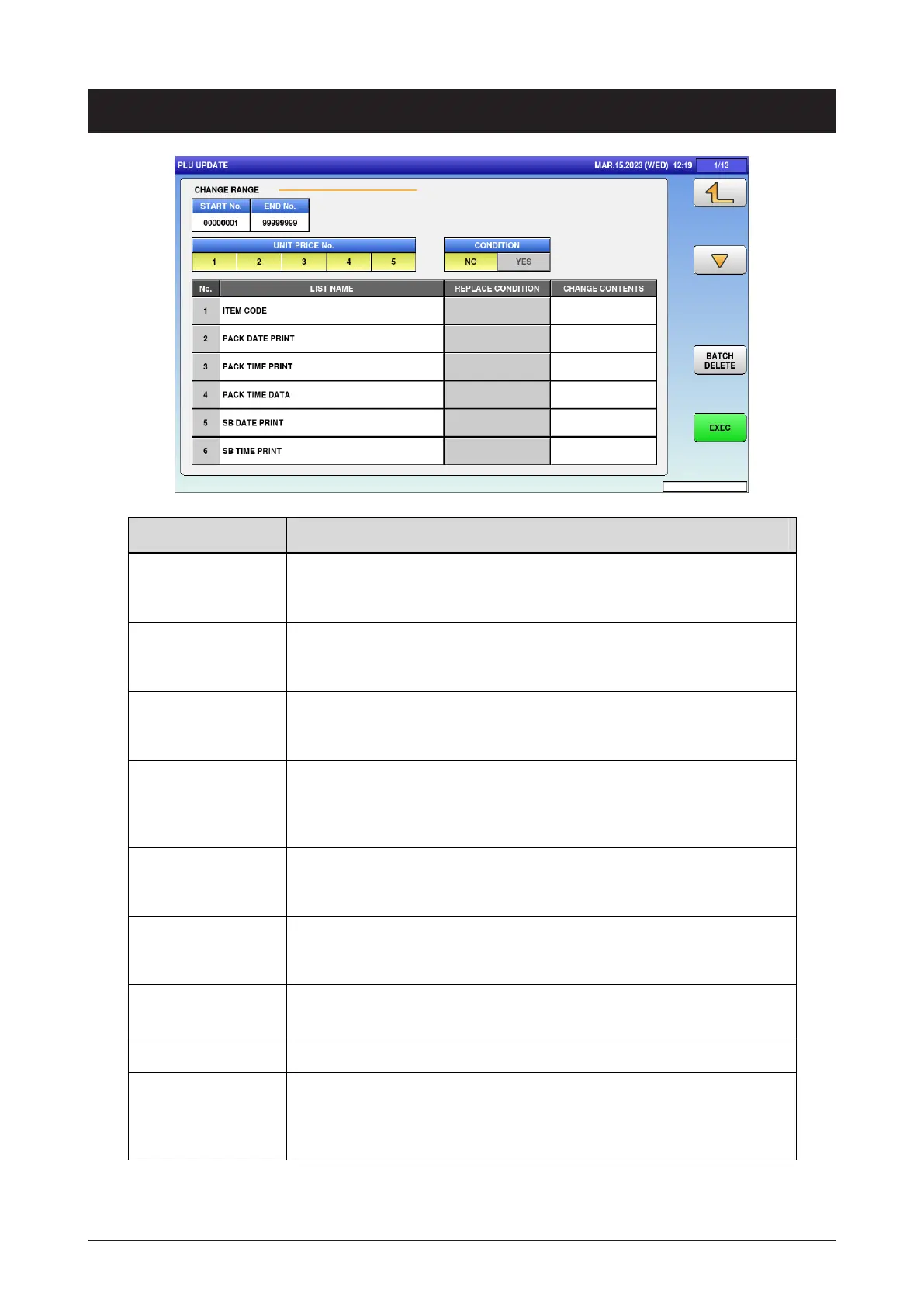
START No. Enter the start number of the batch change range.
Input range: 1 to 99999999
END No. Enter the end number of the batch change range.
Input range: 1 to 99999999
UNIT PRICE No. Enter the unit price number for the batch change.
Press button to change selection.
CONDITION Select whether or not to specify the replacement condition for the
batch change.
NO / YES
LIST NAME Display the item for the batch change.
Press button to change selection.
REPLACE
CONDITION
Specify the replacement condition.
This function is enabled when [YES] is selected in [CONDITION].
CHANGE
CONTENTS
Specify the replacement contents.
BATCH DELETE Cancel all selections.
EXEC Execute the batch change.
ALL REUPDATE CHECK dialog appear s to ask whether to execute
the batch change.
5.10 PLU update



 To Next Page