5-26
Capter 5 Setup Mode
Menu name Specification
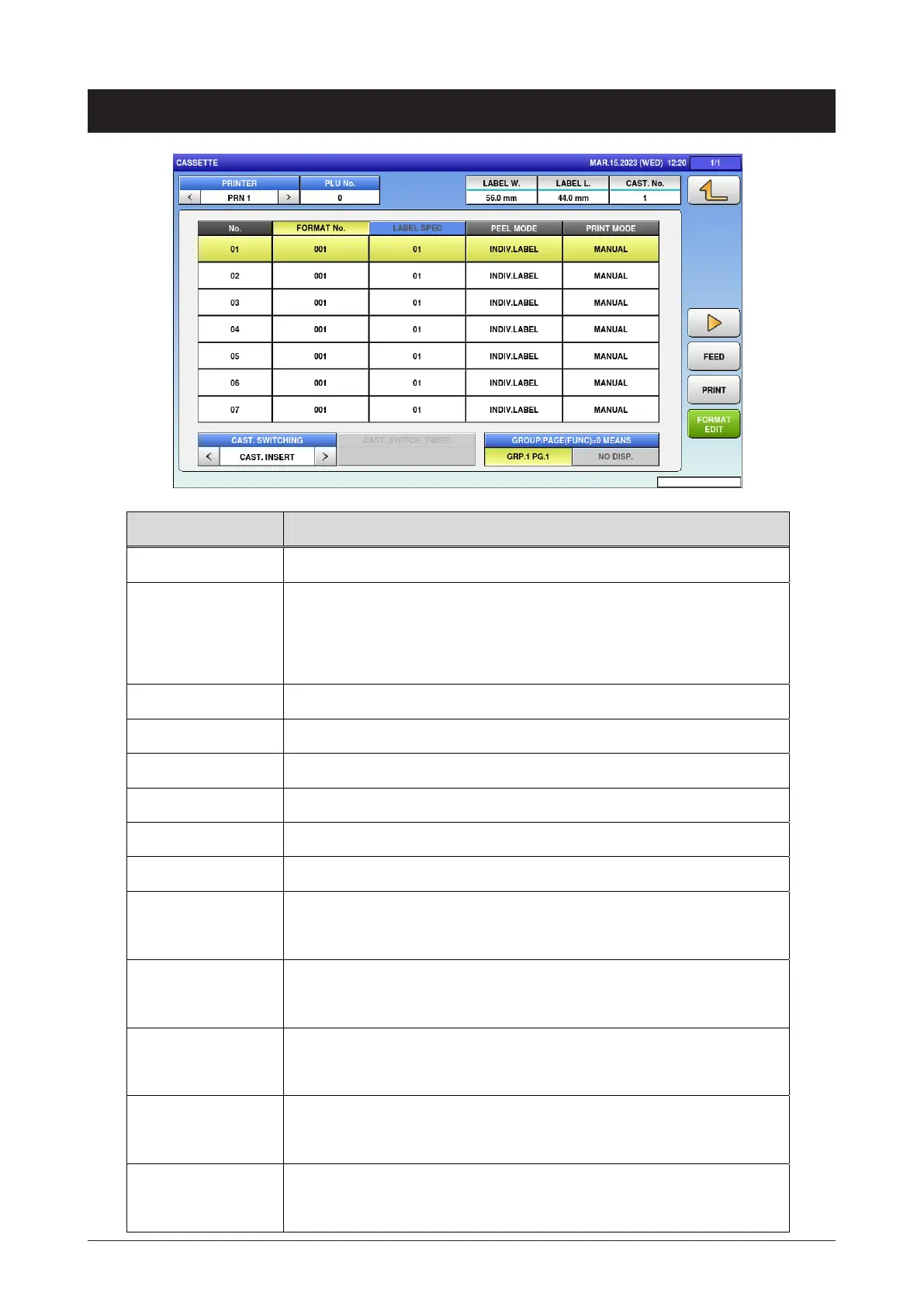
PRINTER Display only PRN 1.
PLU No. Enter the PLU number to use for test printing.
Input range: 0 to 99999999
For 0, print the checker label.
LABEL W. Display the format width of label.
LABEL L. Display the format length of label.
CAST. No Display the cassette number.
FORMAT No. Press button to open the format entering screen.
LABEL SPEC. Press button to open the label number entering screen.
PEEL MODE Enter the peel mode.
PRINT MODE Select the print mode.
AUTO / MANUAL
LABEL TYPE Select the label type.
DIE-CUT / CONTINUOUS
STORE PRINT Select whether or not to print the store.
ENABLE / DISABLE
TITLE PRINT Select whether or not to print the title.
ENABLE / DISABLE
OVERFLOW FLG. Select and set the proc ess when the printing is over the set.
ERR+BLANK / TO MAX
5.12 Cassete



 To Next Page