5-29
Chapter 5 Setup Mode
Menu name Specification
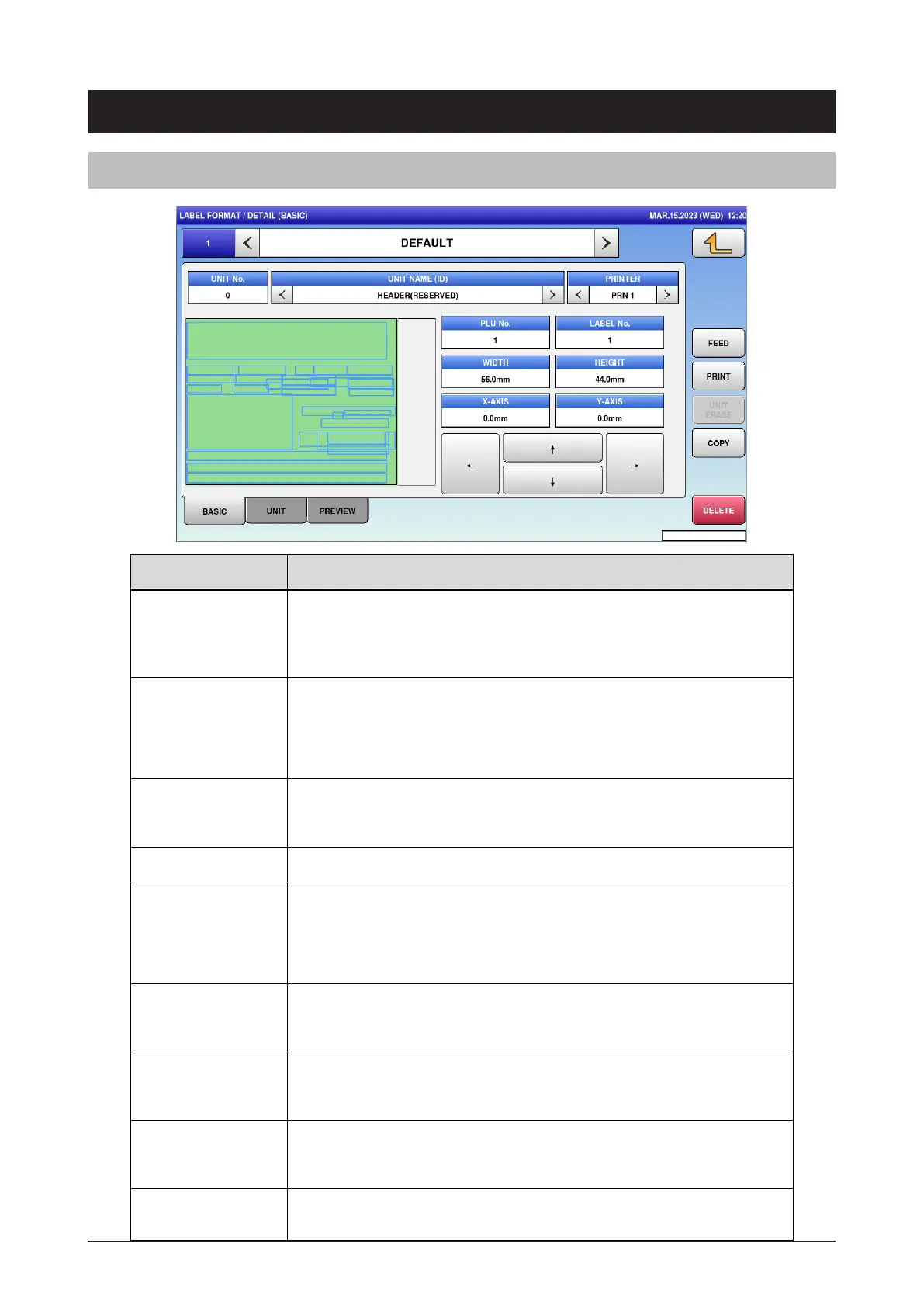
FORMAT NAME Press button to open the format name edit screen.
Press "<" and ">" located at both sides of the box to select the next (or
previous) format master.
UNIT No. Display the unit number.
Press button to open the unit list set for the current format.
The UNIT tab also has the same function.
UNIT NAME(ID) Display the selected unit name.
If nothing is selected, [HEADER] is selected.
PRINTER Select the printer number.
PLU No. Enter the PLU number to be used for the test print and preview.
Input range: 1 to 99999999
For 0, print the checker label.
LABEL No. Specify the label number.
Input range: 1 to 99
WIDTH Enter the format width.
Input range: 0 to 800
HEIGHT Enter the format height.
Input range: 0 to 2000
X-AXIS Display the X axis of selected unit.
The axis is moved by entering numerical number.
5.14 Label format
5.14.1 Detail (basic)



 To Next Page