5-9
Chapter 5 Setup Mode
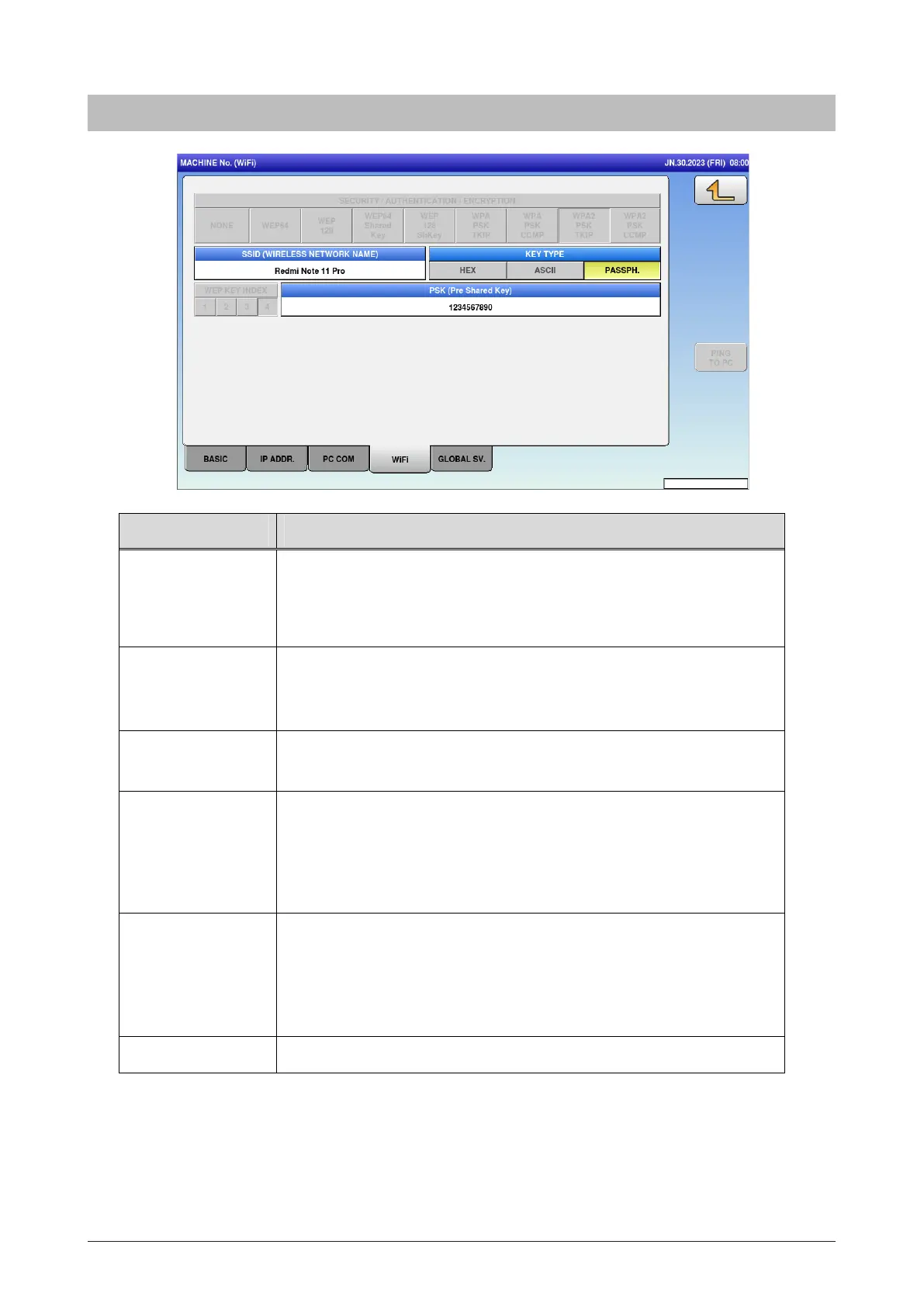
Menu name Specification
SECURITY /
AUTHENTICATION
/ ENCRYPTION
Select the method of security/authentication/encryption.
NONE / WEP64 / WEP128 / WEP64 Shared Key / WEP128 ShKey /
WPA PSK TKIP / WPA PSK CCMP / WPA2 PSK TKIP / WPA2 PSK
CCMP
SSID (WIRELESS
NETWORK NAME)
Enter the SSID.
Press button to open editor screen.
Up to 32 bytes
KEY TYPE Select the WEP key index.
HEX / ASCII / PASSPH
WEP KEY INDEX Select the WEP key index.
1 / 2 / 3 / 4
This function is enabled only when one of WEP64 / WEP128 / WEP64
Shared Key / WEP128ShKey is selected for security / authentication /
encryption.
WEP64 KEY Enter the WEP64 Key.
Up to 5 bytes
This function is enabled only when one of WEP64 / WEP128 / WEP64
Shared Key / WEP128ShKey is selected for security / authentication /
encryption.
PING TO PC Ping the PC.
5.2.4 WiFi



 To Next Page