5-36
Capter 5 Setup Mode
Menu name Specification
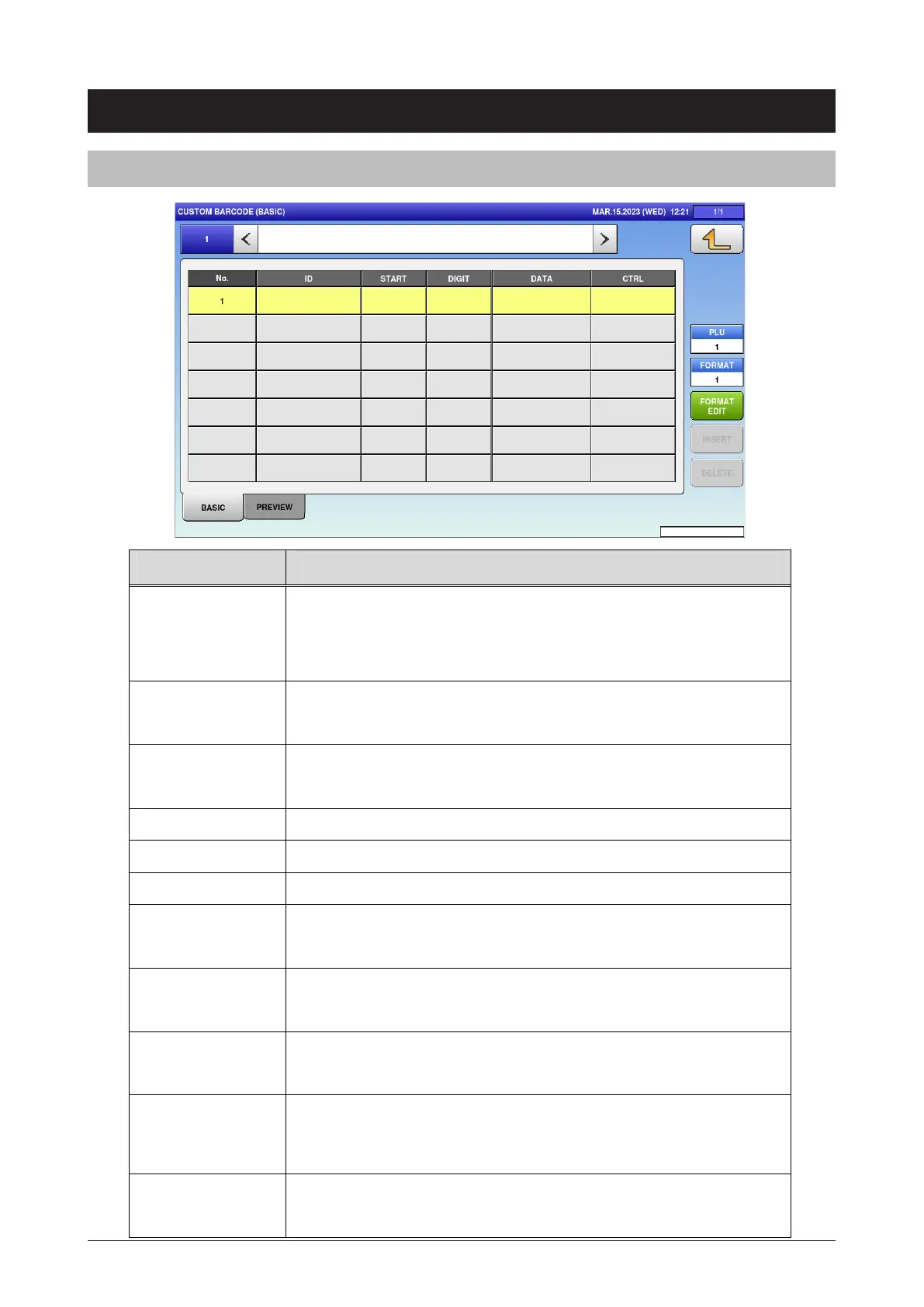
PLU Enter the item number to be used for the preview.
Input range: 1 to 99999999
Other tabs also have the same function.
FORMAT Input range: 1 to 999
Other tabs also have the same function.
FORMAT EDIT Open the format edit screen.
Other tabs also have the same function.
INSERT Insert the blank line in front of selected line.
DELETE Delete the selected line.
No. Press button to switch the selection.
ID
Enter the ID to be combined.
Press button to open the CUSTOM BARCODE ID LIST. Select the ID
from the list.
START Enter the start digit.
Input range: 1 to 999
DIGIT Enter the digit number.
0: ALL or 1 to 999
DATA Display the set ID data.
Press button to open the edit screen only when the ID is set to PRE
PRINT.
CTRL Select the control character.
0: NONE 1: ()
5.16 Custom barcode
5.16.1 Basic



 To Next Page