5-38
Capter 5 Setup Mode
5.17 Menu title
5.17.1 Operate
Menu name Specification
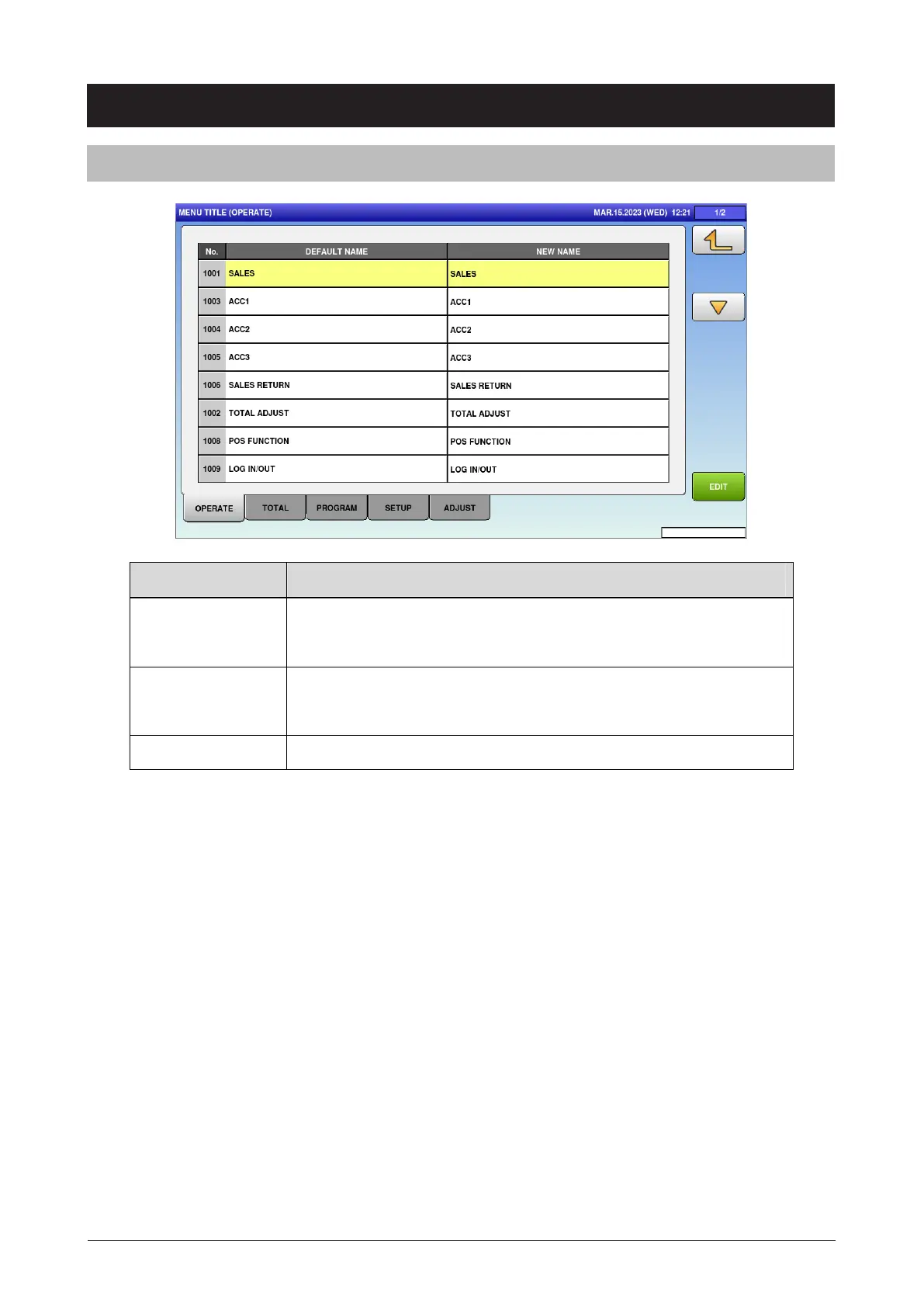
DEFAULT NAME Display the menu name before editing.
Press button to select the menu name.
NEW NAME Display the menu name after editing.
Press button to select the menu name.
EDIT Transfer to the edit screen of the selected menu name.
(All tabs have the same operations so their explanations are omitted here.)



 To Next Page