6-15
Chapter 6 Adjust Mode
6.7.1 Procedure for adjusting scale (span)
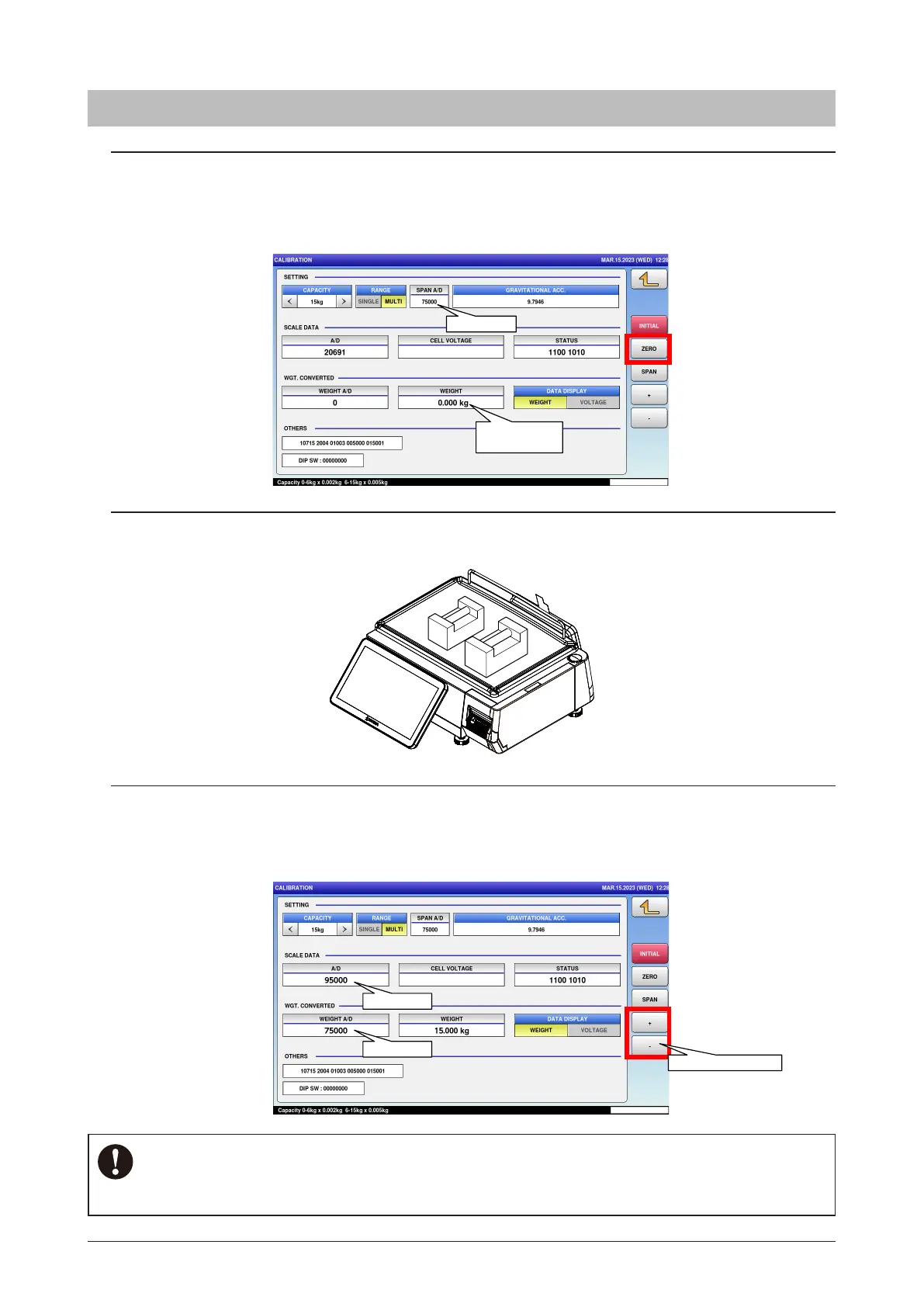
1. Press the "ZERO" key to adjust the zero point.
Then the "WEIGHT" displays field shows "0.000kg" or "0.00lb".
Chek that the "A/D" display field shows "20000" and the "SPAN A/D" field shows
"75000".
2. Place the weights of the same weight as the upper limit of the weighing vapacity
on the scale
3. Check that the "A/D" display field shows "95000" and the "WEIGHT A/D" field
shows "75000".
"+" and "-" key for little adjustment, if necessary.
“0.000kg”
or “0.00lb”
75000
5kg
10kg
75000
95000
For little adjustent
For 30 kg / 30 lb / 60 lb,"A/D" display field shows "80000" and the "WEIGHT A/D" field shows
"60000".
NOTE



 To Next Page