5-66
Capter 5 Setup Mode
Menu name Specification
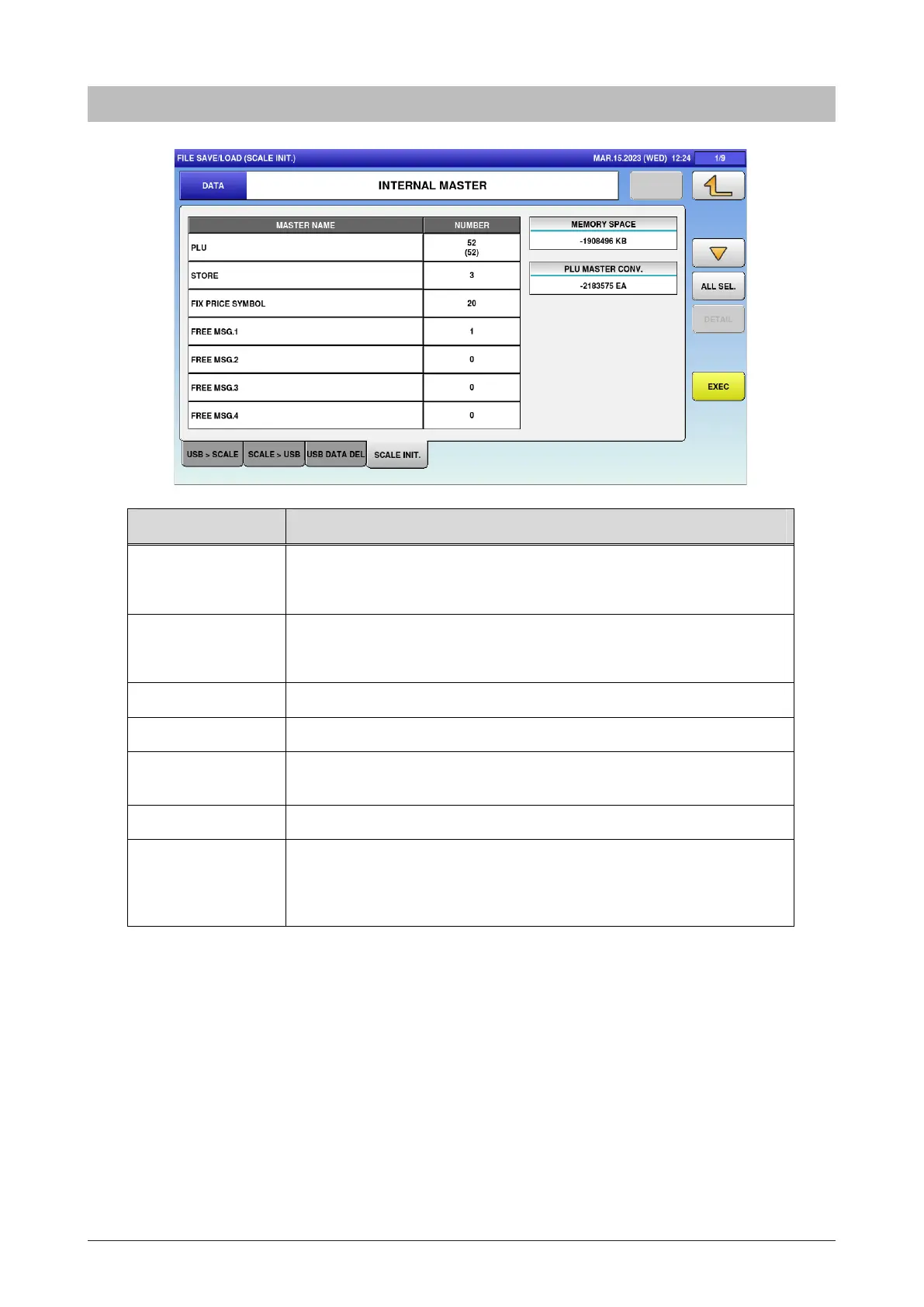
DATA Display the master name.
Press button to change the selection.
MASTER NAME Display the master name in the scale.
Line selection/deselection is available.
NUMBER Display the data Number of the master inside the scale.
MEMORY SPACE Display the memory space inside the scale in kilobyte (kB).
PLU MASTER
CONV.
Display the approximate value about how many items master can
store in the free space.
ALL SEL. Switch between “All items selected” / “All items unselected”.
EXEC Initialize the selected master.
The INITIALIZATION CHECK dialog appears to ask whether to
initialize the master.
5.28.4 Scale INIT.



 To Next Page