5-7
Chapter 5 Setup Mode
Menu name Specification
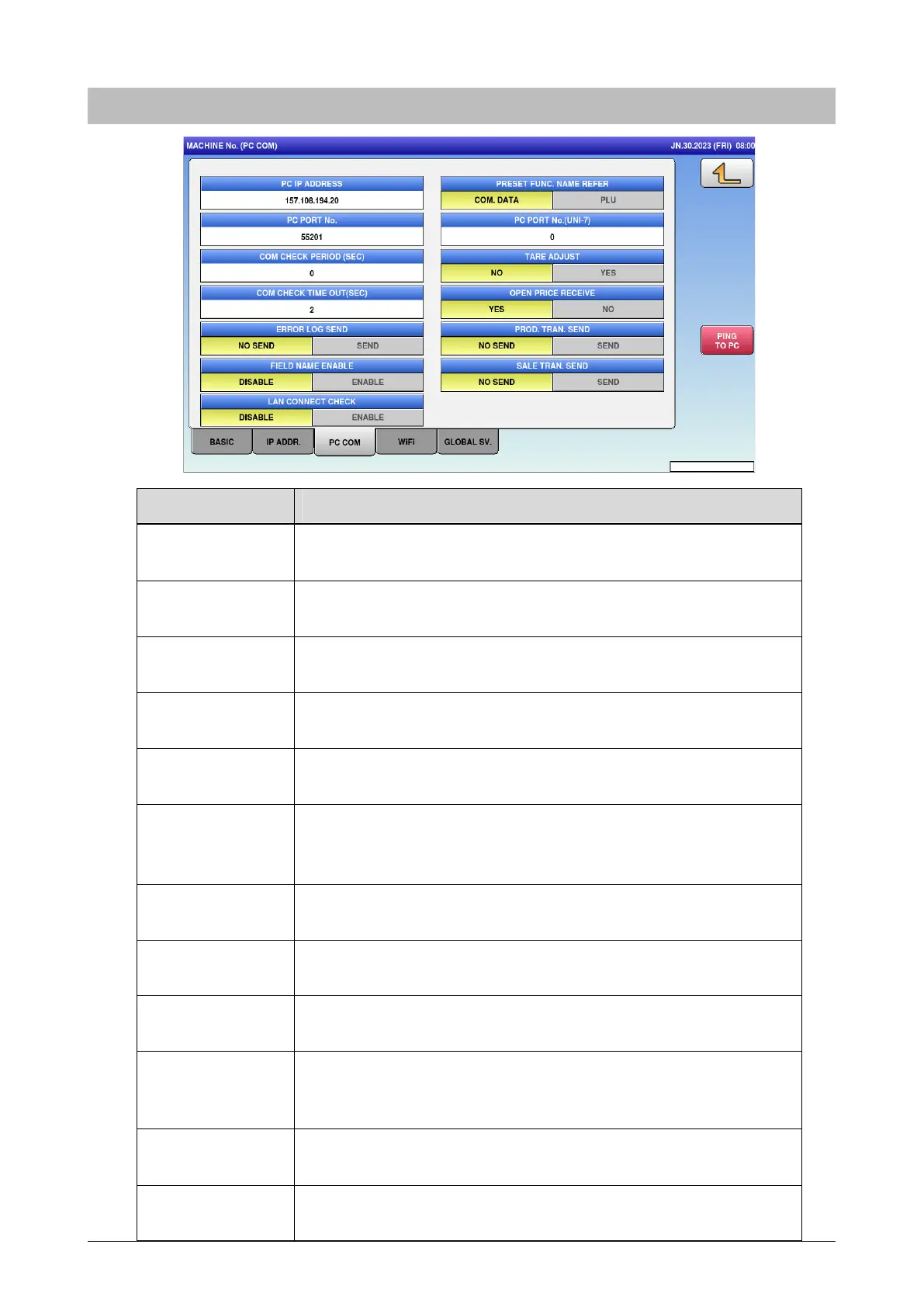
PC IP ADDRESS Enter the PC's IP address.
Input range: “0.0.0.0” to “255.255.255.255”
PC PORT No. Enter the PC's port number.
Input range: 0 to 65535
COM CHECK
PERIOD (SEC)
Enter the command check period.
Input range: 0 or 30 to 9999
COM CHECK TIME
OUT (SEC)
Enter the command check time-out.
Input range: 2 to 5
ERROR LOG
SEND
Enter whether or not to send the error log.
NO SEND / SEND
FIELD NAME
ENABLE
Select and set whether or not to add filed name to the transmission
data.
DISABLE / ENABLE
PRESET FUNC.
NAME REFER
Select the preset function name reference.
COM.DATA / PLU
PC PORT NO.
(UNI-7)
Enter the PC's port number.
Input range: 0 to 65535
PROD. TRAN.
SEND
Enter whether or not to perform transmission of Production
Transaction.
NO SEND / SEND
TARE ADJUST ?
OPEN PRICE
RECEIVE
?
NO / YES
YES / NO
LAN CONNECT
CHECK
Enter whether or not to check the LAN connection.
DISABLE / ENABLE
5.2.3 PC COM



 To Next Page