5-63
Chapter 5 Setup Mode
5.28 File save/Load
5.28.1 USB>Scale
Menu name Specification
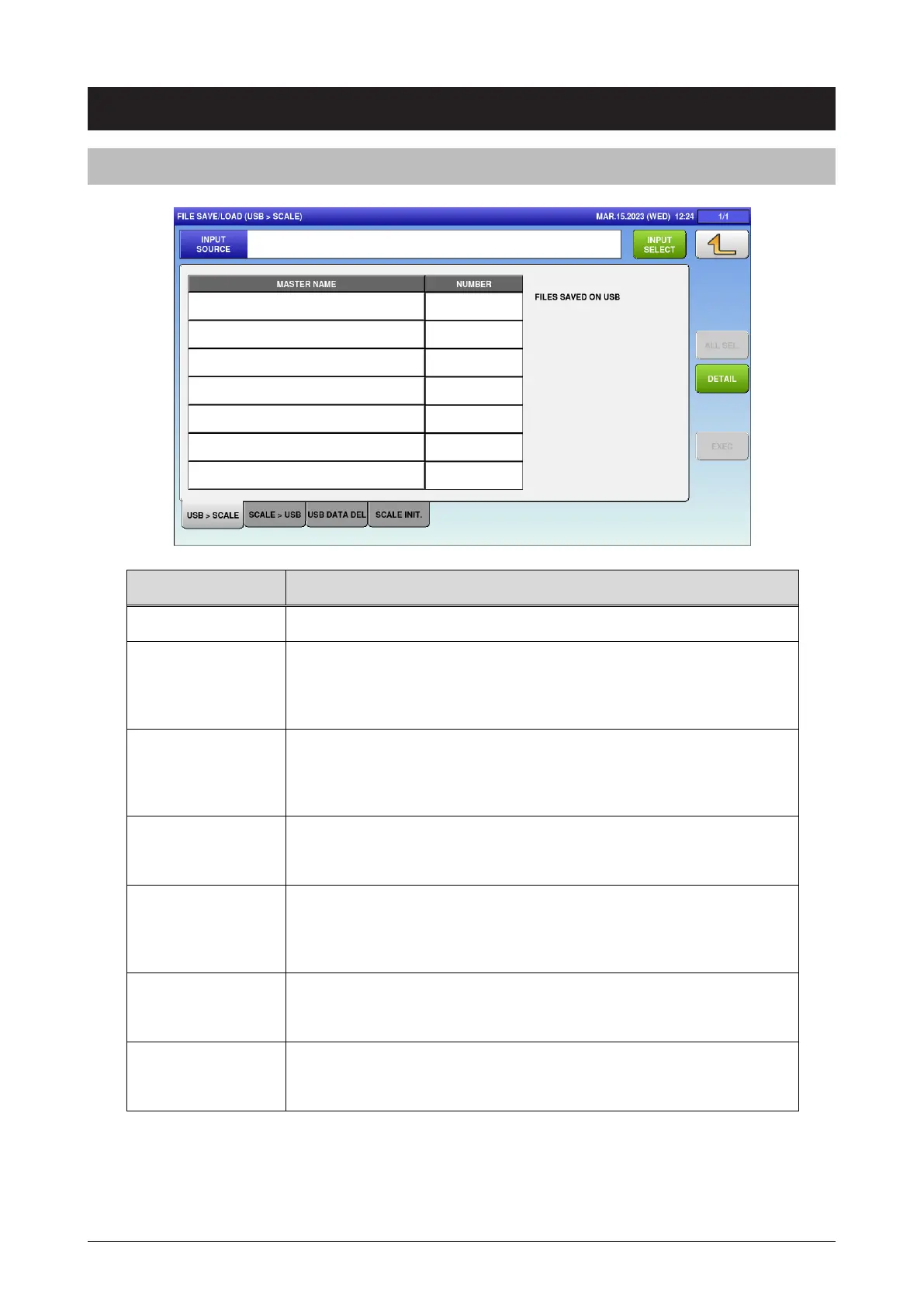
INPUT SOURCE Display the name of the input source.
INPUT SELECT Open the FILE SAVE/LOAD IN SELECT screen.
The input source is listed only when the files are saved on the USB
flash drive.
MASTER NAME Display the master name.
Press button to change the selection.
Other tabs also have the same function.
NUMBER Display the number of master data.
Other tabs also have the same function.
ALL SEL. Change the selections of all masters.
This function is enabled when the input source file is set.
Other tabs also have the same function.
DETAIL Open the FILE SAVE/LOAD OUT (DETAIL) screen.
Other tabs also have the same function.
EXEC Execute the file input of selected master.
The INPUT CHECK dialog appears to ask whether to input the file.



 To Next Page