6-11
Chapter 6 Adjust Mode
Menu name Specification
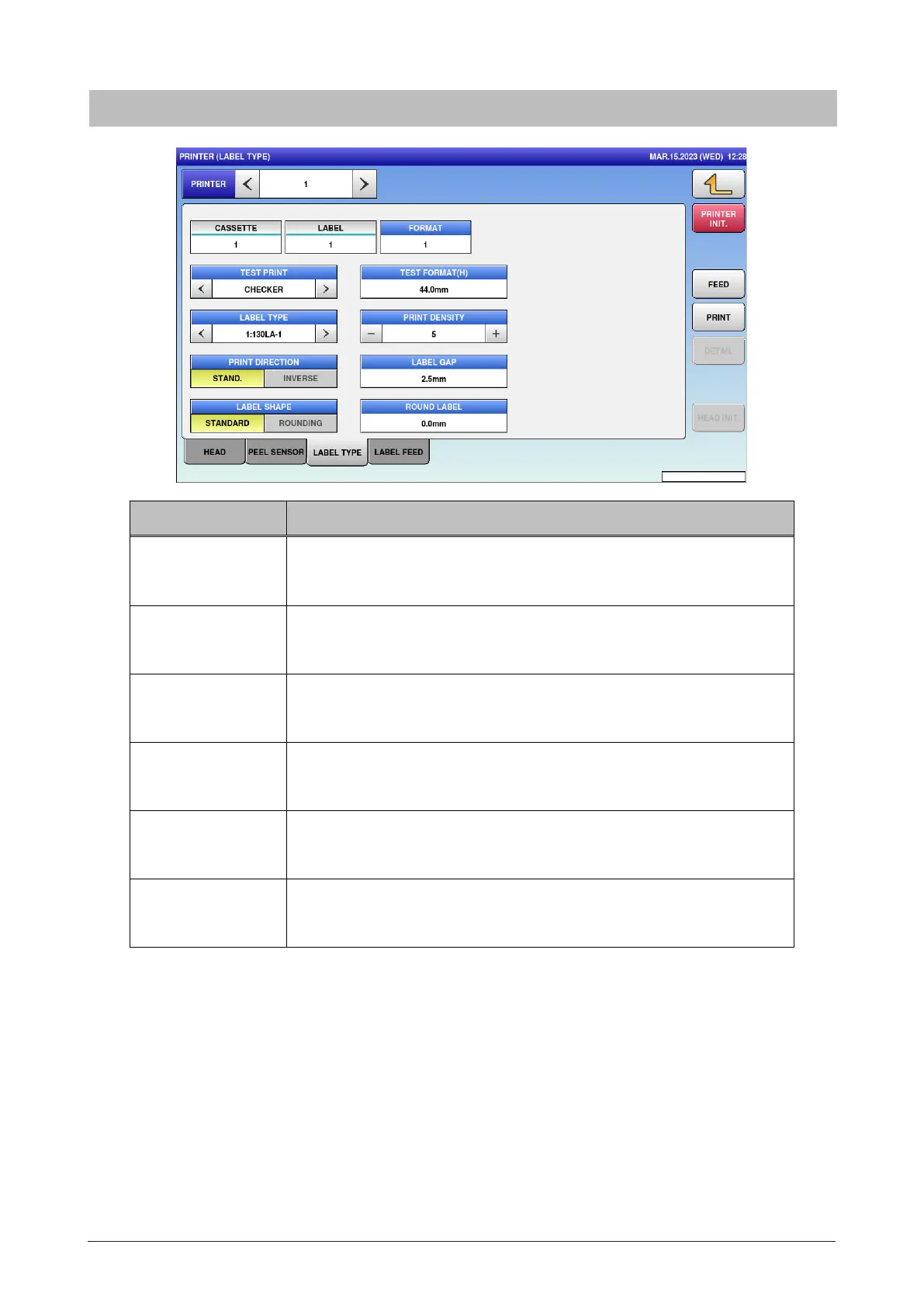
LABEL TYPE Select the label type.
0: RECEIPT / 1:130LA-1 / 3:150LA-1
PRINT DENSITY Enter the print density.
Input range: 0 to 9
PRINT DIRECTION Select the print direction.
STAND. / INVERSE
LABEL GAP Enter “Interval between labels” of the label roll set to the printer.
Input range: 0 to 99.9
LABEL SHAPE Select the label shape.
STANDARD / ROUNDING
ROUND LABEL Enter the correction value of irregular-shaped label.
Input range: 0 to 999
6.6.3 Label type



 To Next Page