6-20
Capter 6 Adjust Mode
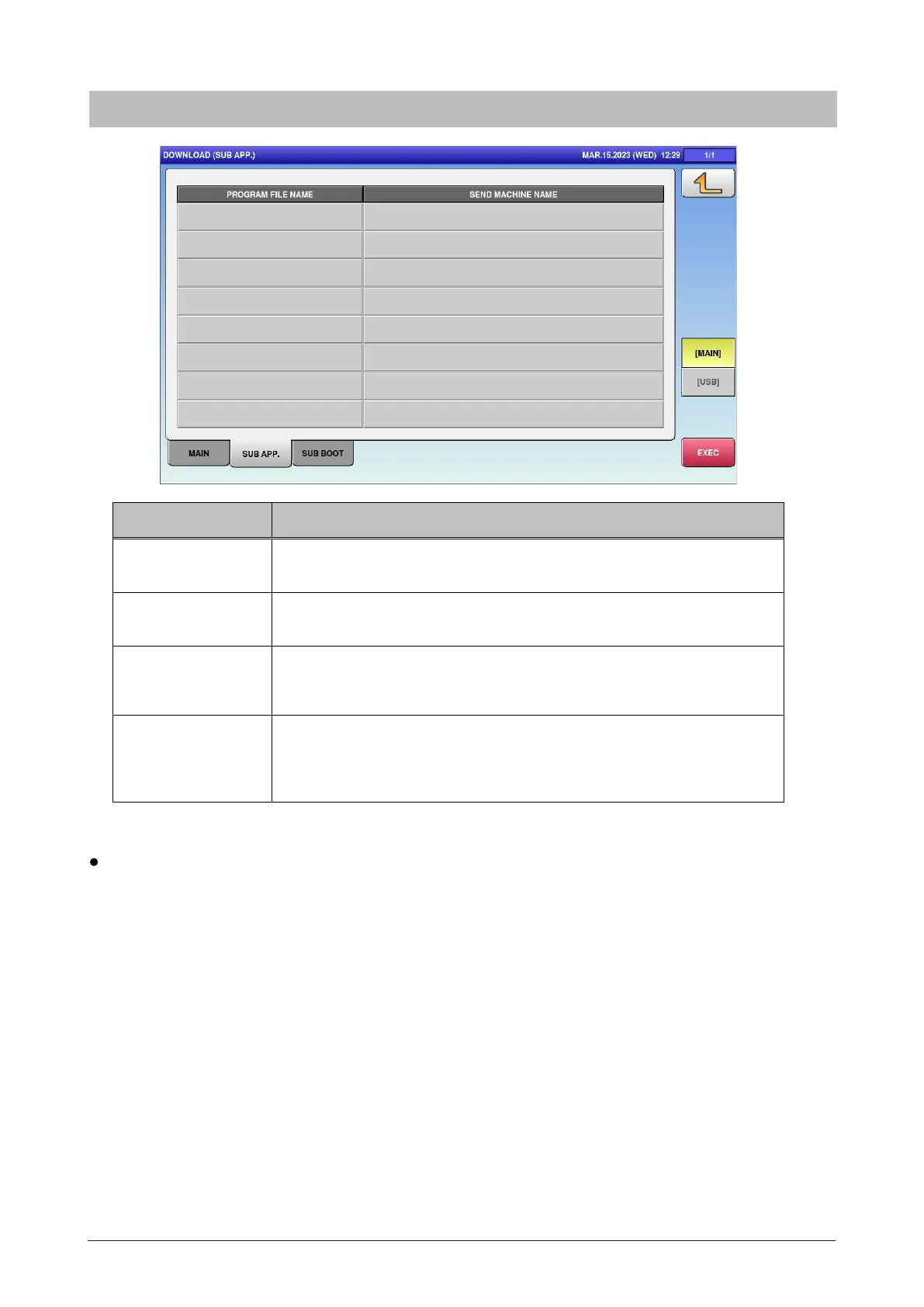
6.9.2 Sub APP.
Menu name Specification
PROGRAM FILE
NAME
Press button to switch the selections.
SEND MACHINE
NAME
Press button to switch the selections.
MAIN/USB Select where the program is downloaded from.
MAIN / USB
EXEC Download the selected program.
The CHECK FOR EXECUTION OF DEVICE MACHINE PROGRAM
dialog appears to ask whether to download the program.
Note:
Precautions on software write after board replacement
Until all software completes write operations, the following phenomenon may occur. This occurs because of
the incompatibility between software in the flash memory of the board and the main application software in
CF (compact flash).
<LED remains ON after shutdown>
The power switch of the applicable models is turned OFF after software write. LED on the P-1100 board,
however, may remain ON even upon OS shut down and the screen becomes black. In this case, turn OFF
the breaker or pull out the power supply plug, and make sure that LED is turned OFF. After 20 to 30 seconds,
turn ON the breaker or insert the power supply plug, and turn ON the power switch.
<Error display>
Errors such as a battery error or communication error may be displayed on the screen before software starts
the write operation after starting the main application software. In this case, continue the software write
operation. If the error display persists even after all software completes write operations, memory
initialization, and basic settings such as model setting, take measures to each error.



 To Next Page