5-6
Capter 5 Setup Mode
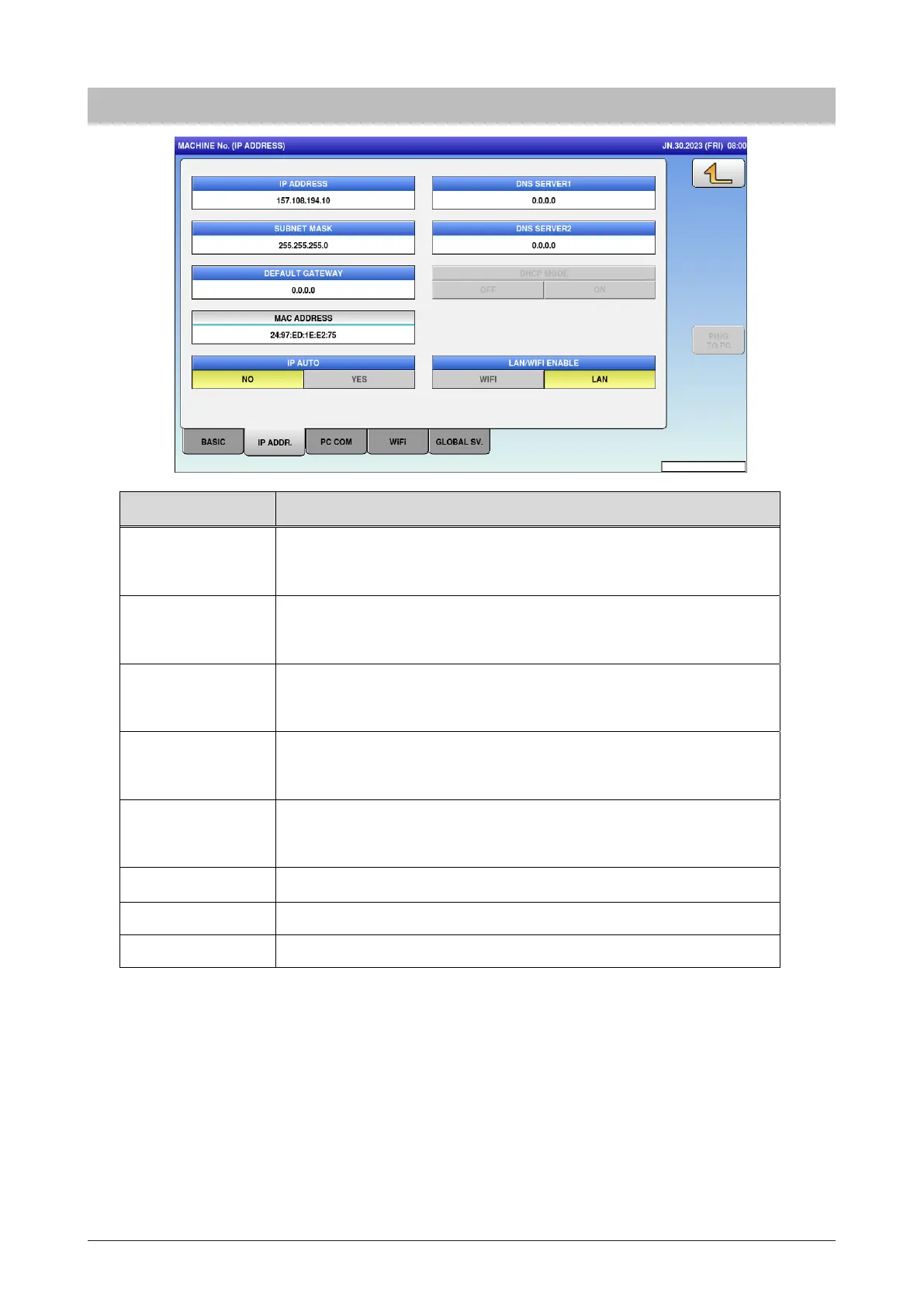
5.2.2 IP address
Menu name Specification
IP ADDRESS Enter the IP address.
Input range: “0.0.0.0” to “255.255.255.255”
SUBNET MASK Enter the subnet mask.
Input range: “0.0.0.0” to “255.255.255.255”
DEFAULT
GATEWAY
Enter the default gateway.
Input range: “0.0.0.0” to “255.255.255.255”
DNS SERVER1 Enter the IP address of Primary DNS server.
Input range: “0.0.0.0” to “255.255.255.255”
DNS SERVER2 Enter the IP address of Secondary DNS server.
Input range: “0.0.0.0” to “255.255.255.255”
IP AUTO
LAN WIFI ENABLE
Enter whether or not to determine the IP address automatically.
PING TO PC Ping the PC.
Enter whether WIFI or LAN to enable.



 To Next Page