4-1
Chapter 4 Electric Components
Chapter 4 Electric Components
4.1 Disassembly procedure
4.1.1 Printer Board PS-096C
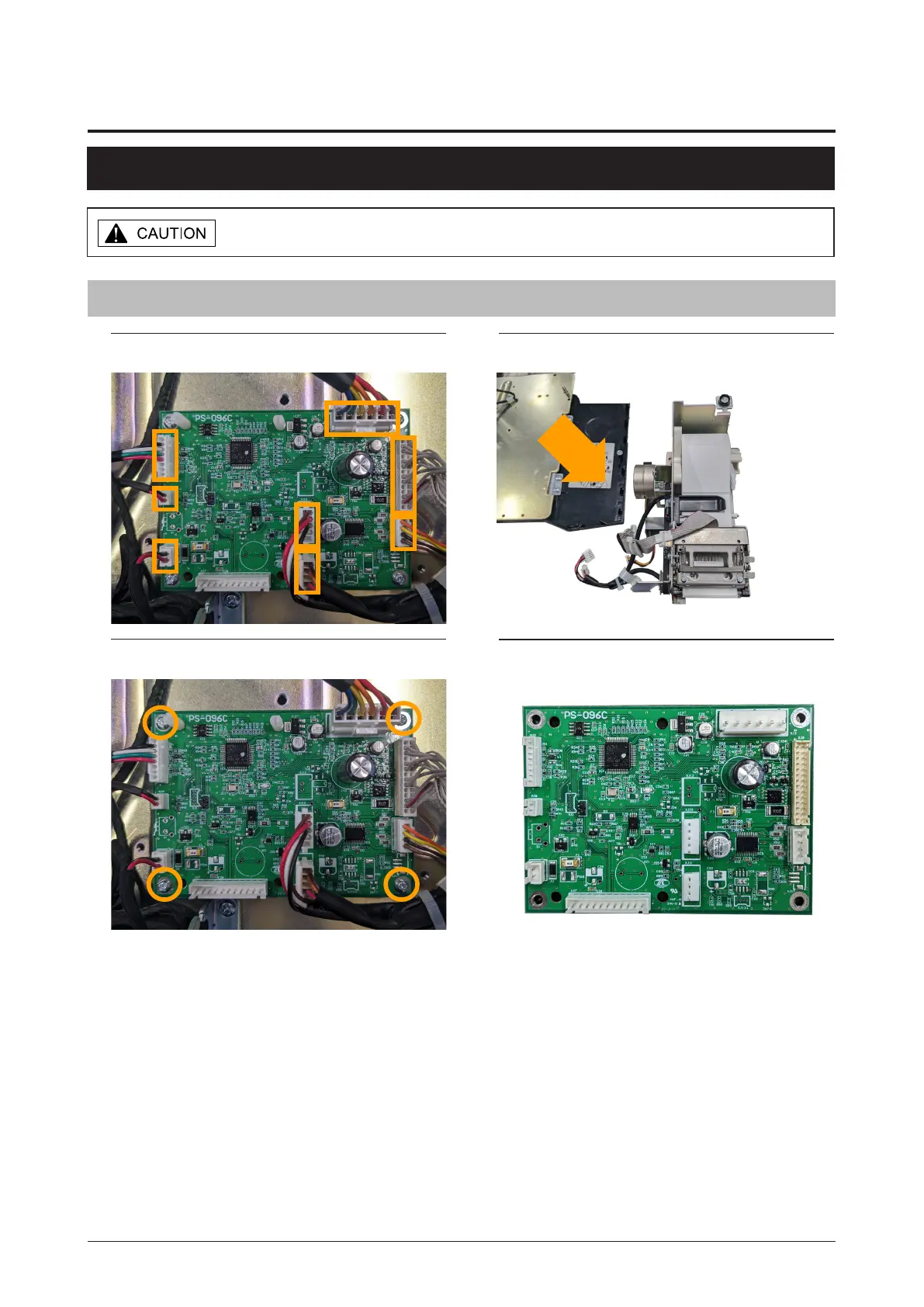
1. Unplug the eight connectors.
3. Remove the four screws.
2. Detach the printer unit.
Make sure to unplug the power cord from the wall outlet before starting the
disassembly work.
* Reverse this procedure for assembly.
4. Remove the printer board.



 To Next Page