6-9
Chapter 6 Adjust Mode
PRINTER INIT. Initialize the printer.
CHECK INITIALIZATION dialog (print er initialization) appears to ask
whether to initialize the printer.
Other tabs also have the same function.
PRINT Execute the print.
Other tabs also have the same function.
FEED Execute the feed.
Other tabs also have the same function.
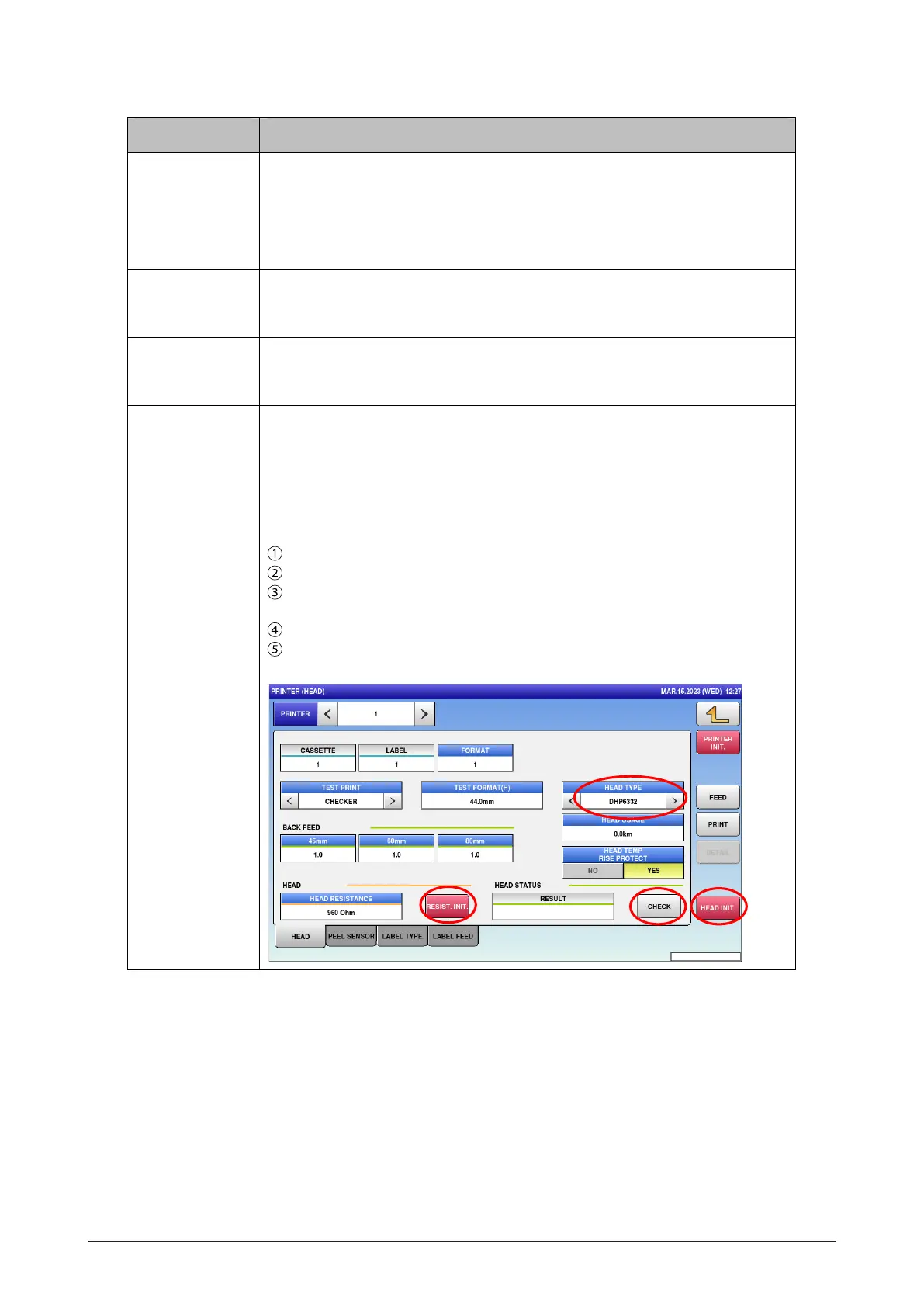
HEAD INIT. Initialize the thermal head.
CHECK INITIALIZATION dialog ( head initialization) appears to ask
whether to initialize the thermal head.
Follow the procedure below.
Press [HEAD INIT.].
On the confirmation screen, press [EXEC].
Check HEAD TYPE on the printer to enter the head type to be
mounted.
Press [RESIST.INIT.] in HEAD RESISTANCE.
Press [CHECK] in HEAD STATUS CHECK to check the head
availability.
Menu name Specification



 To Next Page