− 95 −
10-1 Changing the detailed set value
10. OPERATION OF THE SEWING MACHINE
(MANUAL APPLICATION VOLUME)
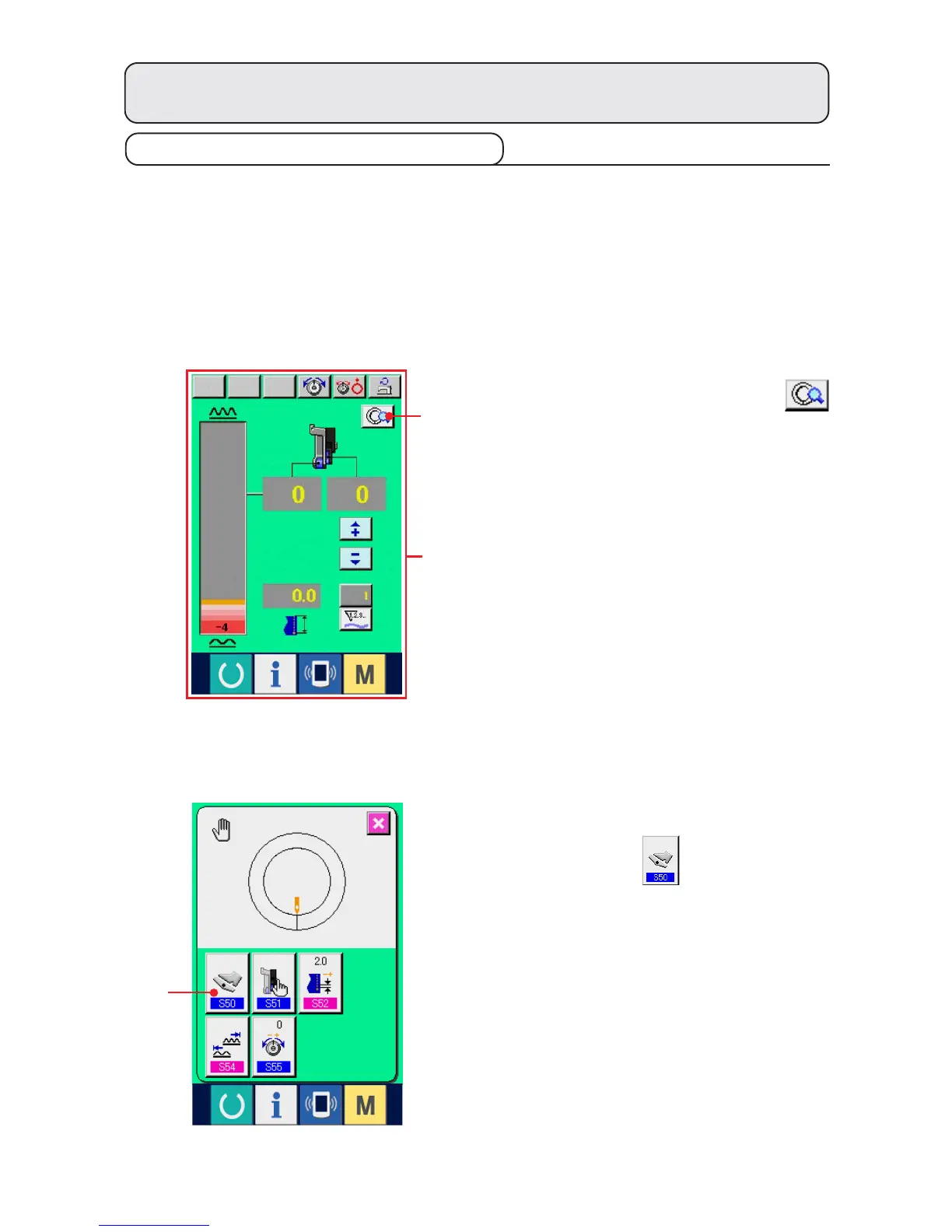
(1) Changing the operating mode of auxiliary pedal <Auxiliary pedal operation selection>
Changing from interlock mode A to step mode B
"What is the interlock mode like ?"
It is the mode that "shirring amount" changes with the interlock of the depressing amount of auxiliary pedal.
"What is step mode like ?"
It is the mode that "shirring amount" increases by +1 when depressing the front-part of auxiliary pedal and
"shirring" amount decreases by –1 when depressing the back-part of auxiliary pedal.
1
2
1) Press MANUAL DETAILS SETTING button
1.
* A is the interlock mode screen.
A
2) Press AUXILIARY PEDAL OPERATING MODE
SELECTION button 2.



 To Next Page