− 35 −
4
A
B
4
1
2
3
5
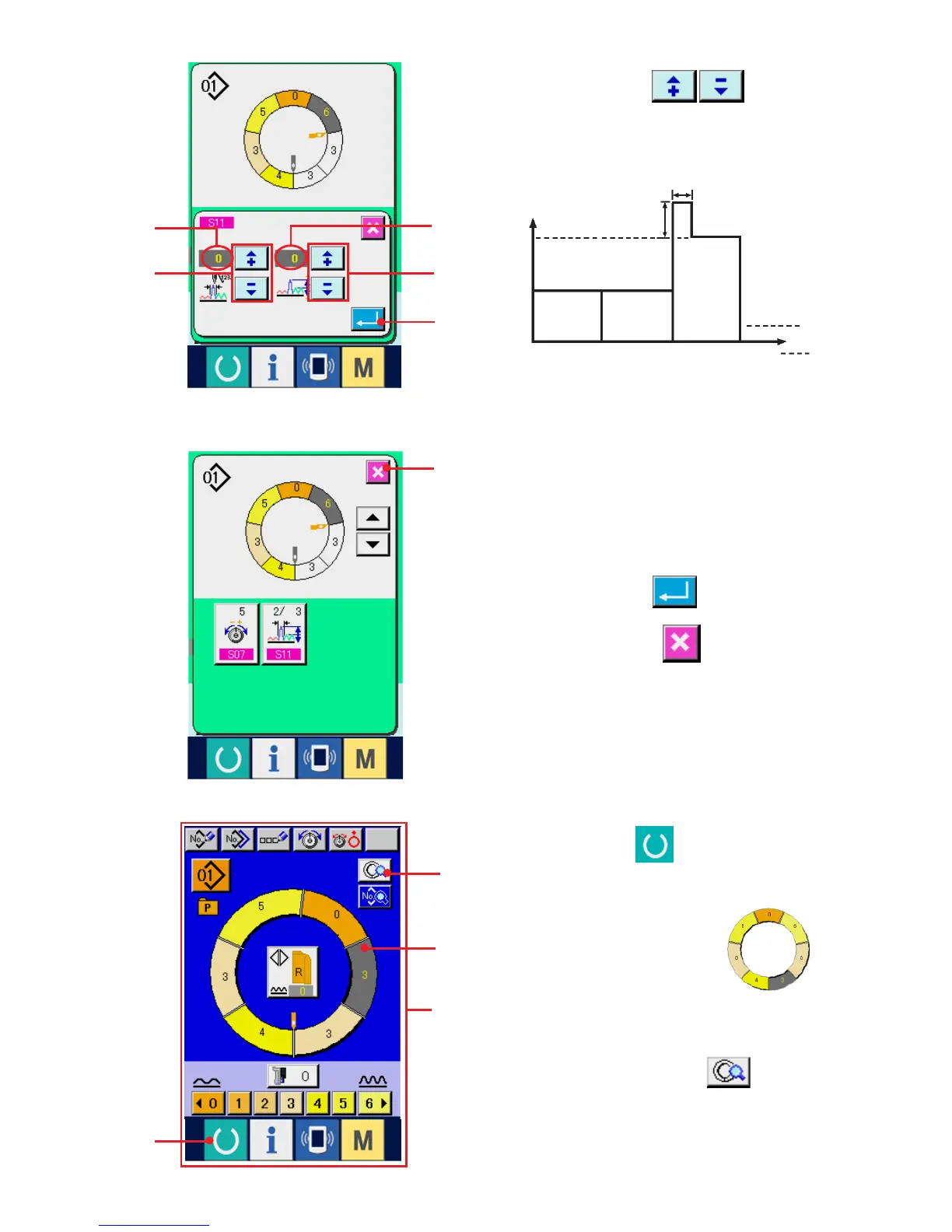
4) Press "+"/ "–" buttons 4 to change
compensation shirring amount set value A and
number of stitches of compensation shirring
amount B.
Shirring amount
6
3
1
2
3
4
A
B
Step
6
(5) Adding the step <Step addition>
1) Press READY key 1 to change over the
screen to data input screen A.
2) Press STEP SELECTION button 2
to select the step which is one before the step
addition position.
3) Press STEP DETAILS button 3.
5) Press ENTER button 5.
6) Press CANCEL button 6.
¡ Compensation shirring amount is the shirring
amount to add to the shirring amount of the step
after changeover at the time of step changeover.
¡ Number of stitches of shirring amount
compensation is the number of stitches of the
section of number of stitches to add the
compensation shirring amount from the step
changeover.
A



 To Next Page