− 80 −
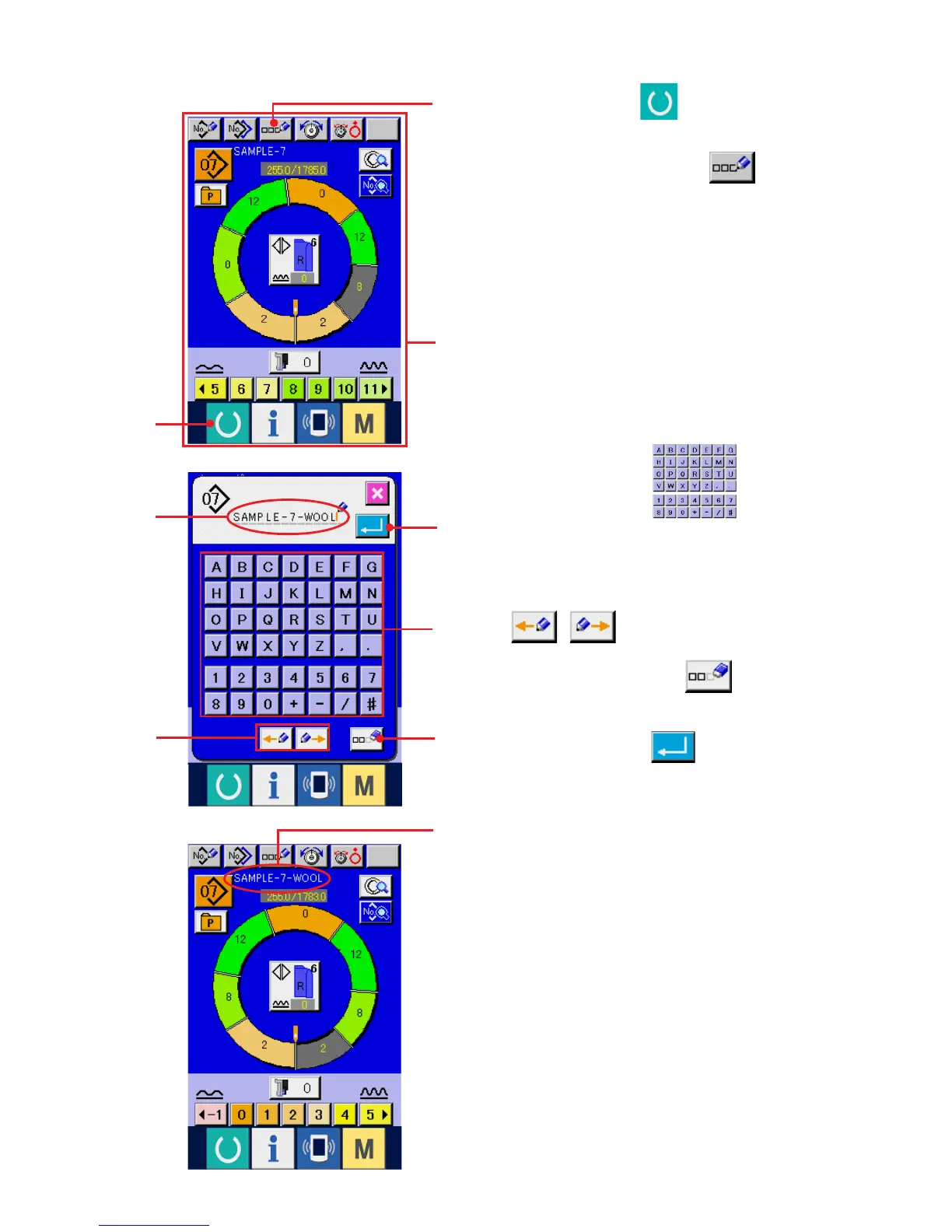
(13) Naming the pattern <Data name setting>
1) Press READY key 1 to change over the
screen to data input screen A.
2) Press LETTER INPUT button 2.
1
2
3
5
6
4
C
A
3) Press LETTER button 3 to input the
letter.
4) Cursor inside input letter display B can be moved
with CURSOR, LEFT (RIGHT) MOVE button
( ) 4.
5) When DELETION button 5 is pressed,
the letter on the left side of cursor disappears.
6) Press ENTER button 6.
7) The inputted letter is displayed at pattern name
display section C.
B



 To Next Page