− 3 −
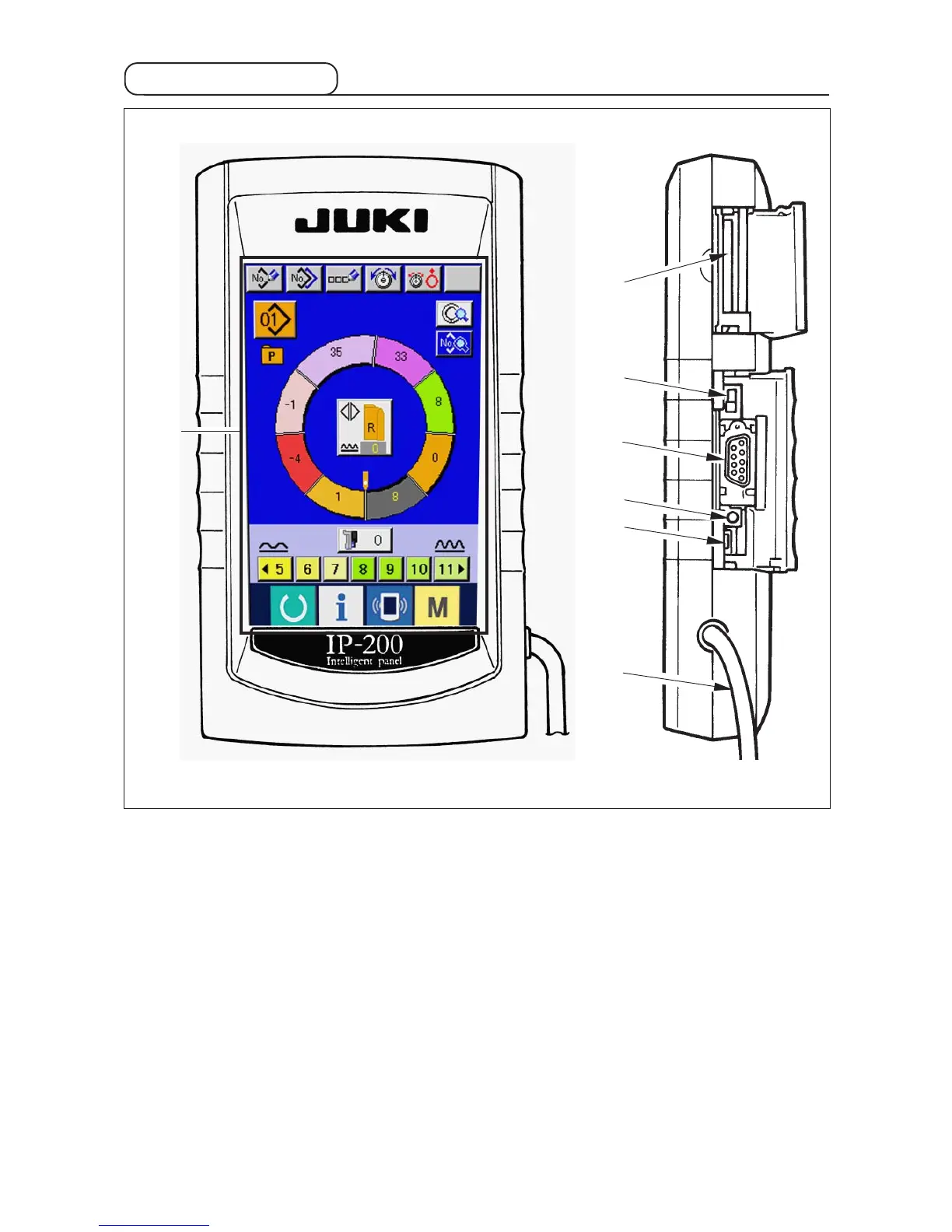
2-2 Operation panel
1 Touch panel, LCD display section
2 Smart media slot card (Use with the lid closed.)
3 Slide switch (Unused • OFF)
4 Connector for RS-232C communication
5 Variable resistor for adjusting color LCD screen contrast
6 Connector for external input
7 Cable
1
2
3
4
5
6
7



 To Next Page