− 8 −
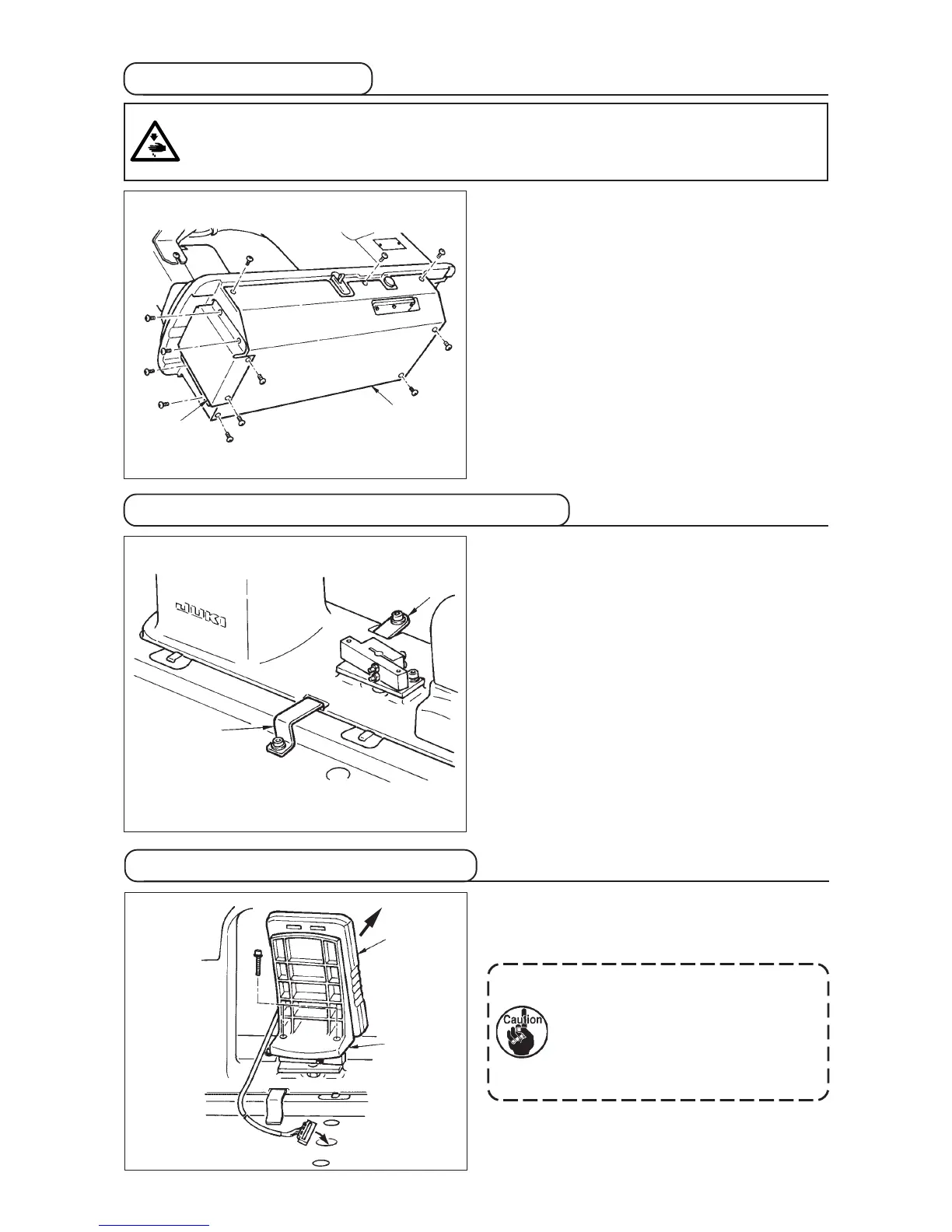
3-6 Installing the cover
Slowly tilt the machine head and install bottom cover
1 and bottom feed cover 2 .
3-7 Installing the stopper for tilt prevention
Install stopper plate A 1 and stopper plate B 2 for tilt
prevention.
2
1
2
1
WARNING :
When tilting/raising the sewing machine head, perform the work so as not to allow your fingers to be
caught in the machine. In addition, to avoid possible accidents caused by abrupt start of the machine,
turn OFF the power to the machine before starting the work.
3-8 Installing the operation panel
Fix panel installing plate 2 to the base on the frame.
Install operation panel 1 with a magnet and pass the
cable through the hole in the table.
1
2
When the panel is installed in the state
that it is excessively tilted in the
direction A, the work table comes in
contact with the panel and the panel
may be damaged. Install the panel so
that it is not excessively tilted.
A



 To Next Page