− 100 −
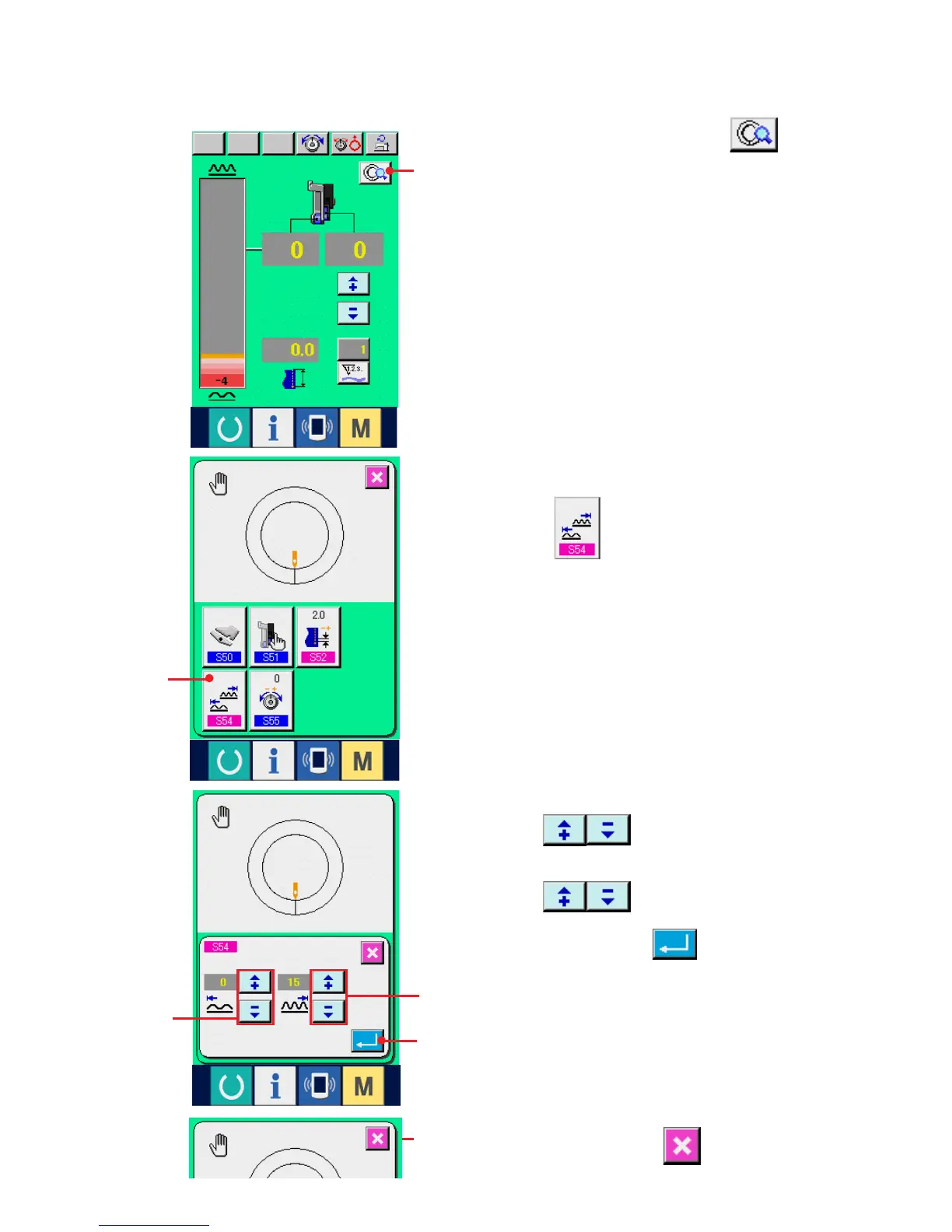
3) Input the lower limit value of shirring amount range
with buttons 3.
4) Input the upper limit value of shirring amount range
with buttons 4.
5) Press ENTER button 5.
(4) Setting the range of shirring amount <Shirring amount range setting>
1) Press DETAILS SETTING button 1.
1
6
2
5
4
3
2) Press SHIRRING AMOUNT RANGE SETTING
button 2.
6) Press CANCEL button 6.
It is the setting when the interlock mode is selected at "10-1 (1) Changing the operating mode of auxiliary
pedal".



 To Next Page
 Loading...