− 86 −
8-4 Using other functions
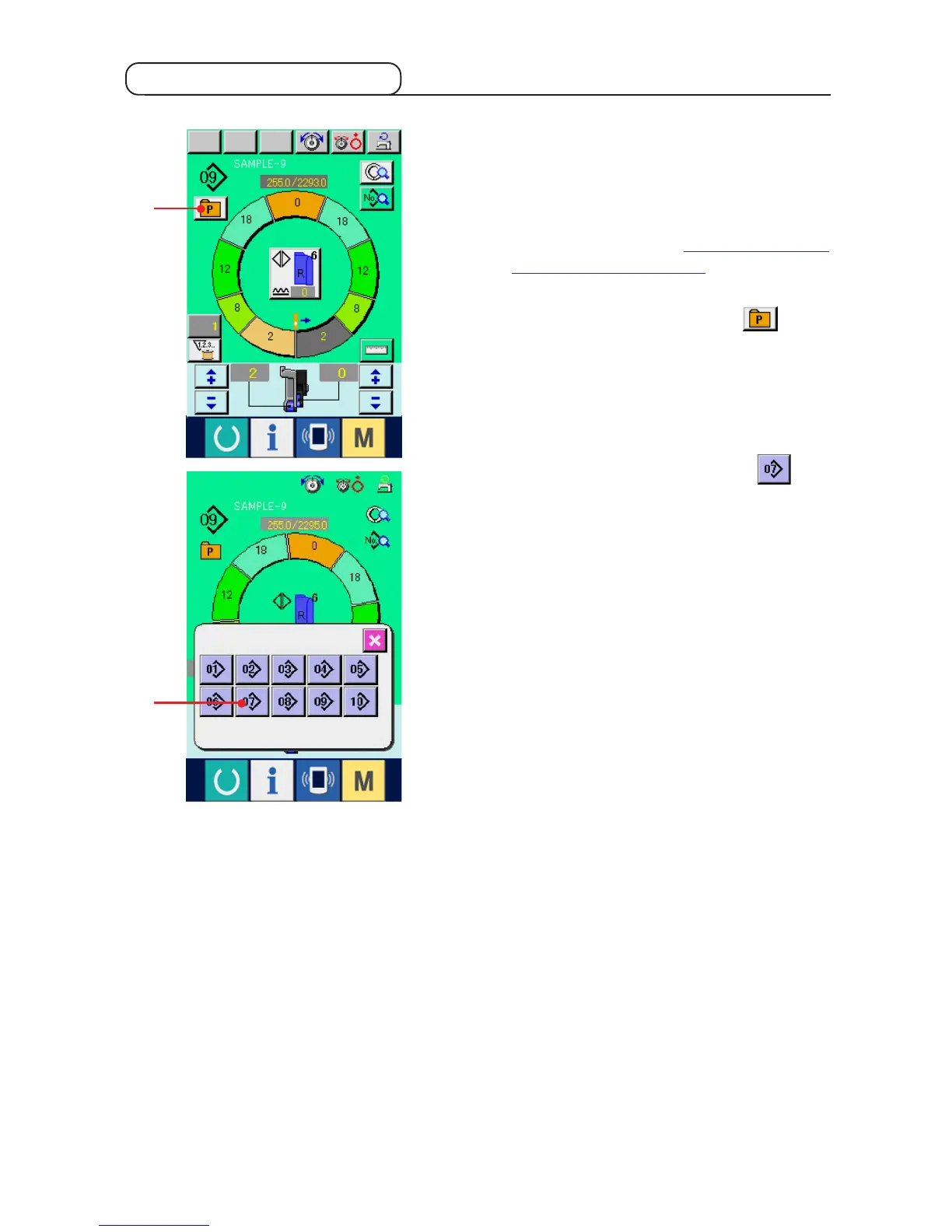
(1) Directly calling the pattern from sewing screen <Direct pattern selection>
When the patterns which are frequently used are
registered to the direct selection button, it is possible
to select the patterns with ease from the operating
screen by pressing the button only.
* For the way of registering the pattern to the direct
selection button, refer to "12. Registering the
pattern to the direct button".
1) Press DIRECT SELECTION button 1.
2) Press PATTERN SELECTION button 2 to
be called.
1
2



 To Next Page