− 82 −
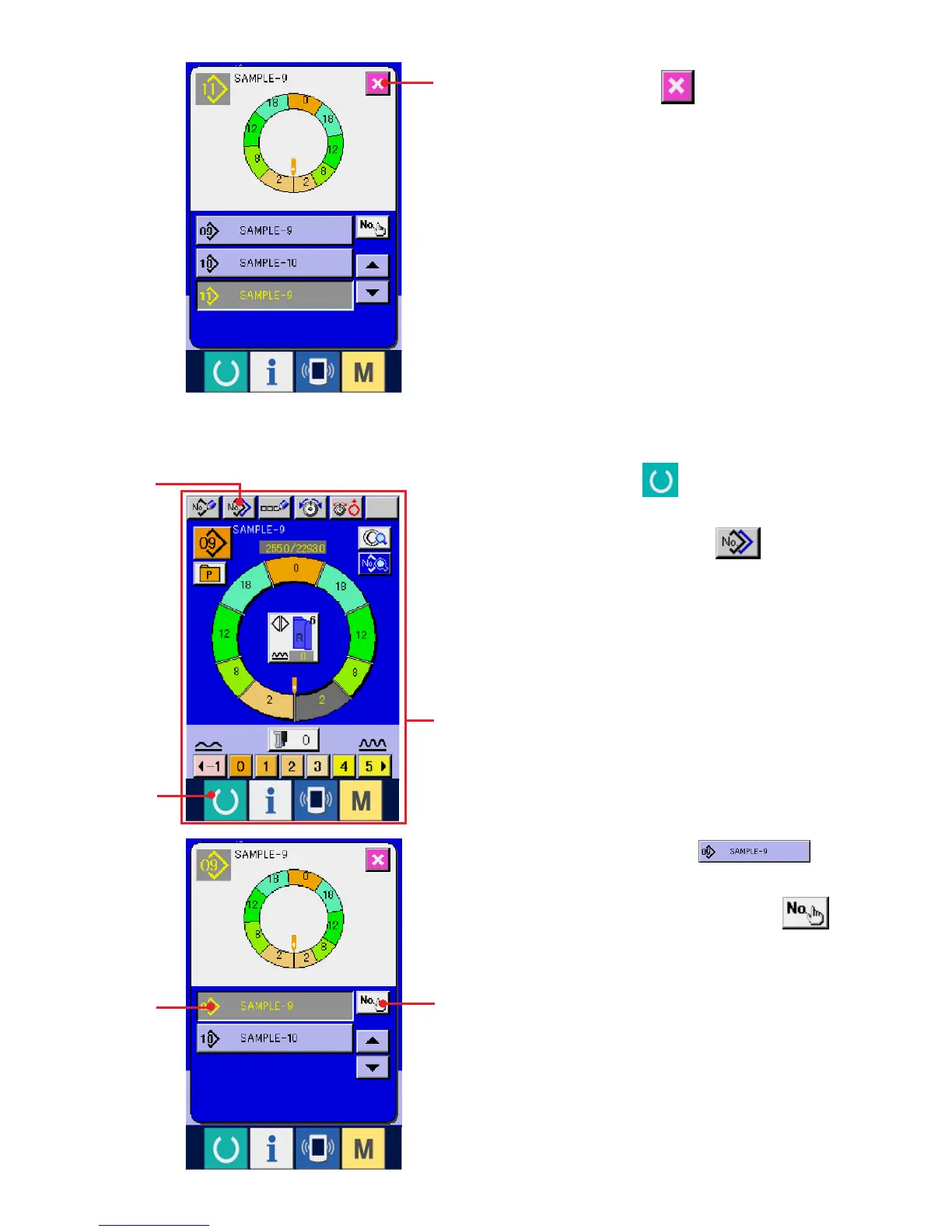
(2) Pattern copy from fully-automatic to semi-automatic <Copy to semi-automatic>
1) Press READY key 1 to change over the
screen to data input screen A.
2) Press PATTERN COPY button 2.
3) Press PATTERN No. button 3
to select the pattern of copy source.
4) Press COPY DESTINATION INPUT button
4.
1
2
3
4
7
A
7) Press CANCEL button 7.
* When the number of registered patterns of fully-
automatic is 99 patterns, the display is
automatically changed over and the pattern is
copied to semi-automatic.


 To Next Page