− 76 −
1
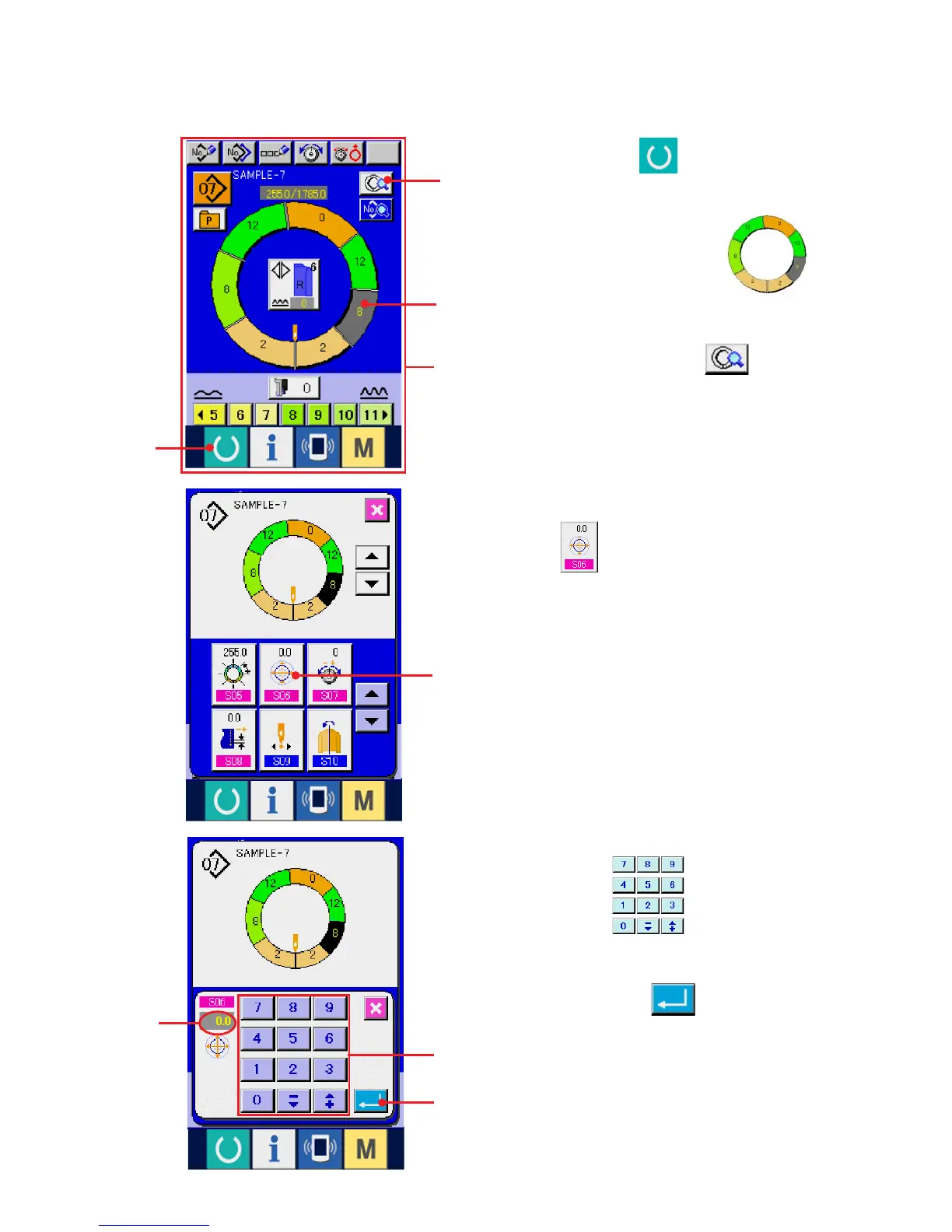
(10) Setting the offset value of grading <Grading value setting>
Grading is the way to enlarge or reduce the basic pattern and develop the size. Here, increased or decreased
value per size when the size is changed can be set at every step.
2
3
4
1) Press READY key 1 to change over the
screen to data input screen A.
2) Press STEP SELECTION button 2
to select the step you desire to set.
3) Press STEP DETAILS button 3.
5
6
B
5) Press ten keys 5 to change grading
value B.
6) Press ENTER button 6.
4) Press GRADING VALUE SETTING CHANGE
button 4 .
A



 To Next Page