− 147 −
2
1
4
5
3
2
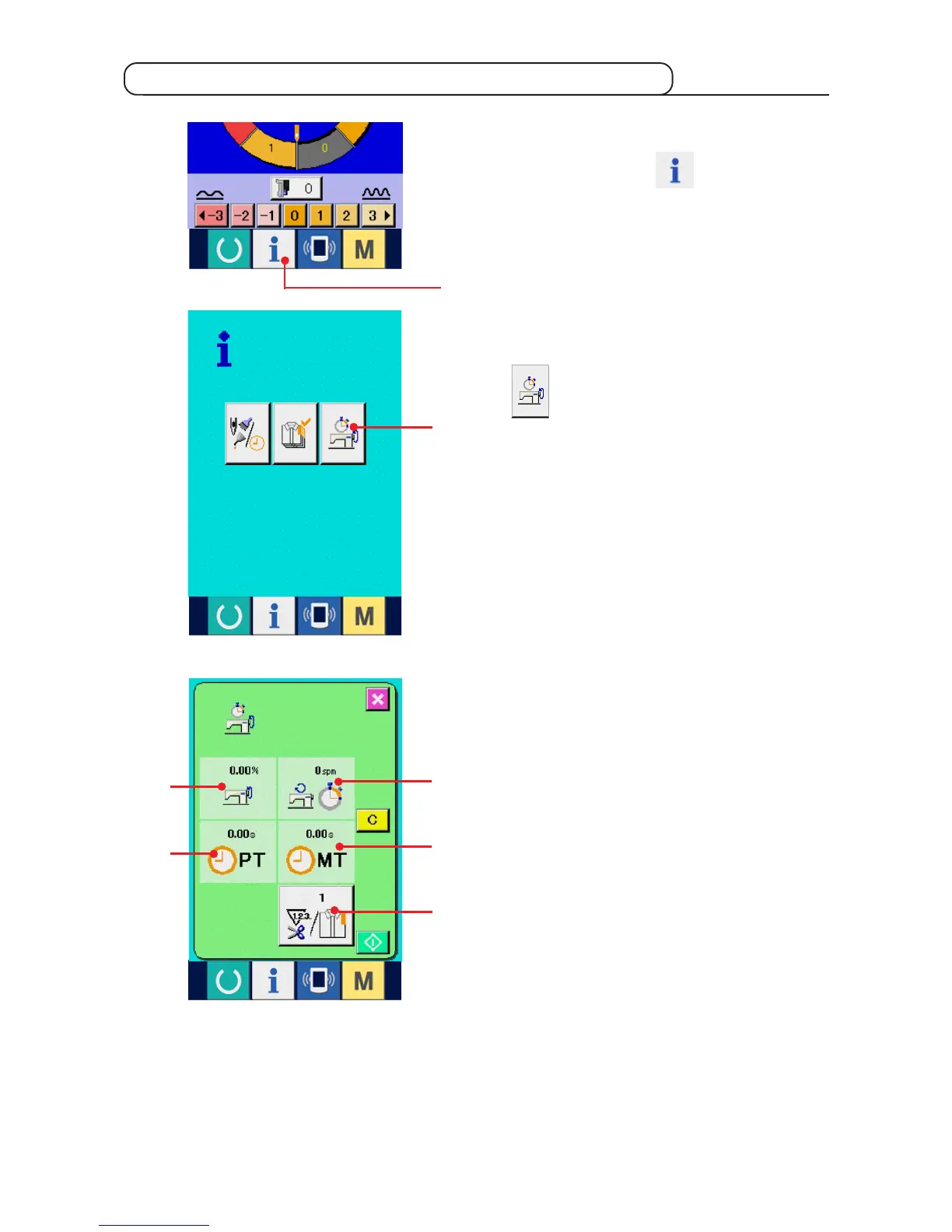
1) Display the information screen.
When information key
1 of the switch seat
section is pressed in the data input screen, the
information screen is displayed.
2) Display the working measurement screen.
Press working measurement screen display button
2 in the information screen. The working
measurement screen is displayed.
17-6 Observing the working measurement information
Information on the following 5 items are displayed
in the working measurement screen.
1 : The information is automatically displayed
from the time of start of measuring the
working ratio.
2 : The information is automatically displayed
from the time of start of measuring the
machine speed.
3 : The information is automatically displayed
from the time of start of measuring the pitch
time.
4 : The information is automatically displayed
from the time of start of measuring the
machine time.
5 : Number of times of thread trimming is
Input the number of times referring to item 3)
on the next page.
1



 To Next Page