− 70 −
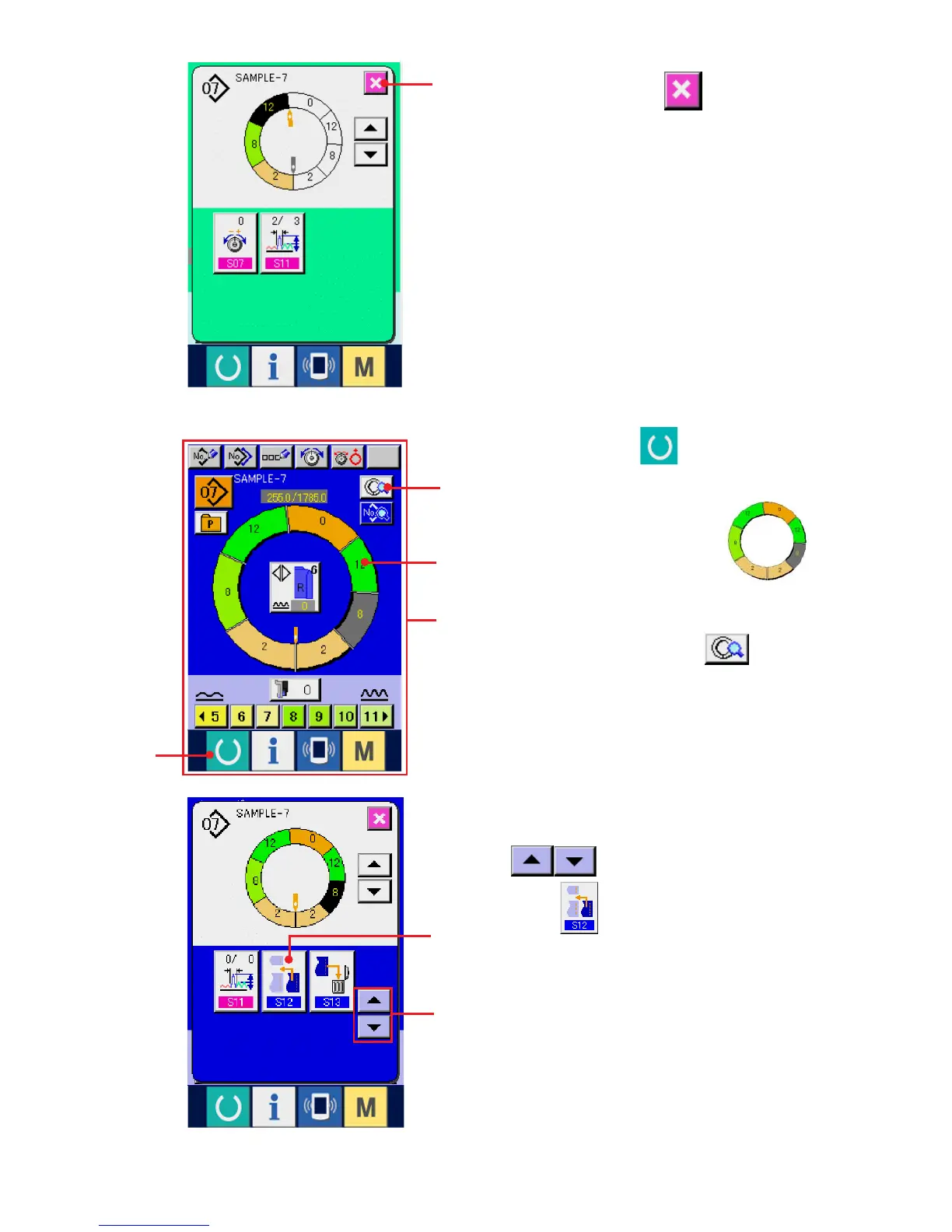
4) Change over the display with SCROLL buttons
4 and press STEP ADDITION
button 5.
6) Press CANCEL button 6.
6
1
(6) Adding the step <Step addition>
1) Press READY key 1 to change over the
screen to data input screen A.
2) Press STEP SELECTION button 2
to select the step which is one before the step
addition position.
3) Press STEP DETAILS button 3.
2
3
4
5
A



 To Next Page