− 34 −
3
2
1
2
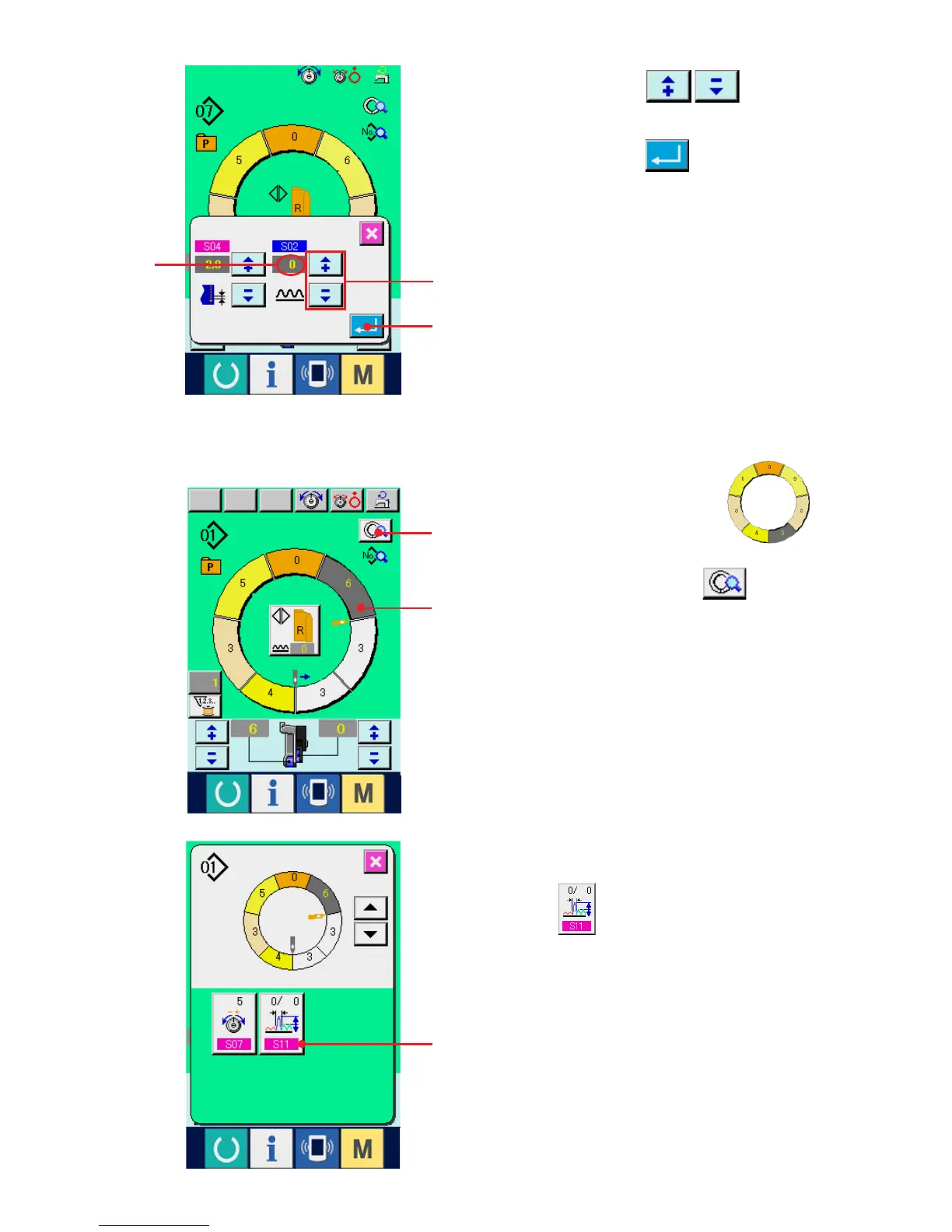
2) Press "+"/ "–" buttons 2 to change
shirring amount increase/decrease set value A.
3) Press ENTER button 3.
(4) Increasing/decreasing the shirring amount immediately after changeover of step
<Compensation shirring amount setting>
3
A
1) Press STEP SELECTION button 1
to select the step.
2) Press STEP DETAILS button 2.
3) Press COMPENSATION SHIRRING AMOUNT
button 3.



 To Next Page