− 151 −
3
4
5
6
A
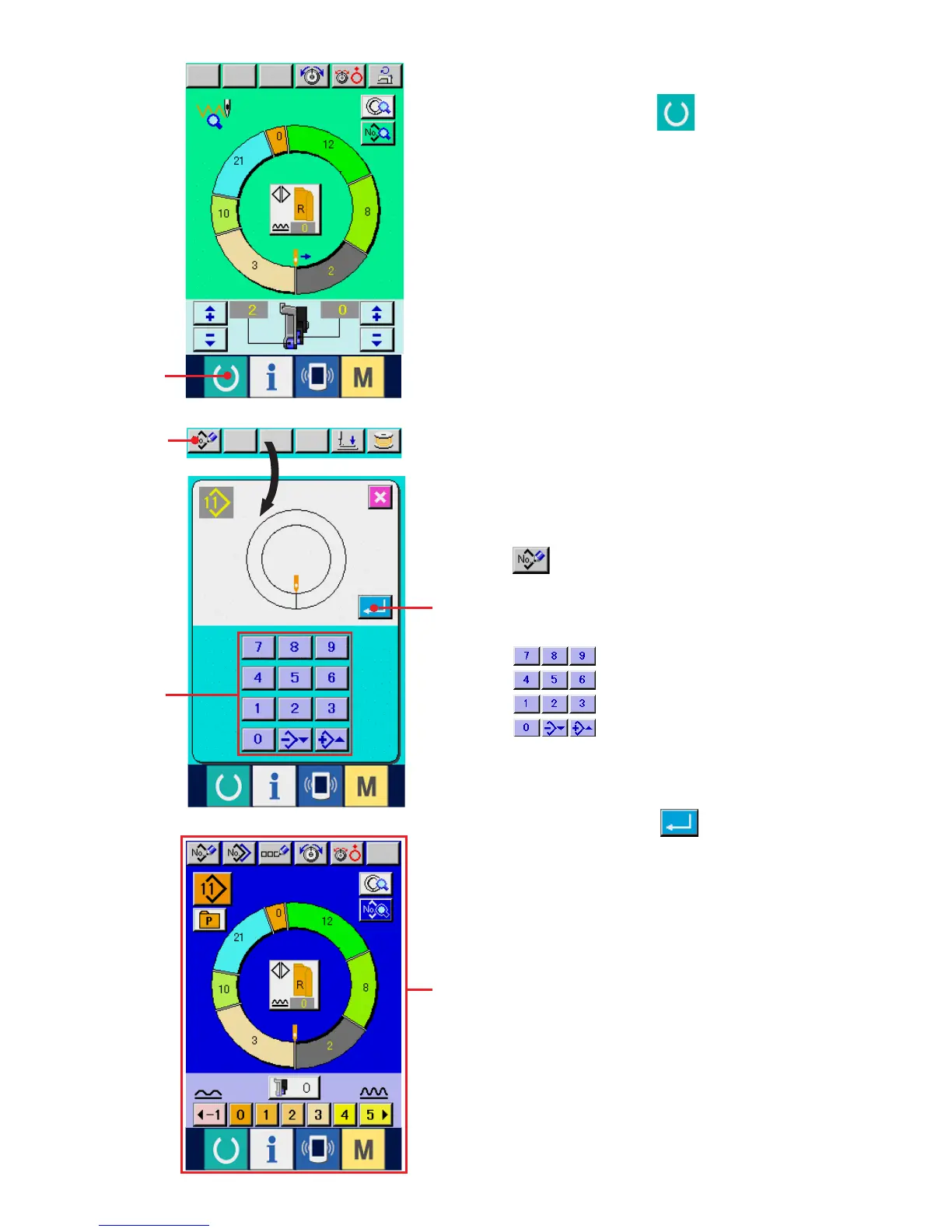
3) Perform trial sewing.
When READY switch 3 is pressed, the
trial sewing screen is displayed.
Trial sewing can be performed in this state.
4) Register the data to the pattern.
When the data which has been sewn on trial is
registered to the panel, press REGISTER button
4 displayed in the trial sewing screen, and
the register screen is displayed. Input the pattern
No. you desire to register with ten keys
5.
5) Determine the register of the data.
When ENTER button 6 is pressed, the
register screen is closed and the register has been
completed.
6) Display the data input screen.
After completion of the register, automatically the
data input screen A is displayed.



 To Next Page
 Loading...