− 19 −
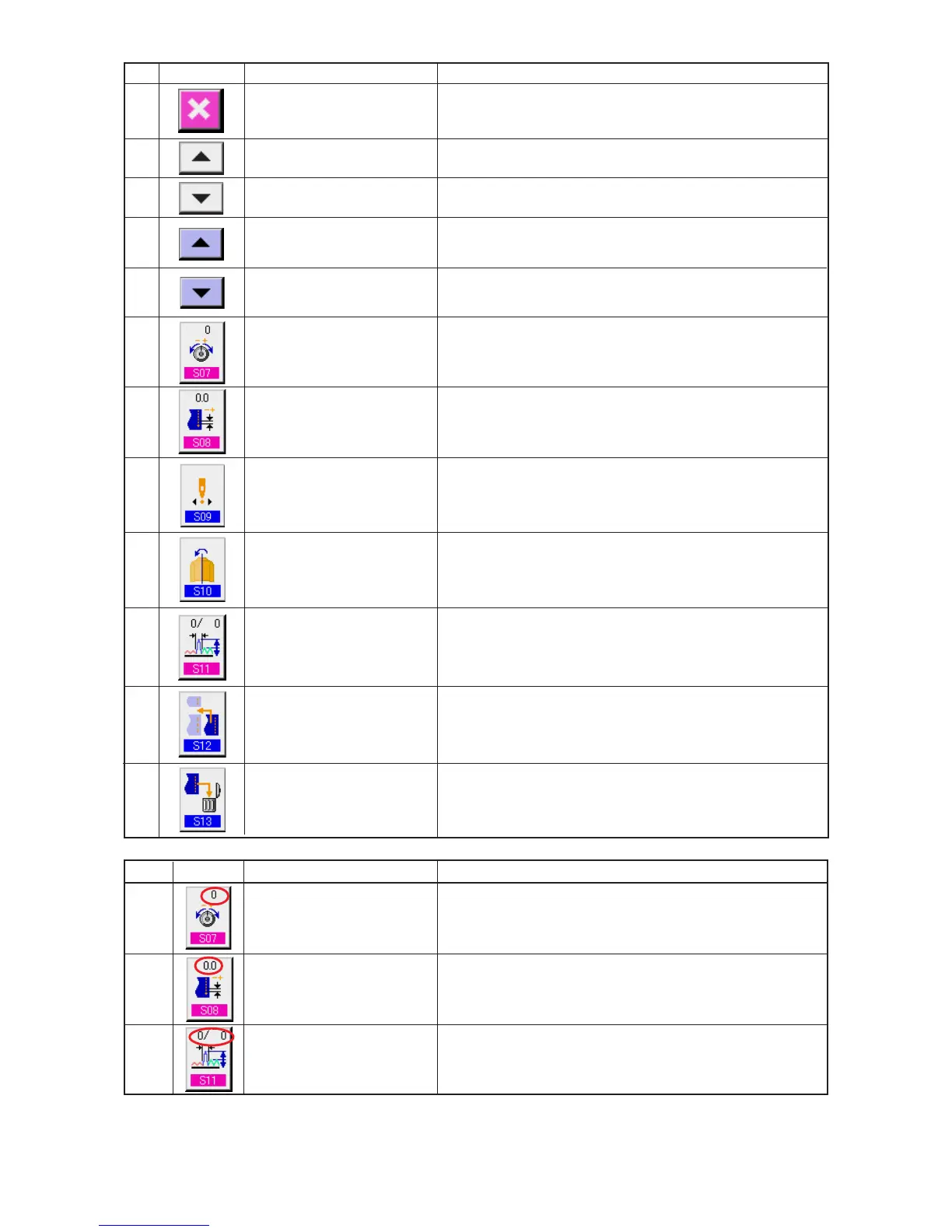
When the button is pressed, the step details button is closed.
When the button is pressed, the selected step advances by one.
When the button is pressed, the selected step returns by one.
When the button is pressed, the details selection screen scrolls
forward.
When the button is pressed, the details selection screen scrolls
backward
When the button is pressed, pattern deletion screen is displayed.
When the button is pressed, compensation thread tension setting
screen is displayed.
When the button is pressed, mirroring screen is displayed.
is displayed.
When the button is pressed, mirroring screen is displayed.
When the button is pressed, compensation shirring amount setting
screen is displayed.
When the button is pressed, step addition setting screen is
displayed.
When the button is pressed, step deletion screen is displayed.
@2
@3
@4
@5
@6
@7
@8
@9
#0
#1
#2
#3
CANCEL button
STEP FEED button
STEP RETURN button
DETAILS SELECTION
SCREEN FEED button
DETAILS SELECTION
SCREEN RETURN button
COMPENSATION THREAD
TENSION SETTING button
COMPENSATION PITCH
SETTING button
START POSITION CHANGE
button
MIRRORING button AMOUNT
COMPENSATION SHIRRING
AMOUNT button
STEP ADDITION button
STEP DELETION button
Symbol Display Name of display Description
L
M
N
Set value of compensation thread tension is displayed.
Set value of compensation pitch is displayed.
Set value of compensation shirring amount is displayed.
COMPENSATION THREAD
TENSION display
COMPENSATION PITCH
display
COMPENSATION AMOUNT
display
No. Button Name of button Description



 To Next Page