− 84 −
9
5
3
4
6
7
8
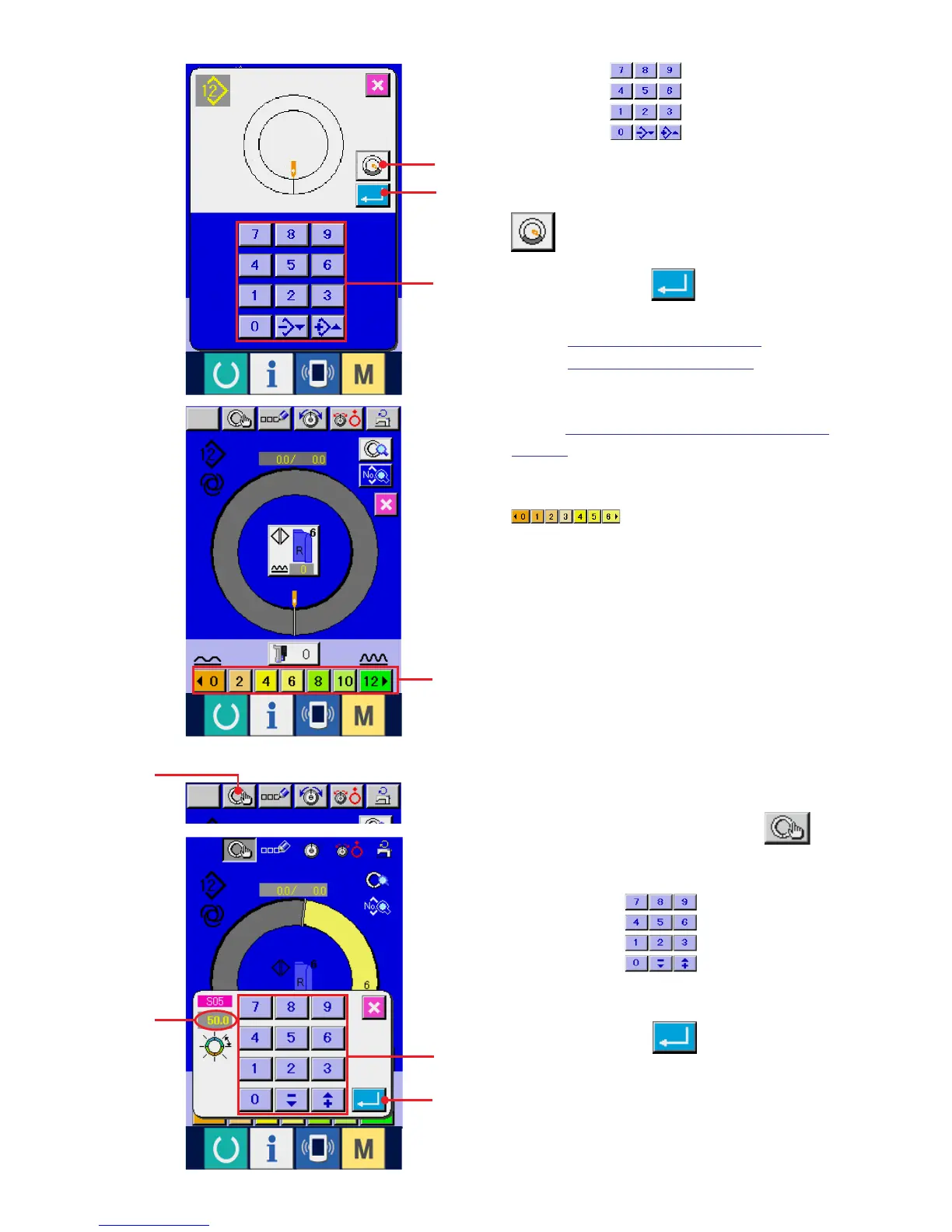
3) Press ten keys 3 to input new pattern
No. (When creating sleeve wadding pattern, press
SLEEVE WADDING PATTERN CREATION button
4.)
4) Press ENTER button 5.
5) Change pitch and basic size.
Refer to "7-6 (2) Changing the pitch".
Refer to "8-1 (9) Changing the size".
6) Select left/right alternate sewing.
Refer to "7-5 (4) Selecting the left/right alternate
sewing".
7) Press SHIRRING AMOUNT button
6 to input the shirring amount.
[ In case of manual inputting ]
8) Press STEP DETERMINATION button 7
to determine the inputted data.
9) Press ten keys 8 to input length
between steps B.
10) Press ENTER button 9.
B



 To Next Page