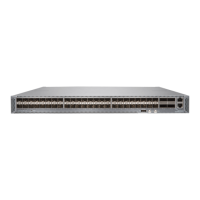
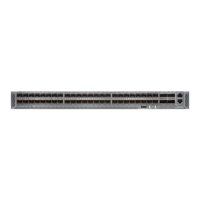
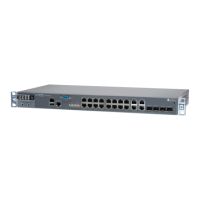
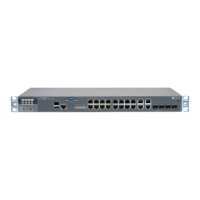
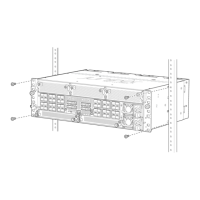
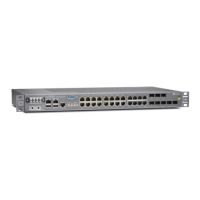
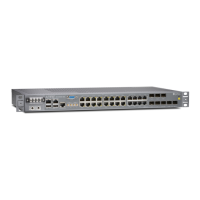
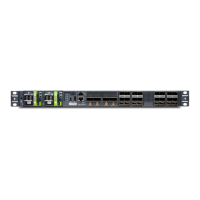
Table 23: Rack Requirements for an ACX5000 Router
GuidelinesRack Requirement
Use a four-post rack that provides bracket holes or hole patterns spaced at 1 U (1.75 in. or 4.45 cm)
increments and that meets the size and strength requirements to support the weight.
A U is the standard rack unit defined in Cabinets, Racks, Panels, and Associated Equipment
(document number EIA-310–D) published by the Electronics Industry Association.
Rack type (all router
models)
Use a two-post or four-post rack that provides bracket holes or hole patterns spaced at 1 U (1.75 in.
or 4.45 cm) increments and that meets the size and strength requirements to support the weight.
Rack type (ACX5096 only)
The holes in the mounting brackets are spaced at 1 U (1.75 in. or 4.45 cm), so that the router can
be mounted in any rack that provides holes spaced at that distance.
Mounting bracket hole
spacing (all routermodels)
•
Ensure that the rack complies with the standards for a 19-in. or 23-in. rack as defined in Cabinets,
Racks, Panels, and Associated Equipment (document number EIA-310–D) published by the
Electronics Industry Association.
•
A 600-mm rack as defined in the four-part Equipment Engineering (EE); European
telecommunications standard for equipment practice (document numbers ETS 300 119-1 through
119-4) published by the European Telecommunications Standards Institute
(href="http://www.etsi.org">http://www.etsi.org).
The horizontal spacing between the rails in a rack that complies with this standard is usually
wider than the device's mounting brackets, which measure 19 in. (48.26 cm) from outer edge
to outer edge. Use approved wing devices to narrow the opening between the rails as required.
•
Ensure that the rack railsarespaced widely enough to accommodate the router chassis’ external
dimensions. The outer edges of the front-mounting brackets extend the width to 19 in.
(48.26 cm).
•
For four-post installations, the front and rear rack rails must be spaced between 23.6 in. (60
cm) and 36 in. (91.4 cm) front-to-back.
•
The rack must be strong enough to support the weight of the router.
•
Ensure that the spacing of rails and adjacent racks allows for proper clearance around the
router and rack.
Rack size and strength (all
router models)
•
Secure the rack to the building structure.
•
If earthquakes are a possibility in your geographical area, secure the rack to the floor.
•
Secure the rack to the ceiling brackets as well as wall or floor brackets for maximum stability.
Rackconnection to building
structure
Related
Documentation
Chassis Physical Specifications for an ACX5000 Router on page 49•
• Clearance Requirements for Airflow and Hardware Maintenance for an ACX5000
Router on page 51
• Mounting an ACX5000 Router in a Rack or Cabinet on page 104
Cabinet Requirements for an ACX5000 Router
You can mount an ACX5000 router in an enclosure or cabinet that contains a four-post
19-in. open rack as defined in Cabinets, Racks, Panels, and Associated Equipment
(document number EIA-310-D) published by the Electronics Industry Association.
Cabinet requirements consist of:
Copyright © 2015, Juniper Networks, Inc.50
ACX5048 and ACX5096 Universal Access Router


 To Next Page