116 PWR-01
Cleaning
Cleaning the Dust Filter
Dust filters are installed on the inside of the louver on the front panel. Periodically clean the
filter to prevent clogging.
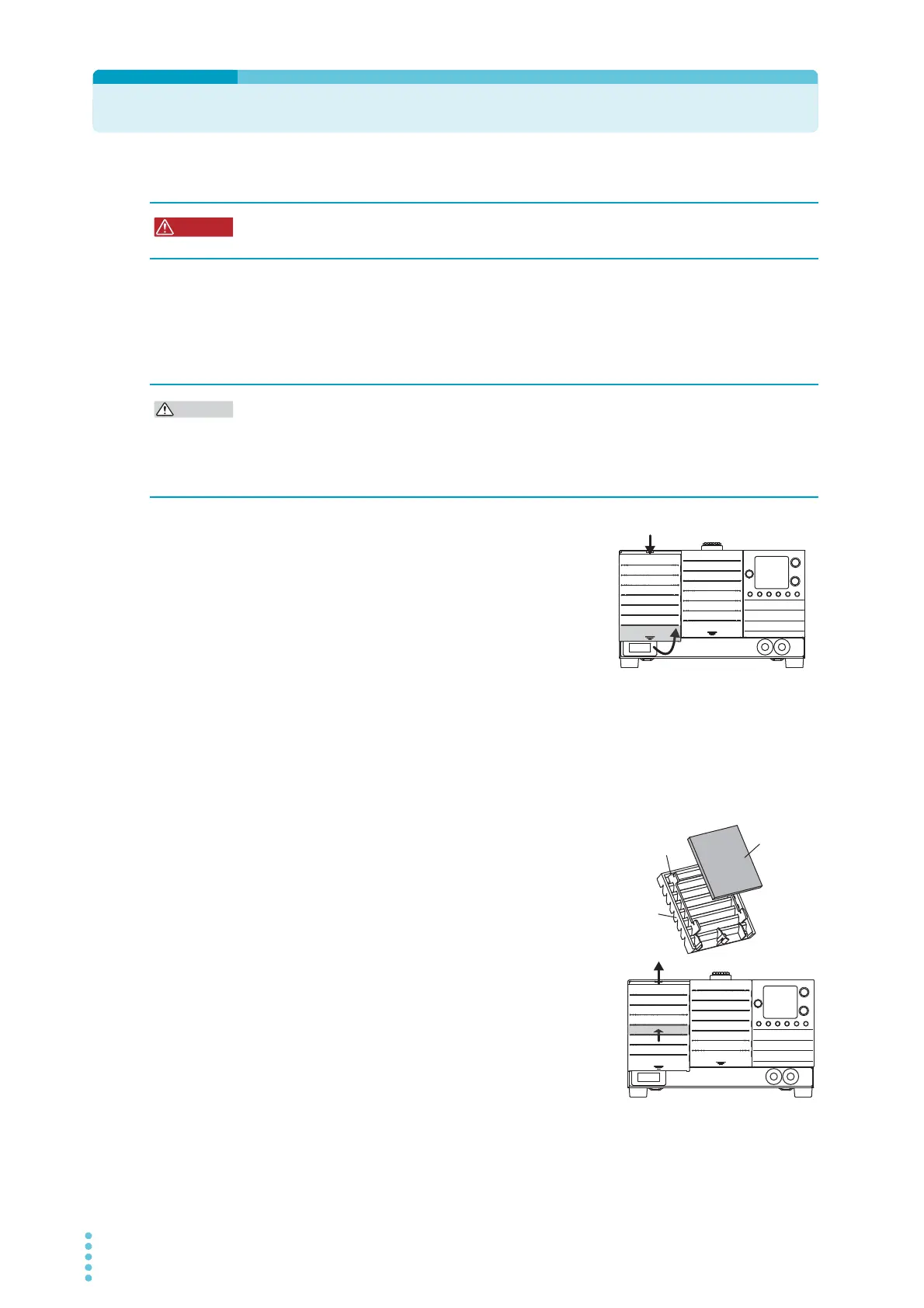
1
While pulling the first slat from the bottom
of the louver towards you, slide the entire
louver down, and remove the louver from
the panel.
2
Remove the dust filter from the inside of each louver and clean it.
Use a vacuum cleaner to dispose of the dust and foreign particles that are attached to
the dust filter. If the filter is extremely dirty, clean it using water-diluted neutral deter-
gent, and dry it completely.
3
Attach the dust filter to each louver.
Attach the dust filter so that it fits in between the left
and right tabs.
4
Attach the louver to the panel.
Insert the top louver tabs into the PWR-01, and
while holding the fourth slab from the bottom, slide
the entire louver upward to secure it in place.
5
The louver below the controls does not
come off. Clean the dust filter from the front
of the louver.
Use a vacuum cleaner to dispose of the dust and foreign particles that are attached to
the dust filter.
Risk of electric shock. Before you perform maintenance, be sure to turn the POWER
switch off and remove the power plug from the outlet or turn off the switchboard.
• A clogged filter hinders the cooling of the inside of the PWR-01, can cause malfunctions,
and can shorten the PWR-01's service life.
• When the PWR-01 is in operation, air is sucked through the dust filter to cool the inside of
the device. If moisture is present in the dust filter, the humidity inside the PWR-01
increases and may cause malfunctions.








 To Next Page