28 PWR-01
Turning the Power On
Turning on the POWER switch
If the POWER switch is turned on for the first time after purchase, the PWR-01 starts in the
factory default condition (p.136). Subsequent times that you turn the PWR-01 on, it starts with
the panel settings (excluding the output on/off setting) that were in use immediately before
the POWER switch was turned off.
You can use the CONFIG settings (CF45) to select the output state of the PWR-01 when the
POWER switch is turned on (p.65).
1
Check that the power cord is connected correctly.
2
Check that the OUTPUT terminal cover is attached (p.25).
When the product is shipped from the factory, the OUTPUT terminal cover is not
attached.
3
Turn the POWER switch on ( ).
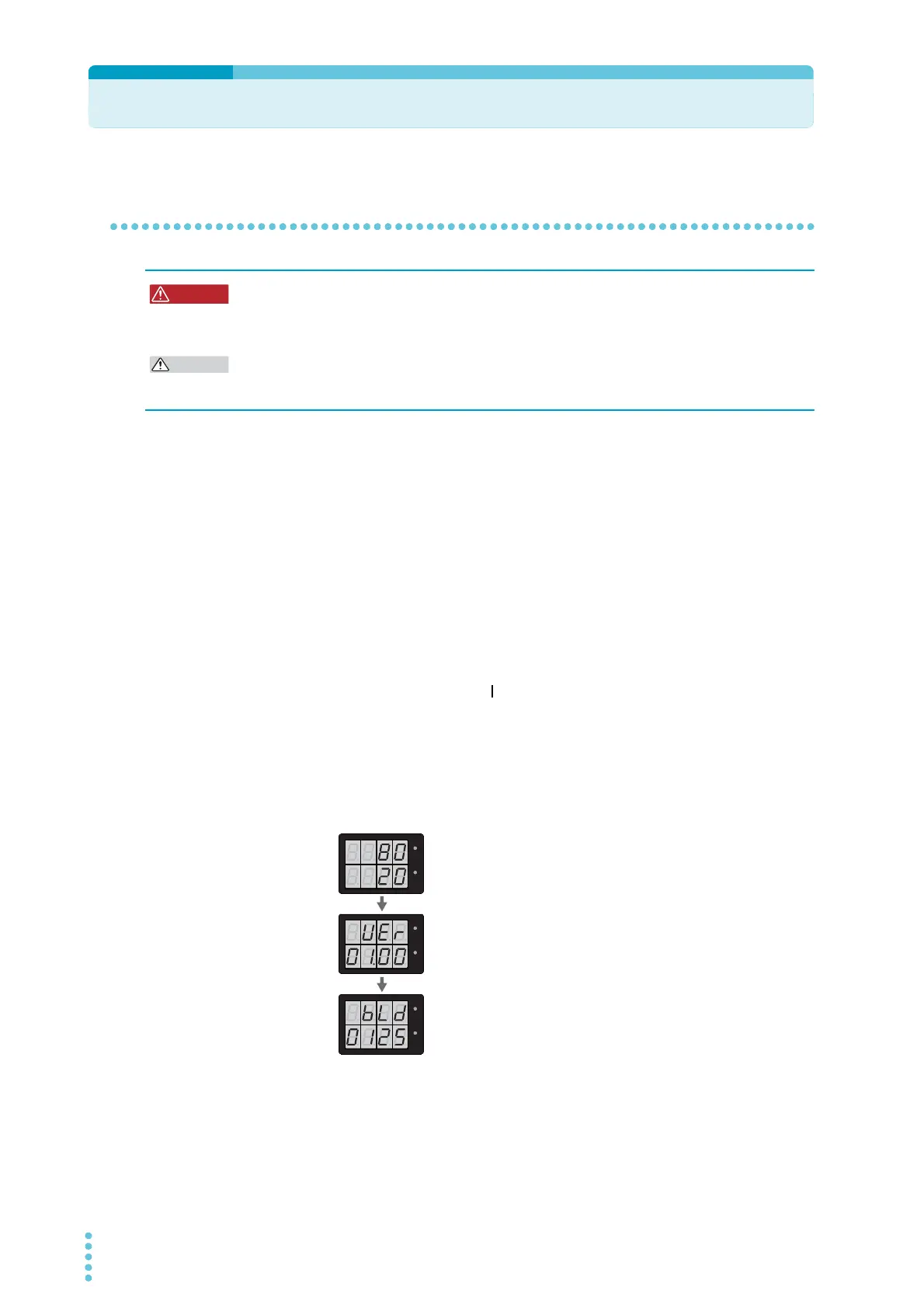
All the indicators light, and then the voltmeter and the ammeter display the following
sequence of information: the rated voltage and rated current, the firmware version
number, and then the build number. Each item is displayed for approximately 1 sec-
ond.
After a few seconds, the PWR-01 enters the operation standby state (the measured
value is displayed).
Risk of electric shock. Regardless of whether load cables are connected to the output
terminals, be sure to attach the OUTPUT terminal cover before turning the POWER
switch on.
Risk of damage to load.
If the PWR-01 is configured to turn on the output when the POWER switch is turned on in
CONFIG settings, set an appropriate OVP or OCP value before connecting a different load.
Firmware version display
(Version 1.00 in this example)
Rated voltage and rated current display
(PWR401ML example)
Build number display
(Build number BLD 0125 in this example)
CV
CC
/
W
V
A
CV
CC
/
W
V
A
CV
CC
/
W
V
A
CV
CC
/
W
V
A
CV
CC
/
W
V
A
CV
CC
/
W
V
A








 To Next Page