PWR-01 65
Basic Features | CONFIG Settings
CF45 (PON) Output state at power-on
Sets the output condition that the PWR-01 will be in when the power is turned on (p.28).
When you are using an external contact to turn the output off, this parameter is invalid.
This parameter is applied when you turn the POWER switch off and on.
CF50 to CF53 (IP1 to IP4) IP address display
These parameters display the set IP addresses.
To set a fixed IP address, set it from the panel (CF62 to CF65) or from the Web browser inter-
face. When you access the PWR-01 through a Web browser, do so under conditions in which
a DHCP server or AUTO IP can be used.
For details on the Web browser interface, see the Communication Interface Manual on the
included CD-ROM.
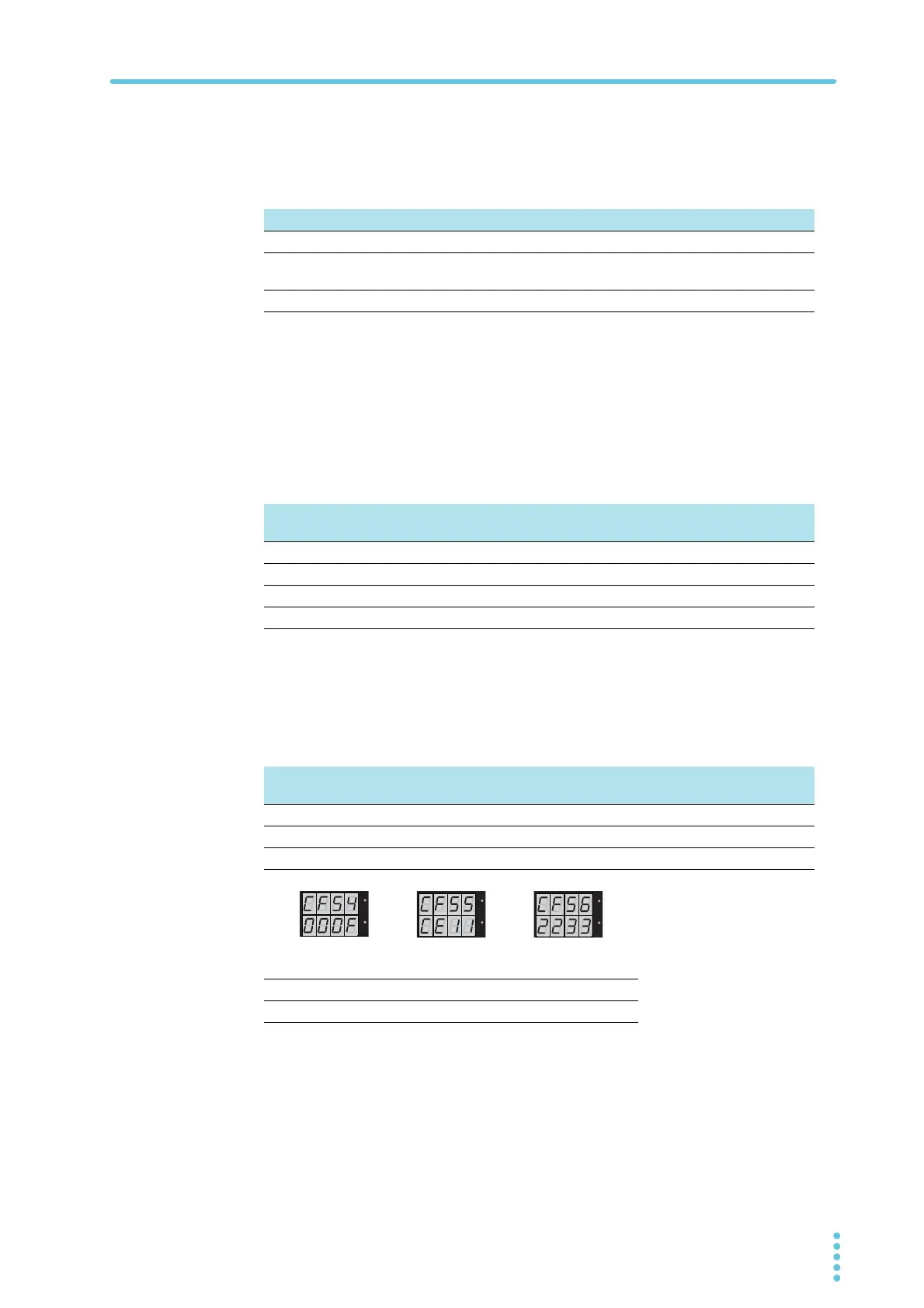
CF54 to CF56 (HA1 to HA3) MAC address display
These parameters display the set MAC addresses.
MAC addresses are set to 00.0F.CE.xx.xx.xx (where x is a hexadecimal number between 0
and F).
Display Description
SAFE Safe Output off (factory default setting).
AUTO Auto The output state that was in use immediately before the POWER
switch was turned off.
FORC Force Output on
Parameter
number
Display Description
CF50 0. to 255. 0 to 255 First octet of the IP address
CF51 0. to 255. 0 to 255 Second octet of the IP address
CF52 0. to 255. 0 to 255 Third octet of the IP address
CF53 0 to 255 0 to 255 Fourth octet of the IP address
Parameter
number
Display Description
CF54 00.0F 00.0F First and second octets of the MAC address
CF55 CE.XX CE.xx Third and fourth octets of the MAC address
CF56 XX.XX xx.xx Fifth and sixth octets of the MAC address
Display ABCDEF
Hexadecimal A B C D E F
Display example of the MAC
address "00.0F.CE.11.22.33"
CF54: 00.0F
CF56: 22.33
CF55: CE.11








 To Next Page