PWR-01 93
External Control | Output Current Control
Control using an external resistance (Rext)
By using an external resistance (Rext) to change the voltage-divider ratio of the reference
voltage (J1-3 REF OUT), you can change the output current (Io) to a value in the range of 0 to
the 105 % of the rated output current (Irtg).
To use an external resistance (Rext) to control the output current, set CC control using an
external voltage or external resistance to on (CF10: ON) in CONFIG settings.
In CONFIG settings (CF12), set the external voltage (Vext) range and reference voltage (J1-3
REF OUT).
The output current (Io) varies in the range of 0 to the rated output current (Irtg) when the
external voltage (Vext) is changed in the range of 0 V to 5 V (CF12: LO) or in the range of 0 V
to 10 V (CF12:
HI).
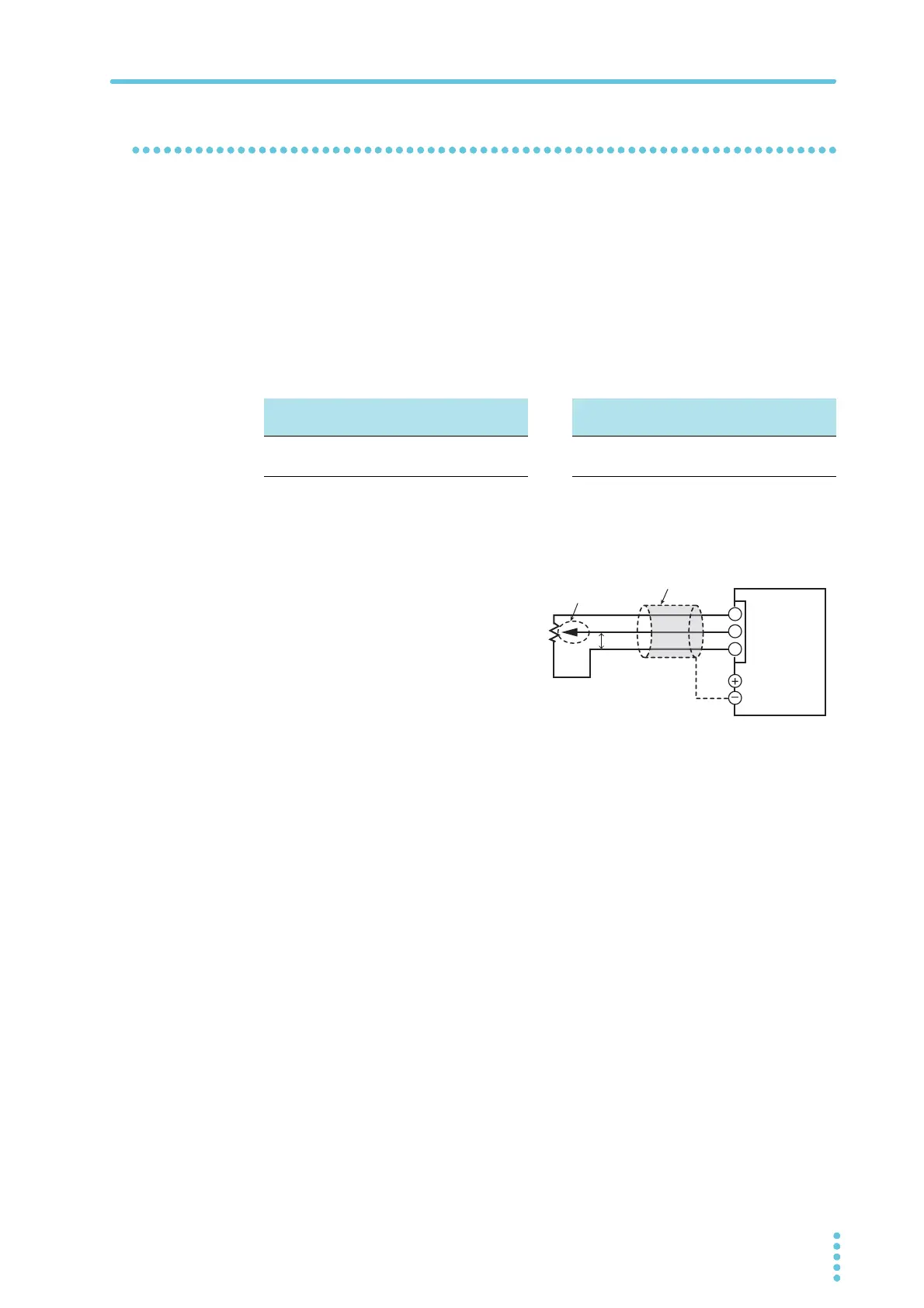
External resistance (Rext) connection
For Rext, use a resistor that is rated at
approximately 10 kΩ, 1/2 W or
greater, that has a low temperature
coefficient, and that will change little
over time. Examples of such resistors
are metal film or wire wound resistors.
To reduce the influence of noise on the
output, connect a 2-core shielded wire
or a twisted-pair wire across Rext, and
keep the wire as short as possible. If
the wiring is long, it becomes easy for
noise to influence the operation of the PWR-01. Even if you use wires that are designed to
suppress noise, the PWR-01 may not operate properly.
If you use a shielded cable, connect the shield to the negative output terminal.
Use pins 3, 11, and 15 of the J1 connector.
Reference voltage (REF OUT) 5.25 V
External voltage (Vext) 0 V to 5 V (CF12: LO)
Reference voltage (REF OUT) 10.5 V
External voltage (Vext) 0 V to 10 V (CF12: HI)
Io = Irtg×Vext /5 [A]
Vext = 5×
Io / Irtg [A]
Io = Irtg×Vext /10 [A]
Vext = 10×
Io / Irtg [A]
2-core shielded wire or
twisted pair wires
Output terminal
J1
3
11
15
PWR-01
Rext
Vext
Wiper
Reference
voltage
(REF OUT)








 To Next Page