38 PWR-01
Basic Features | Output Operation
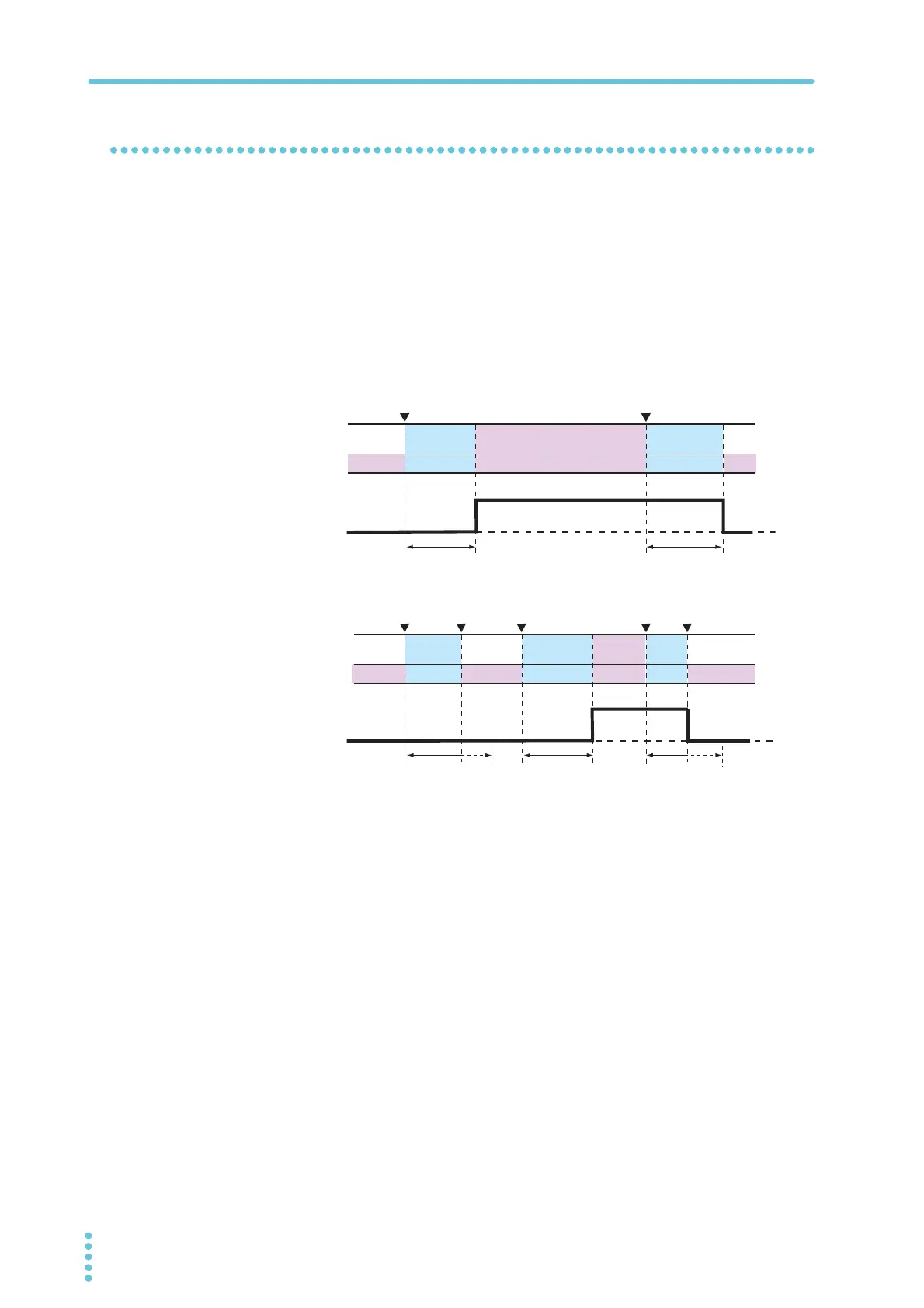
Output-on/ off delay setting
You can set the delay from when the OUTPUT key is pressed to when the output actually
turns on or off (p.59). This is a useful feature when you want to turn the output on or off by
setting a delay according to the load characteristics.
Use the output-on delay (CF08) or output-off delay (CF09) CONFIG parameter to set the
delay. When you set the delay, DLY lights.
When the output-on/ off delay is in effect, DLY and the OUTPUT LED blink (orange if set to
on, green if set to off).
If you press OUTPUT when the output-on/ off delay is in effect, the process is canceled, and
the output is turned off. If you press OUTPUT again, the output-on delay resumes.
Off OffBlinking
Lit Blinking
Lit LitBlinking Lit Blinking
DelayDelay
Delay
Off
Lit
Blinking
On
(orange)
(orange)
(orange)
(green)
(green) (green)
(green)
Off Off
Forced to off
OUTPUT LED
DLY LED
PWR-01 output
PWR-01 output
OUTPUT LED
DLY LED
Delay Delay
Off OffBlinking Blinking
LitLit
Blinking
Lit LitBlinking Blinking
On
Off
źUHSUHVHQWVWKDWWKH287387NH\KDVEHHQSUHVVHG








 To Next Page