PWR-01 17
Installation and Preparation | Connecting the Power Cord
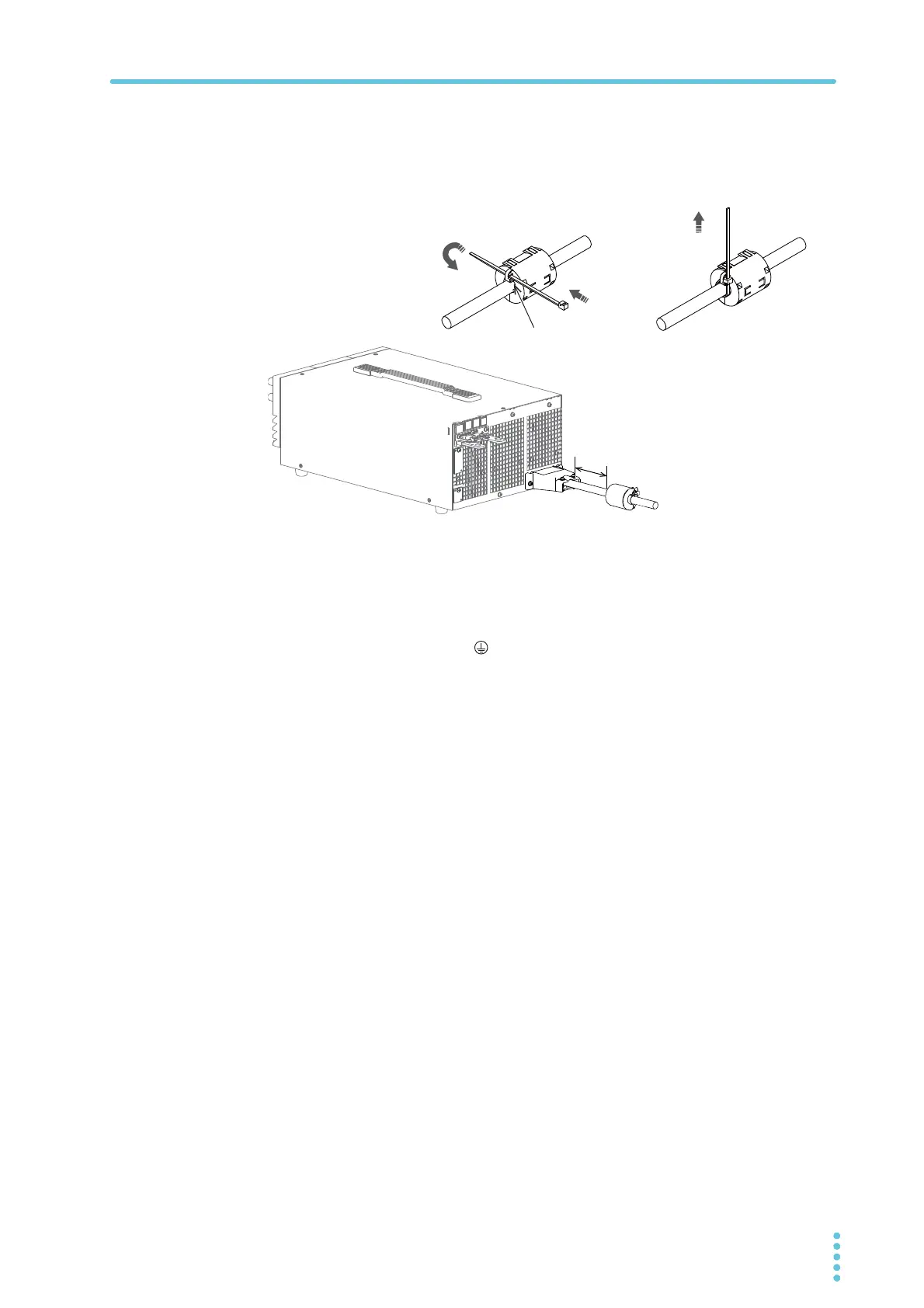
Attach the core as close to the input terminal as possible but not too close as to get in
the way of attaching and removing the INPUT terminal cover.
Use the cable tie to fix the core on to the power cord. Check that the core is locked
and does not move. Cut the cable tie at an appropriate length.
6
Attach a appropriate crimping terminal to the switchboard end of the
power cord.
7
Turn off the switchboard’s circuit breaker.
8
Connect the L, N, and (GND) wires of the power cord to the matching
terminals on the switchboard.
Insert the cable tie
through here.
Firmly apply the cable tie to
attach the core to the power
cord.
Approx. 10 cm
1
2
3








 To Next Page